The First Brew Closed with 26 Trophies
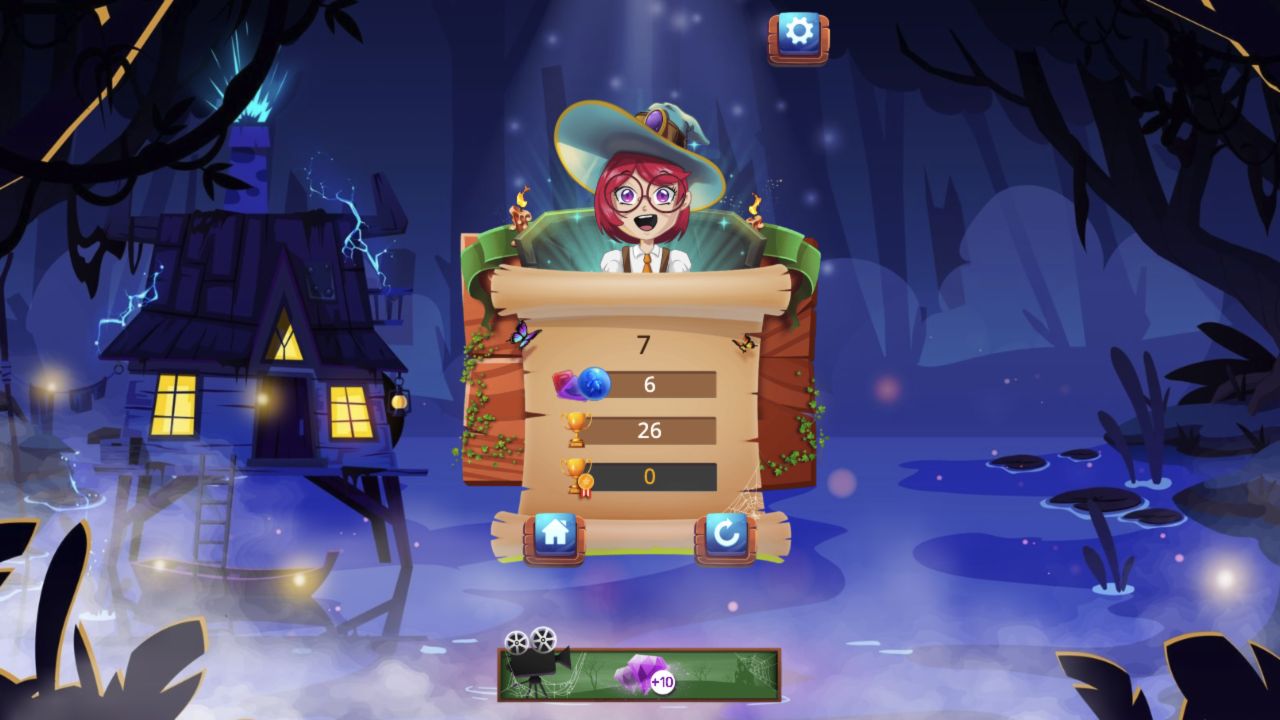
My first desktop run ended on a parchment summary displaying 7 at the top, an ingredient row of 6, a trophy row of 26, and a medal row of 0. The recorded 390-by-844 portrait run lasted longer and closed with 7, 11, 43 trophies, and 26 on the medal row. Because some result labels are conveyed mainly through icons, those are the exact displayed values rather than invented names for every statistic.
Home and retry buttons make the end state clear even without a conventional Level Complete headline. The loop is about surviving successive waves of falling numbered ingredients, shifting them horizontally, and letting the cauldron resolve what reaches the bottom. The portrait session used more frequent horizontal inputs without buying a premium orb or triggering a rewarded shortcut. That changed play pattern means the higher result is not a controlled comparison of the two layouts.

A Storybook Witch Opens an Arcade Game
The title screen promises a gentle storybook mood: a bespectacled witch rides a broom beside a steaming cauldron, while brightly colored ingredients float through a moonlit swamp. Pressing Play does not begin a dialogue-heavy school simulation. It opens a compact orb-selection shop and then a falling-piece arcade challenge.
That mismatch is not necessarily bad, but it sets expectations. Players looking for potion recipes or classroom choices will instead find timing, lateral movement, and number progression. The art does useful work around the board: the witch reacts above the play field, splashes animate in the cauldron, and the dark blue background keeps cyan pieces readable even when several overlap.

The Orb Shop Starts at Zero Gems
Before the run, the shop showed a gem balance of 0. The glowing blue orb was available as the default selection, while eleven alternatives carried a 500-gem price. The designs included faces, elemental circles, a pearl-like sphere, a spiral, a beach ball, a doughnut, a bowling ball, and an eye. I kept the free default.
The shop is cosmetic in the portion I tested; I found no evidence that the paid-looking orb cards altered score rules. A video panel under the Play button advertised a ten-gem reward. I did not use it. New players can therefore start the core game immediately, learn the swipe mechanic, and decide later whether cosmetic variety is worth accumulating currency.

Horizontal Swipes Reposition the Falling Ingredients
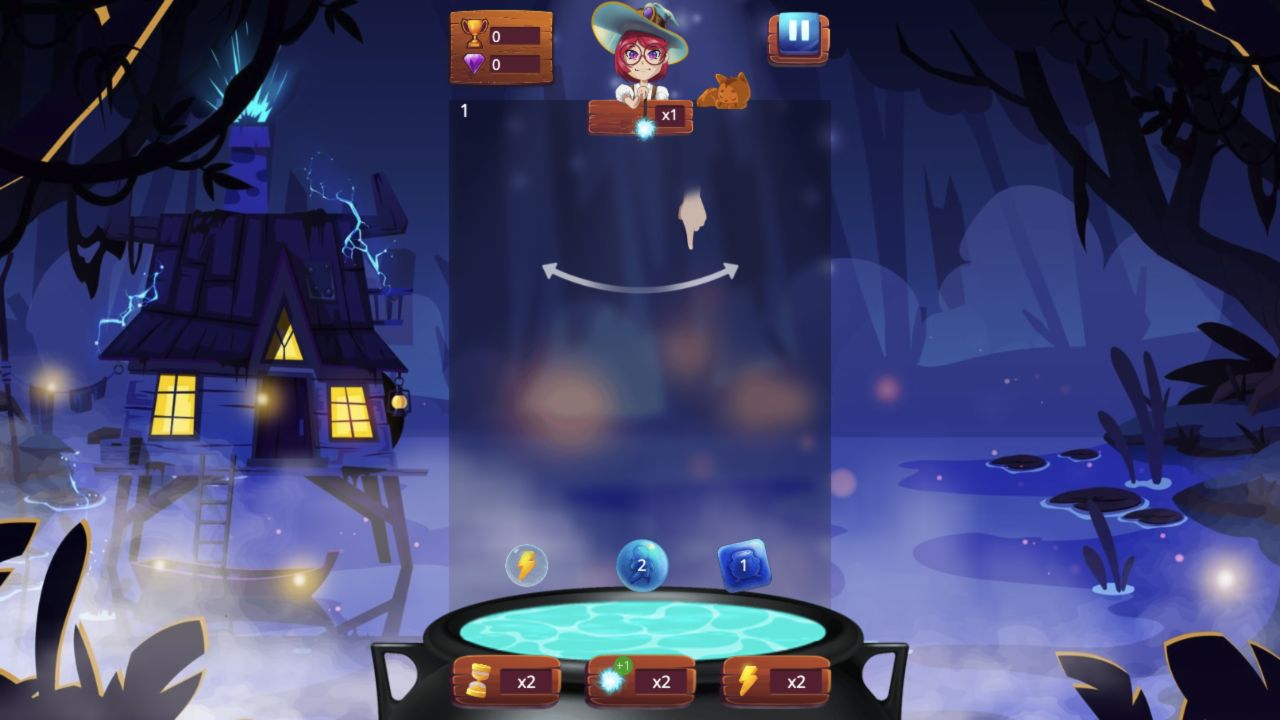
The tutorial uses a hand and a curved double arrow to teach one gesture: swipe horizontally. Once I dragged left, the overlay disappeared and numbered shapes began falling toward the cauldron. Repeating alternating swipes kept clusters shifting across lanes while the wave counter rose from 1 through the later stages.
The input is intentionally loose. A swipe anywhere across the central board registered; there was no need to grab a specific ingredient. The useful timing comes from acting before shapes reach the lower third, where there is less space to change their relationships. Rapidly alternating without looking can still increase activity, but deliberate swipes are better when identical numbers are approaching neighboring lanes.
Boosters Sit Below a Readable Falling Board
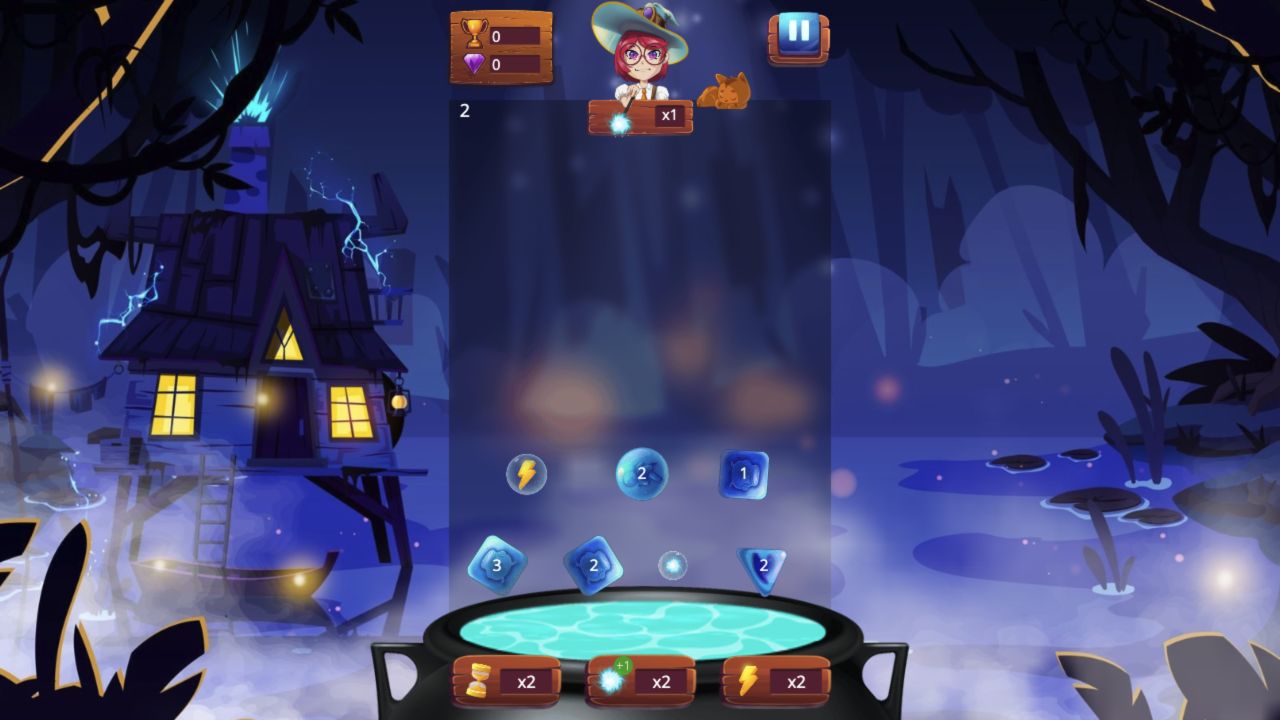
The active board mixes circles, squares, diamonds, triangles, gem bubbles, and lightning symbols. Visible numbers climbed as the run continued, while splashes confirmed when pieces reached the potion. Three x2 buttons sit below the cauldron for coins, the selected orb effect, and lightning. I left those controls unused so the score reflected ordinary swiping.
The recorded portrait layout stacks the witch, falling lane, cauldron, and boosters vertically. Desktop supplies illustrated scenery on both sides but does not materially widen the active lane. This supports a comparison of the visible arrangement, not a recommendation that a phone produces better scores. Try moving ingredients before the lower pile becomes crowded and learn the normal pace before multiplying effects.
The 390-by-844 record does not establish physical-phone hardware or its input method. These observations do not verify real-phone touch responsiveness, performance, or battery use, and I cannot name a best device from them. The recorded results remain 26 trophies on desktop and 43 in portrait.