My First Room Began Empty and Ended With One Finished Table
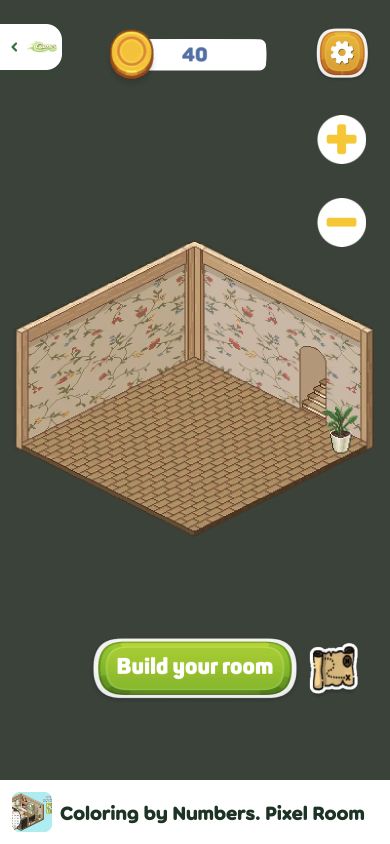
I completed the first free furniture project in Coloring by Numbers. Pixel Room from its blank-room opening to the final placement. The room initially contained a patterned floor, floral walls and a doorway; the mobile layout also showed a small potted plant. Choosing Build your room opened a catalog of 18 objects. I selected the free pedestal table with a vase, colored all 567 numbered cells, accepted the normal 10-coin completion reward and returned to find that same object standing in the room. The visible balance moved from 40 to 50 coins.
That loop explains the game's identity better than its title alone. This is not merely a gallery of isolated coloring sheets. Every finished picture is also a furnishing that gradually occupies the isometric room. The first result looks modest because most of the floor remains bare, but the before-and-after difference gives a practical purpose to hundreds of tiny taps. It left me wanting to see how a finished room would look after the other free projects were filled in.

The 18-Object Catalog Mixes Free Projects, Ads and a Coin Gate
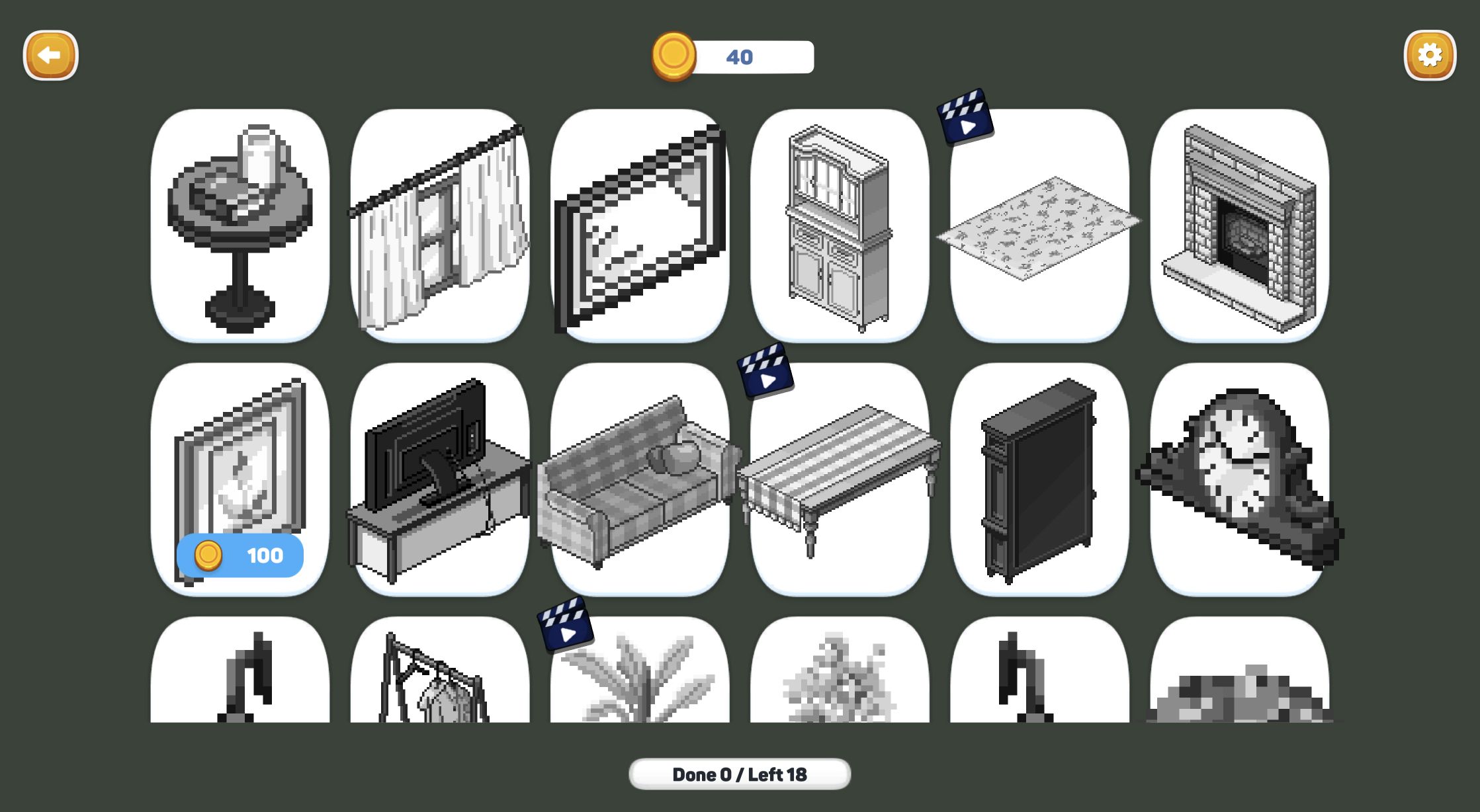
The catalog immediately showed the room's intended scope. Eighteen grayscale objects filled the selection screen: curtains, a mirror, cabinets, a rug, a fireplace, seating and decorative pieces. Some entries were free to start, several carried a video icon, and one framed object displayed a 100-coin price while my account held only 40. I did not buy or unlock those gated entries, so I cannot say whether every video is mandatory or how frequently enough coins arrive for the paid item.
What I could verify is that the first free project pays 10 coins without requiring the doubled-reward video. That is a clear, gentle progression signal, although it would take several similar rewards to reach the visible 100-coin gate. A daily-bonus panel also appeared after the clear, offering 20 coins on day one and showing later bomb and paint tools. I closed it without claiming, so the article does not count that bonus as earned currency.
Zooming Is Essential Before the Numbers Become Readable
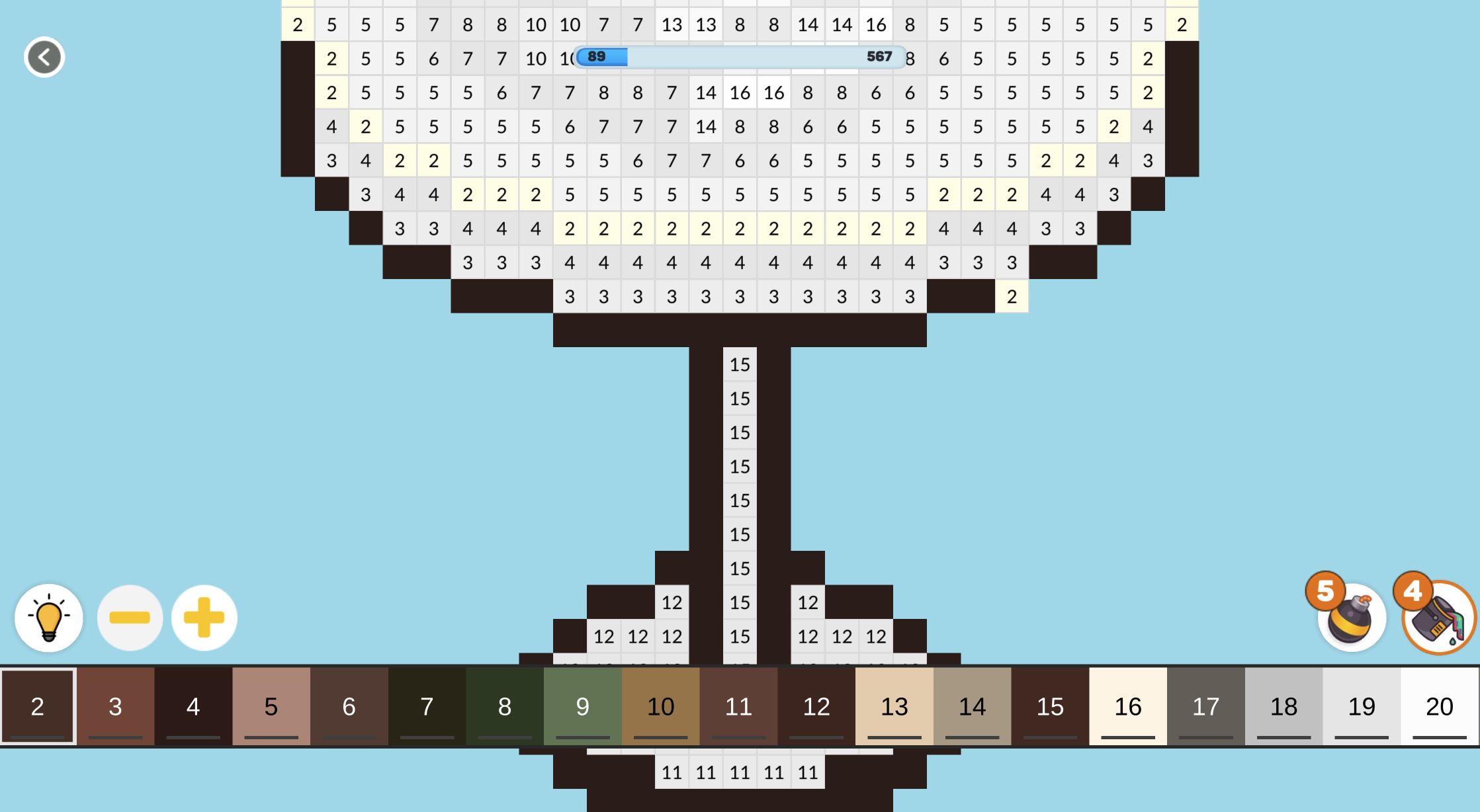
The tutorial correctly starts with zoom. At the widest view I could recognize the table and vase, but the individual numbers disappeared inside the grayscale pixels. Four presses of the plus control enlarged the canvas enough to reveal the grid clearly. The game supports panning at that scale, while the palette remains anchored across the bottom. On desktop, the palette showed a long run of numbered shades; completed colors dropped out and the remaining entries shifted left.
The basic input is forgiving. Select a numbered swatch, then click its matching cells; pressing and swiping can color continuously. A wrong destination did not erase prior work or deduct a visible resource during this run. The challenge is therefore patience and visual scanning rather than punishment. I found it most comfortable to complete connected borders first, because a finished color disappears from the palette and reduces the amount of information competing for attention.

Boosters Turned a 567-Cell Job Into a Manageable Session
Two starting booster types mattered. The paint tool filled a connected region of the selected number, not every instance of that number across the whole object. It was excellent on the table's large outline, but isolated pockets still needed separate work. The bomb-style area booster was much stronger for this first project: one well-placed use in the center raised my progress from 147 to 376, and later uses cleared the tall upper section and pedestal base.
Those tools kept the session from becoming a mechanical 567-click exercise, but they also changed how I approached the picture. I saved them for dense areas and manually cleaned the small edge clusters. The final eleven cells were easy to identify because only colors 3, 7 and 8 remained in the palette. That closing phase felt satisfying: every lingering yellow-highlighted target had an obvious place, and the progress bar finally reached 567 without any ambiguity.
The Perfect Screen Paid 10 Coins Without Forcing the Double Reward
Completion produced a large Perfect message, confetti and two explicit choices. Watch +20 was the advertised doubled reward; Continue +10 was the ordinary path. I chose Continue +10 on both the desktop and mobile runs. An interstitial still appeared during the handoff, but it was separate from the optional reward button and could be closed. Earlier, Playgama had also shown a preroll before the game loaded, and another ad interrupted the coloring session after a tutorial step.
That frequency is the main friction in an otherwise calm game. I never followed an advertisement or made a purchase, and I saw only a soft coin balance, ad-marked furniture entries and booster counters. Players looking for uninterrupted meditative coloring should expect the ad breaks to puncture that mood. The game itself remains relaxed, with no timer, no loss state in the tested object and a clear choice between normal and doubled completion rewards.

Mobile Emulation Completed the Same First Build, Though This Was Emulation
I repeated the complete first-furniture loop through a recorded browser-emulation session at a 390-by-844 viewport. The full-viewport test covered the page while preserving a small visible exit control. After closing the preroll, I reached the empty room, opened Build your room, selected the same free table and worked from 0/567 to the Perfect result. I chose the ordinary Continue +10 path, closed the handoff ad and returned to the room with the furniture placed and 50 coins visible. The clean mobile return image paired with the opening section records that final state.
Having finished the same 567-cell project on both layouts, I found portrait mobile fully workable but more dependent on legal zooming and panning when the last numbered clusters sat near the canvas edges. Desktop still offers a wider field for scanning many shades in one sitting, while mobile gives the palette and boosters comfortable thumb-sized targets. This mobile run was browser emulation rather than physical-device hardware, so it does not prove real-phone performance or battery behavior. My practical preference remains desktop for the uninterrupted full project, but mobile can complete the identical loop rather than serving only as a short-session preview.