Thirty Kills in Twenty-Two Seconds — and Still a Loss
Zombie Hunter: Survival explains itself most honestly when a run goes wrong. For my representative desktop result, I chose the Gun and deliberately stopped moving. Automatic bullets kept finding targets, the kill counter climbed to 30, and the entire run ended at 0:22. The result panel awarded zero coins. Twenty-two seconds was enough to show that damage is generous at the start, but not generous enough to replace positioning.
That failed attempt came after a longer exploratory run with the Flamethrower, so I already knew the intended rhythm. Zombies enter from every edge of a portrait city block; defeated enemies leave experience pickups; filling the bar pauses the action and offers three upgrades. Movement is the only constant manual job. The weapons fire by themselves, which lets the player concentrate on threading through gaps and deciding how much danger is worth crossing for a cluster of experience.
The page and game both loaded without asking me to create an account, and I did not encounter an advertisement interruption during the tested runs. The opening is therefore quick. The catch is that the game starts its pressure just as quickly: the stage timer is not a warm-up, and a survivor left in the center can be surrounded before the first meaningful build choice arrives.
Automatic Fire Does Not Mean Automatic Survival
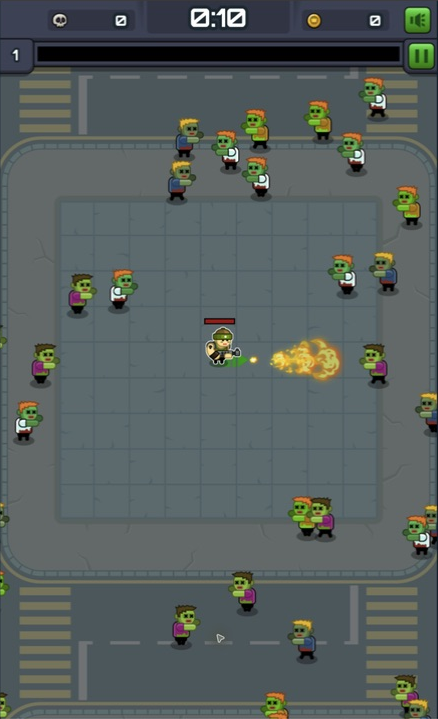
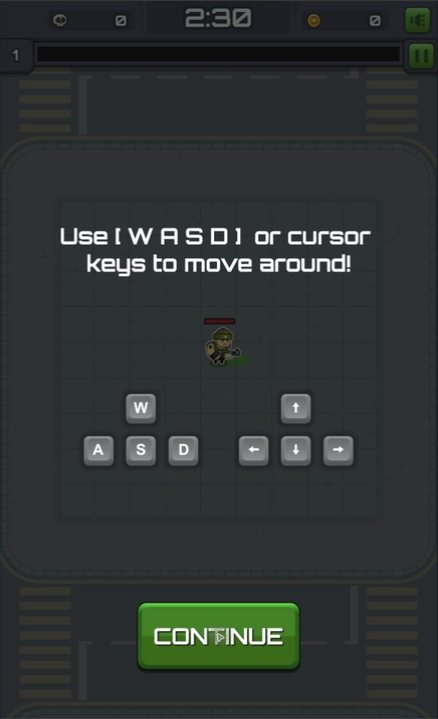
On desktop, WASD and the cursor keys both moved the character immediately in my test. The tutorial also explains the real objective: collect experience from defeated monsters to unlock weapons and skills. With the Flamethrower equipped, the survivor continuously projected a short cone in the direction he faced. That makes the movement vector part of the aim; running away while facing the wrong direction can pull the flame off the nearest threat.
The useful beginner pattern is a wide orbit rather than a panicked zigzag. Moving around the outside of a group keeps the horde on one side, gives automatic weapons time to work, and leaves a route back through the experience trail. Cutting straight through the middle is tempting when the ground is covered in pickups, but the character has no room to absorb a crowd. My stationary 0:22 death was the extreme proof of that principle.
The portrait renderer stayed intentionally narrow even in a desktop browser. That is appropriate for the vertical arena and keeps threats visible above and below the survivor, although the native desktop canvas looks softer than a full-width modern game. The screenshots here preserve that renderer at its observed size instead of enlarging it into fake detail.
The Opening Weapon Draft Changed Every Run
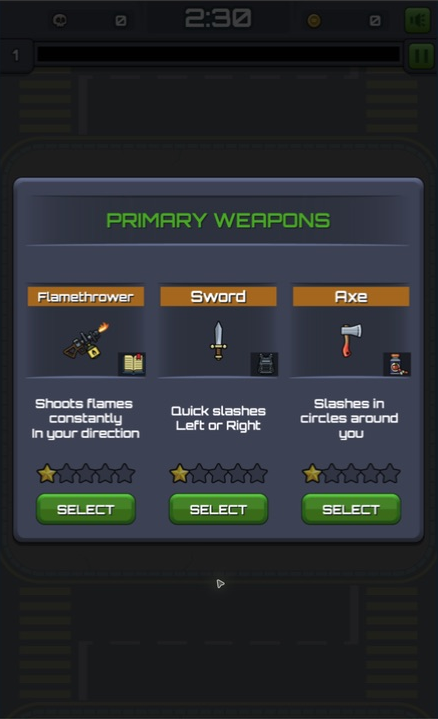
The primary weapon screen is a small but important source of replay variation. My first draft offered Flamethrower, Sword, and Axe. Their cards described constant directional flames, quick left-or-right slashes, and a circular slash. A fresh desktop attempt instead offered Gun, Crossbow, and Axe, while a later emulated phone run showed Flamethrower, Axe, and Gun. That changing trio stops a preferred opening from being guaranteed.
I found the Flamethrower easiest to read because its bright cone makes the attack direction obvious. The Gun aimed automatically and produced the 30-kill failure even while I stood still, which shows how much early work the weapon can do. The Sword and Axe advertise closer coverage, but I did not select them, so I am not treating their card descriptions as hands-on performance results.
This is the right amount of randomness for a short horde run: it changes the first tactical question without hiding the choice. Each card names the attack, displays an icon, and gives a one-line behavior summary before selection. If the preferred weapon is missing, choose based on the movement you are comfortable maintaining rather than waiting for a perfect build that the draft did not offer.
Level-Ups Turned One Flamethrower into a Build
My longer desktop sequence shows how quickly the build system opens up. At 0:16 and 12 kills, the first level-up offered Forcefield, increased Flamethrower damage, or Drill. I selected Forcefield for close-range protection. At 25 kills, the next menu offered Molotov, Drill, or a larger and stronger Forcefield; I added Molotov. At 41 kills, I chose Action Gloves for an eight-percent reduction to all weapon cooldowns.
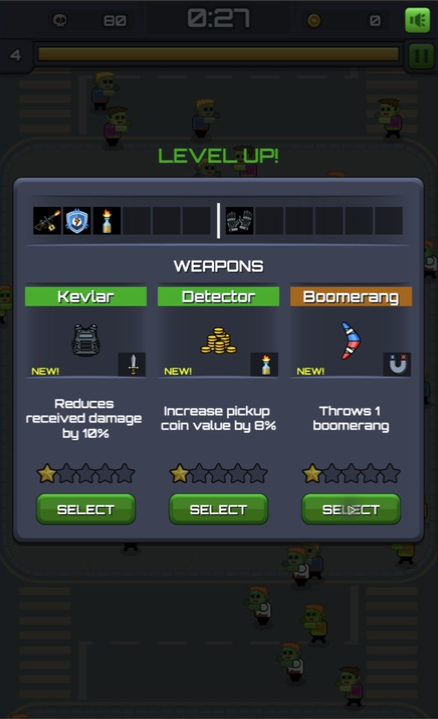
The run kept layering defensive and offensive questions. At 0:27 and 80 kills, I chose Kevlar's ten-percent reduction to incoming damage over Detector and Boomerang. By 0:33 the counter had reached 103, and the next three choices were Tesla, Scope for more weapon range, and Chronometer for longer effects. I stopped at that paused selection, so 103 is a checkpoint from an exploratory run, not a claimed completion.
The best part is that every level-up freezes the horde. There is time to read the cards and check the weapon strip before committing. New attacks occupy empty slots, while repeat picks can strengthen something already owned. That makes a run feel authored even though the offers are random: Forcefield solved contact pressure, Molotov covered space, and Action Gloves made the whole loadout cycle faster.

The Pickup Field Becomes the Real Risk
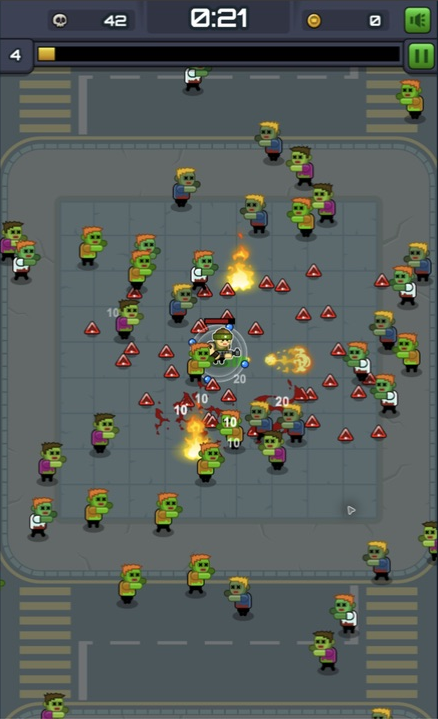
After Molotov joined the loadout, patches of fire appeared away from the Flamethrower's cone and damaged groups without requiring a direct approach. The screen at 0:21 showed 42 kills, several burning areas, and a thick spread of triangular experience pickups around the survivor. It looked like a reward field, but collecting it all at once would have required walking back toward the densest part of the horde.
That tension is the loop at its best. Leaving pickups behind delays the next upgrade; diving for them can collapse the safe route. I had better results when I let the enemies drift outward, curved around the group, and collected from the edge of the trail. A small amount of uncollected experience is cheaper than losing a run, especially before Forcefield or a defensive passive has created any margin for contact.
Desktop Won the Control Comparison
I tested the declared mobile layout with Edge's iPhone 12 Pro emulation at a 390 by 844 CSS-pixel viewport. Taps reliably opened the Upgrade tab, increased Power from level one to level two, returned to the stage, started a run, and selected the Flamethrower. The portrait interface fit cleanly, and a second run reached a level-up at 0:24 with 24 kills and a choice among Forcefield, Boomerang, and Tesla.
Movement was less convincing. My drag gestures did not reliably pull the survivor clear of the center, and the comparable touch attempt ended at 0:26. Its result panel recorded 36 kills and zero coins, although the live HUD briefly showed 37 at the moment of death. That mismatch is small, but the result panel is the value I use for the final run record.
I preferred desktop because keyboard direction was clearer and more repeatable. The mobile test verifies that the layout and tap targets work under touch emulation; it does not prove real-device frame rate, battery use, heat, or browser-specific behavior on physical hardware. Players using a phone should expect the same vertical game and automatic attacks, but I would start on desktop when precise movement matters.

Stage Goals and Upgrades Give Failure a Context
Stage 1 presents Normal, Hard, and Insane goals on the same card. In the tested menu, Normal asked for three minutes, Hard for eight minutes, and Insane for completion, with coin rewards displayed under those milestones. Neither short failure earned a coin, so I could not verify a paid upgrade path from those results.
Between attempts, the Upgrade tab listed Power, Health, Armor, Aid, Fortune, and Learning. A touch tap raised Power from level one to level two during the tutorial flow. These permanent categories are separate from run-only cards such as Kevlar, Detector, and Boomerang. The distinction gives failure somewhere to lead, but the zero-coin short runs also make survival time more important than a flashy early kill count.
The catalog marks the game as having no in-game purchases, and I saw no purchase prompt during this review. I also did not complete the three-minute Normal target, so I cannot judge later stages, their reward pacing, or the full difficulty curve. What I can verify is a complete early loop: choose a weapon, move and collect, draft upgrades, die, review the kill result, and return to stage and permanent-upgrade menus.
My Honest Verdict
Zombie Hunter: Survival is a compact horde game with a readable core. Automatic attacks keep the input burden low, randomized drafts make repeated openings different, and the rapid level-ups create satisfying build decisions. The Flamethrower, Forcefield, Molotov, Action Gloves, and Kevlar sequence was already producing a layered setup before the first minute.
Its weakness is feedback around the edges. The narrow desktop renderer is soft, short failures paid nothing in my tests, and touch-emulated movement did not feel as dependable as keyboard input. The game also asks for three minutes on the first Normal milestone, far beyond either representative failed run, so a new player should measure progress by better routes and later level-ups before expecting a stage reward.
I recommend it to players who enjoy Vampire Survivors-style drafting but want a simpler browser session with only directional movement to manage. Start with the Flamethrower or Gun if offered, keep the crowd on one side, circle back for experience instead of charging into it, and consider Forcefield before greed turns a promising pickup trail into a 22-second defeat.