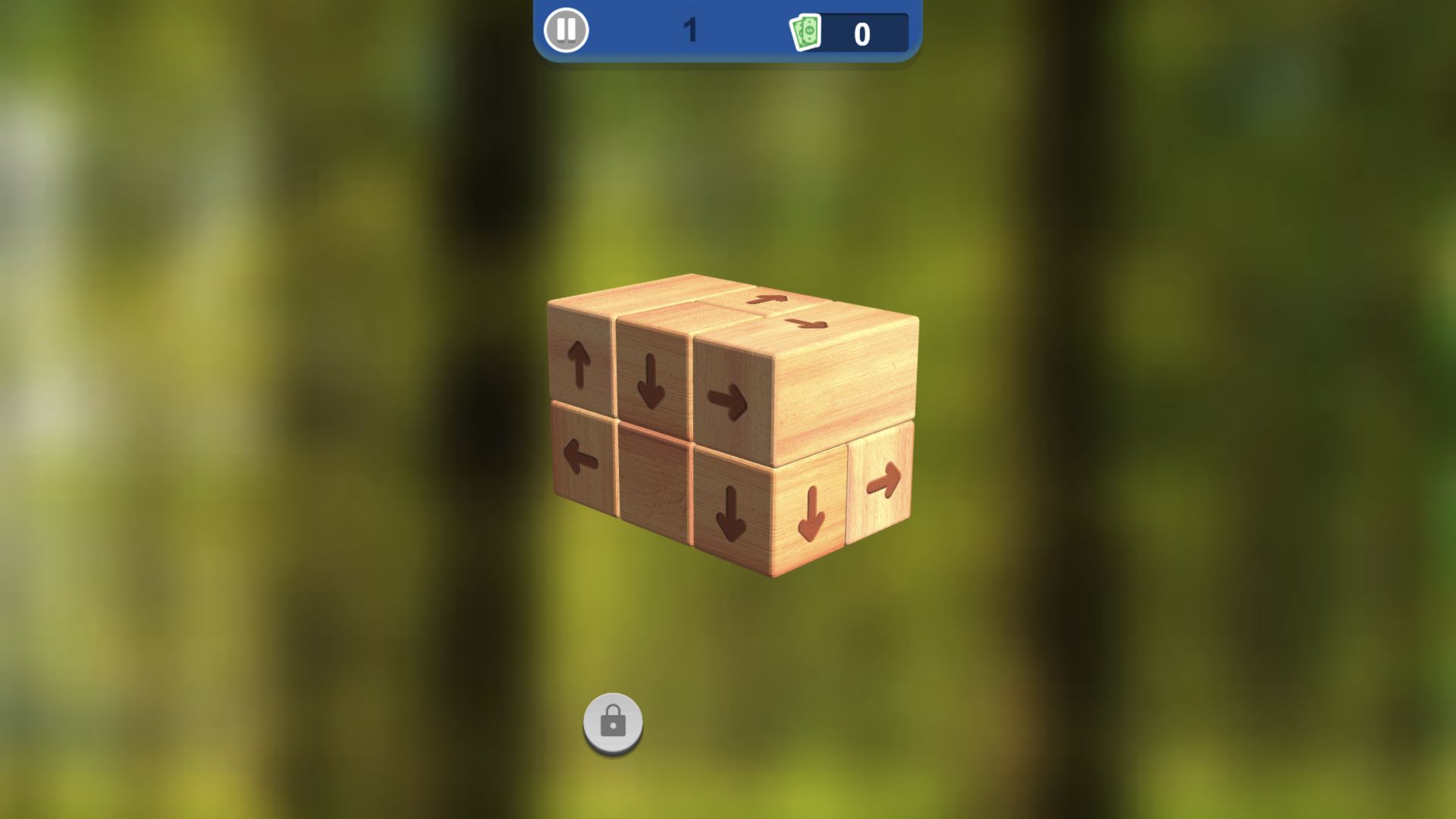
Level 1 opened as a readable nine-block teaching cube
Tap 3D Wood Block Away opened directly into Level 1 on desktop, presenting a compact cluster of pale wooden cubes against a softly blurred forest background. Dark arrows were printed on the visible faces, a pause button sat at the upper left of the blue HUD, the level number appeared in the middle, and the soft-currency counter remained at 0. That clean opening made the intended subject easy to identify before I touched anything: this is a spatial puzzle about reading block directions, not a reflex game or a crowded match-three board.
The opening initially looked unresponsive because single automated clicks did not register on the Cocos canvas. A fresh direct-build pass established the missing detail: a double-click on the exposed downward block removed it, raised the balance from 0 to 1, and exposed a new left-facing arrow. That observable change turned the session from a stalled first look into a complete hands-on loop. The input quirk still matters, but the game itself did respond once the browser sent the equivalent of two quick taps.

The first removal exposed the rule and a new route
The visible block faces point in several directions: up, down, left, and right. That arrangement supports the catalog's basic explanation that a block should leave along its arrow when the path is open. I could study which faces appeared exposed and which directions seemed to run into neighboring cubes. The small structure is a sensible teaching shape because it keeps every visible arrow large enough to read and avoids overwhelming the first screen with a huge sculpture.
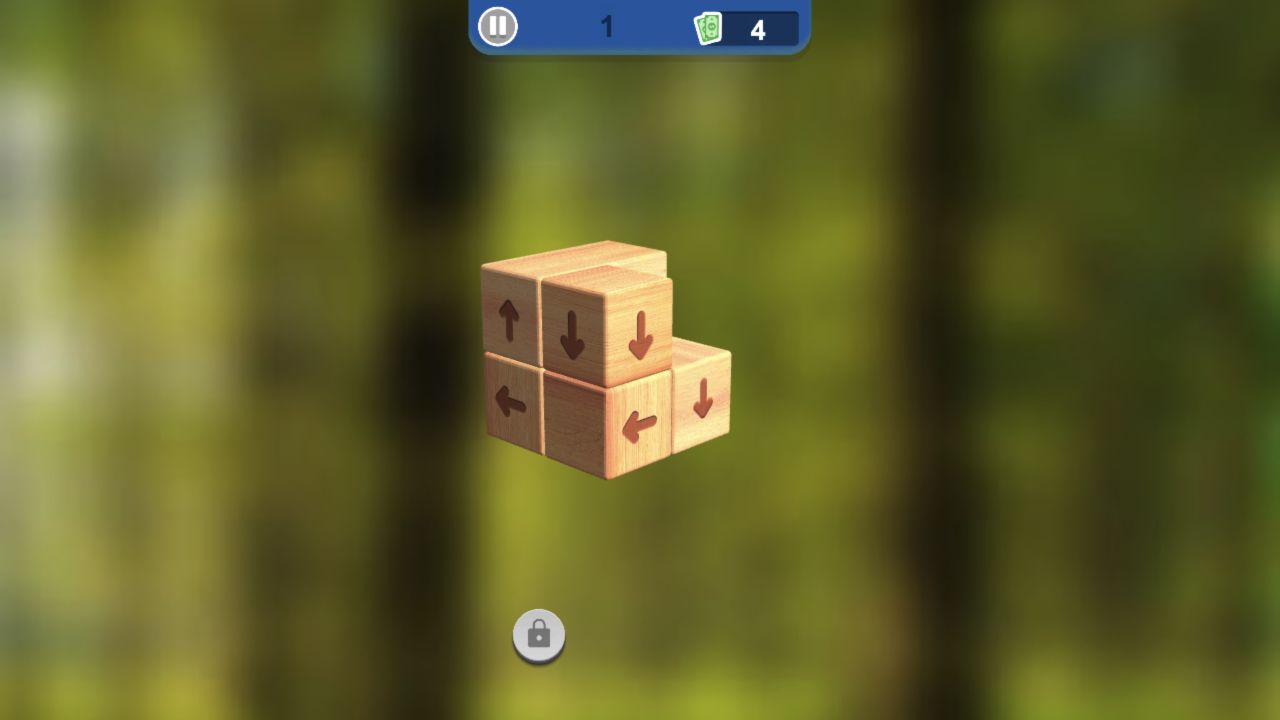
The successful first move supplied the evidence the opening image could not. The selected block slid away along its arrow, the currency counter advanced immediately, and the remaining structure re-centered without requiring a manual camera turn. A tutorial hand then marked the next exposed face. Following those visual prompts removed the second and third blocks, taking the balance to 2 and then 3 while the cube contracted into a smaller, easier-to-read shape. No failure counter or penalty appeared when my earlier attempts did nothing.
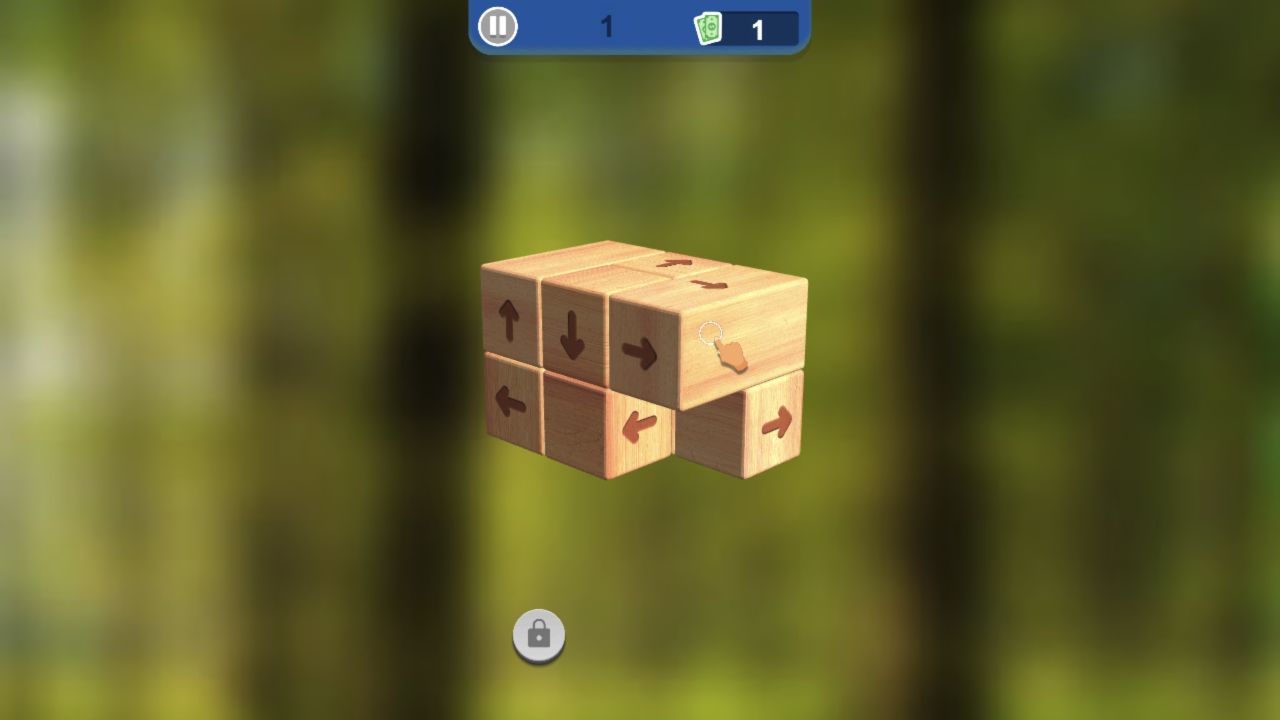
Tutorial guidance carried the balance from one to three
The catalog describes swipe-to-rotate and tap-to-remove controls. In this controlled desktop route, quick double-clicks were the reliable input even though ordinary single clicks and drag attempts had appeared ineffective. That is best described as browser-control friction, not as proof that every player must double-click. The tutorial itself remained clear once input registered: a white ring and illustrated hand hovered over the next intended face, and each accepted block departed with a short animation.
Level 1 was not difficult after that calibration. The cube began with obvious outer arrows, and every accepted removal revealed or freed another direction. The useful beginner habit is to read the perimeter before touching the middle: arrows pointing away from the structure are safer candidates, while a face aimed through another block should wait. I did not test a dense later sculpture, manual rotation, hints, retry penalties, or a difficulty curve, so the advice belongs specifically to this nine-block opening.
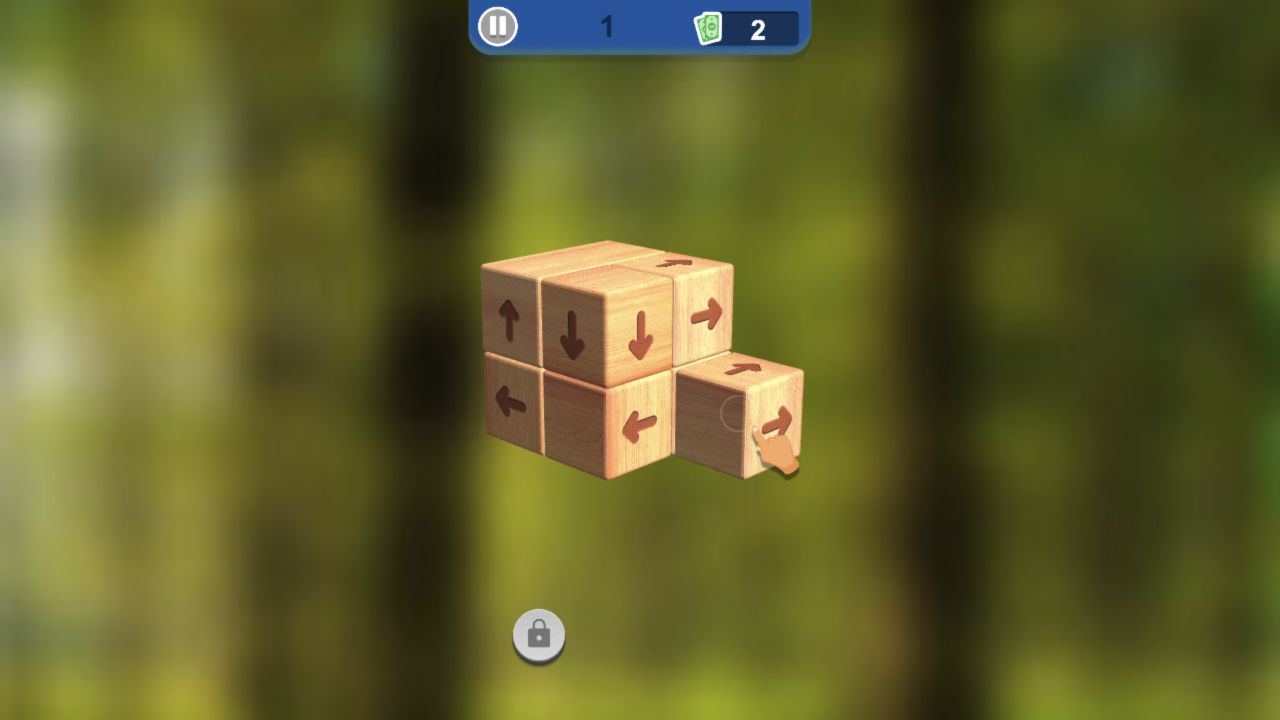
Each accepted block added exactly one to the visible balance
The top bar displayed Level 1 and a banknote-style icon beside 0. Every verified removal then added exactly one: the recorded sequence moved through 1, 2, 3, 4, 5, 6, 7, 8, and finally 9. A separate circular control near the bottom carried a padlock throughout the level. Those elements suggest progression beyond one puzzle, but the completed opening still did not explain the lock condition or what the banknotes buy. I did not open a shop, press the locked control, or encounter a random-reward mechanic.
Both catalog records say in-game purchases are unavailable. That is useful provider metadata, not evidence that the route is ad-free. The preflight assessment therefore permits editorial coverage only and marks monetization as limited: no purchase prompt appeared during the completed direct Level 1 loop, while provider prerolls appeared on the local Playflaming route and the meaning of the currency remains unresolved. This article does not treat the 0 balance as a premium wallet, and it does not promise that progress is free of ads.
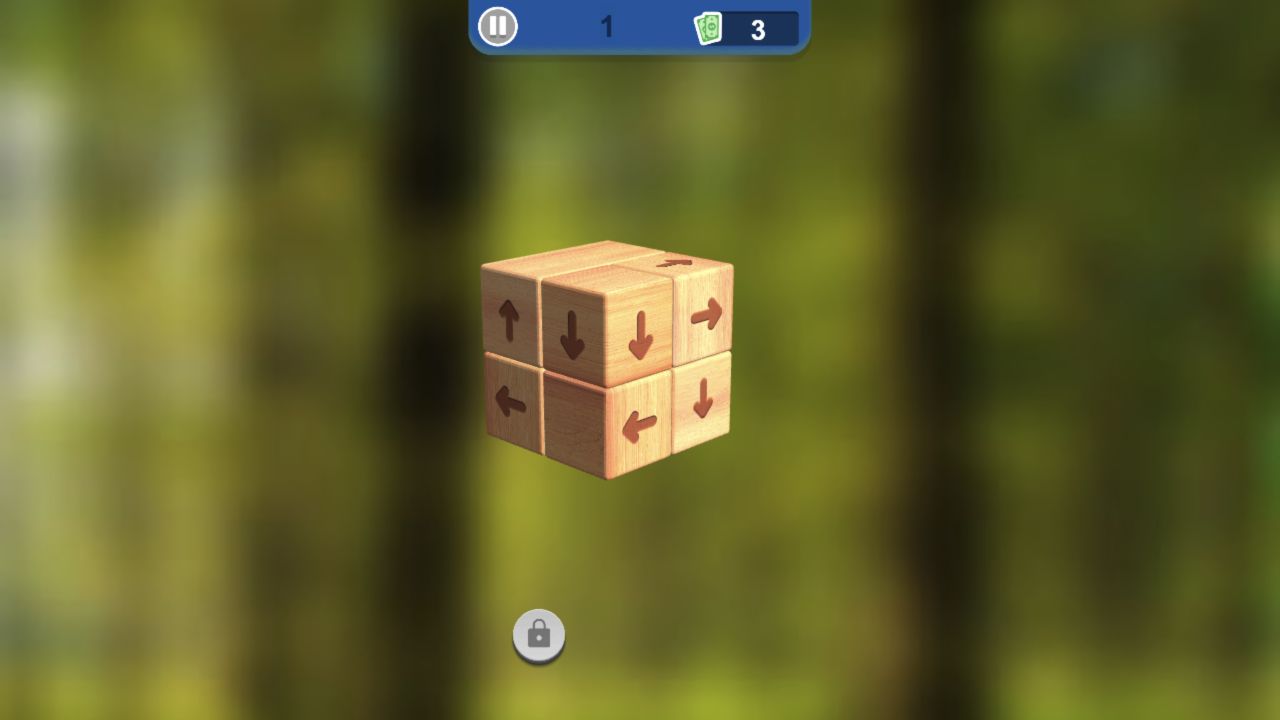
The shrinking structure made later choices easier to audit
By the fourth removal, only five visible blocks remained. The reduced silhouette made it easier to see which arrows had open space, and later legal faces disappeared in a clean one-at-a-time sequence until the balance reached 9. I did not need a manual camera rotation to finish this teaching structure. That does not prove rotation is unnecessary later; it shows that Level 1 can teach ordered removal using a fixed readable angle before denser sculptures appear.
Nothing in the verified level was violent, sexual, shocking, or socially interactive. The presentation consisted of wood grain, arrows, a forest blur, and a small HUD. No recognizable franchise character or logo appeared, and there was no chat, username, upload, leaderboard, clan, multiplayer lobby, or user-generated-content surface. That makes the observed material appropriate for a general puzzle audience and keeps the visual task easy to understand without a long story introduction.
General-audience presentation is not the same as a child-safety guarantee. I did not inspect every later level, every advertisement, or any external destination. The article also avoids describing Tap 3D Wood Block Away as educational simply because it uses spatial reasoning; no learning outcome was measured. Its verified appeal is more modest: players who like quiet, abstract deduction can understand and finish the nine-block opening. Whether manual rotation, hints, the wider economy, and later challenge support that appeal remains open beyond Level 1.
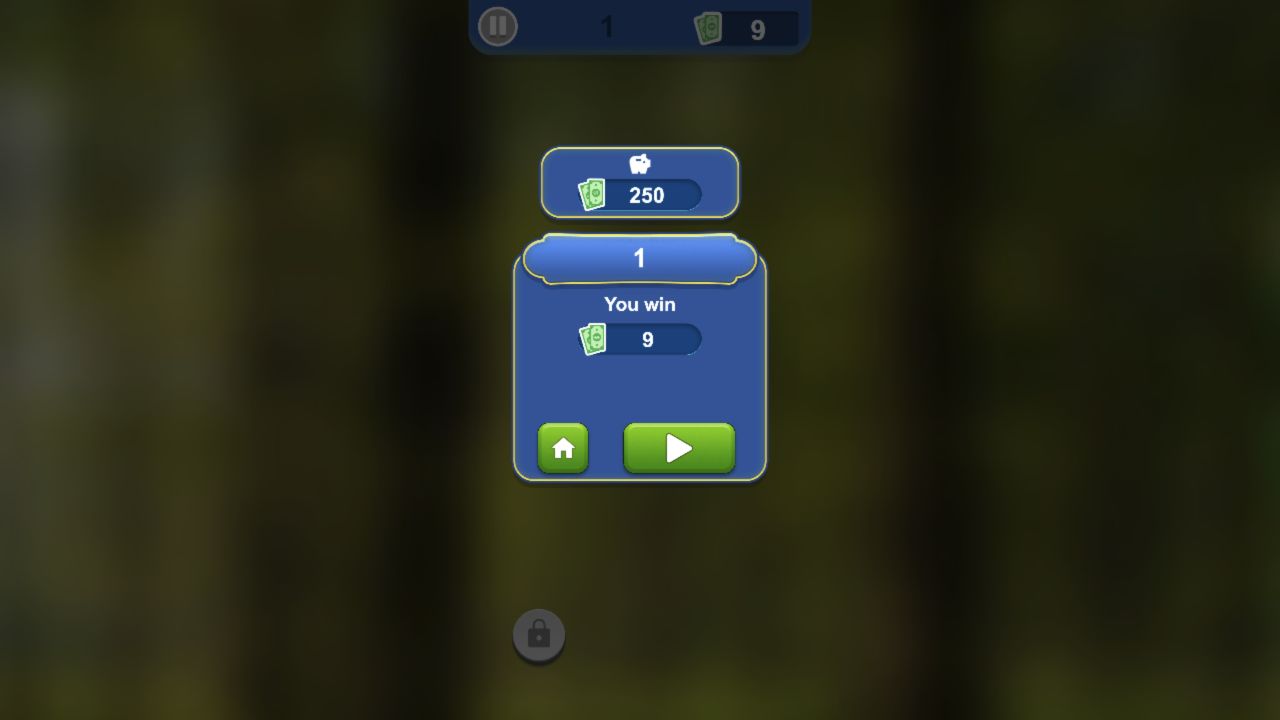
Level 1 ended with You win, nine banknotes, and two exit choices
The catalog declares desktop, Android, and iOS support in both horizontal and vertical orientations. I entered the local Playflaming fullscreen player at 390 by 844, verified its back control and title strip, and reached the same Level 1 wooden cube with the 0 balance and locked lower control visible. The portrait canvas fit the entire structure without cropping. Touch-style attempts on the tutorial target and obvious edge arrows still did not remove a block, matching the desktop input boundary instead of supplying a successful mobile loop. This supports a layout-and-loading claim only, not praise for touch rotation or real-device performance.
The ninth removal replaced the cube with a Level 1 result card reading You win and showing 9 beside the banknote icon. Home and Next buttons were available. A separate upper panel displayed 250 beside a pig-bank-style symbol, but I did not press it or infer whether it required an advertisement. The result is enough to verify one complete start-to-win loop and its per-block currency count, not later rewards, difficulty, or replay value.
The mobile fullscreen route at 390 by 844 also rendered the complete opening cube, 0 balance, locked control, site back button, and title strip without cropping. My early touch-style attempts there used single taps and did not remove a block; I did not repeat the newly discovered double-trigger sequence on touch after finishing desktop Level 1. Desktop is therefore the verified environment for the nine-block clear, while mobile evidence supports launch and portrait fit only. The preflight decision remains `review_only`, and this independent article does not guarantee AdSense approval or make claims about real-phone performance.