Reaper won my first match, but the clock decided round one
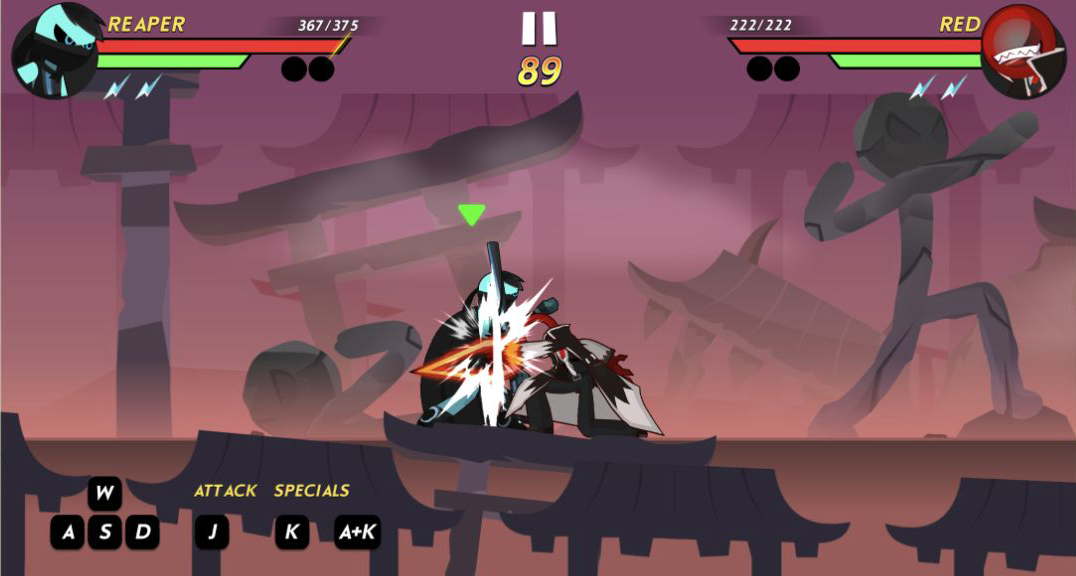
My first complete Stickman Kombat 2D match was Reaper against Red on Auto difficulty, and it immediately punished button mashing. Red landed the opening hit before I had settled on the right distance, taking Reaper from 375 to 367 health. Moving in with D, attacking with J, and reserving K for a clean opening worked much better than swinging from the edge of the platform. Reaper's scythe has theatrical reach, yet attacks still need the opponent to be inside the active part of the animation.
The first round did not end with a knockout. When the timer hit zero, Reaper had 273/375 health and Red had only 41/222, so the round went to me on remaining health. I like that rule because it gave all the earlier damage meaning, but it also exposed my cautious pace. In round two I pressed more confidently, pushed Red down to 1/222 with 22 seconds left, and used one final J attack to finish the match. The result was a clean REAPER WINS banner and a 30-coin reward rather than an unverified promise of progress.
The small move list creates a useful spacing game
The keyboard layout is compact enough to learn during one match. A and D control horizontal movement, W and S sit with them, J is the standard attack, and K triggers Reaper's special. The game also displays a directional special beside K. That prompt changed between A+K and D+K as the fighters swapped sides, a helpful visual reminder that left and right depend on where Reaper is facing rather than on a fixed combo recipe.
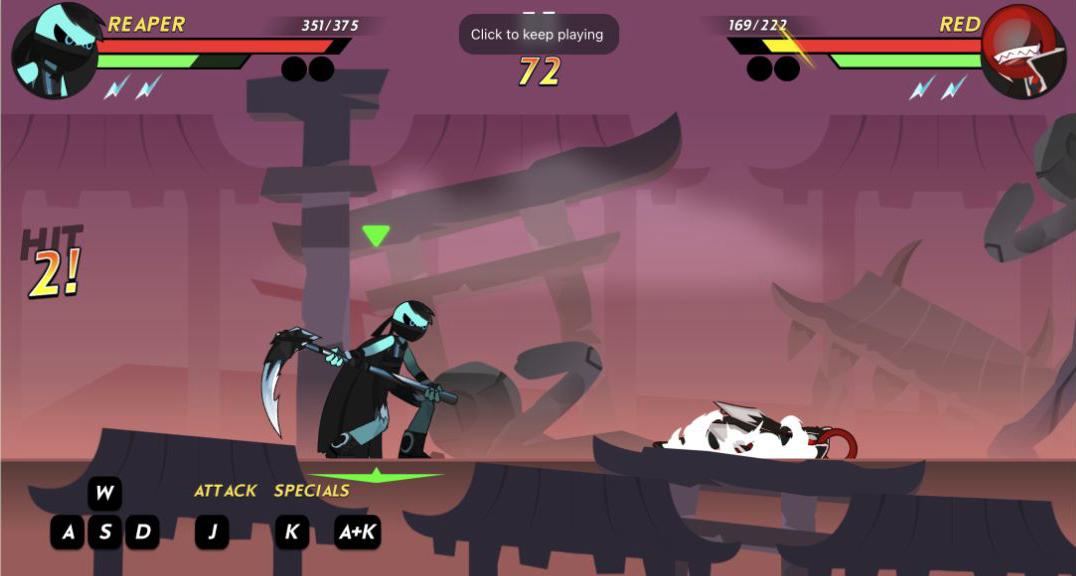
What matters is not memorizing a long command list, but recognizing when the opponent is vulnerable. A short J sequence produced HIT 2 and sent Red to the floor. Chasing too early risked meeting a counter as Red stood up; waiting too long surrendered pressure. The green bars beneath the health meters also discouraged endless attacks, while lightning icons made special availability readable. I did not need an account, a tutorial video, or an external move guide to understand the basic duel.
Combos feel better because the game shows exactly what connected
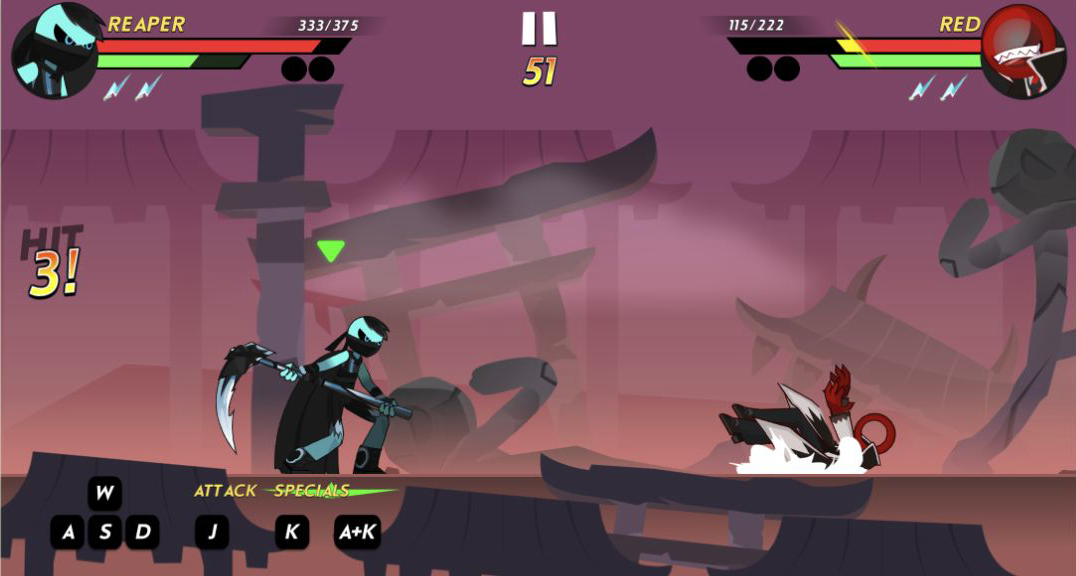
Stickman Kombat 2D is generous with visual confirmation. HIT 2, HIT 3, and HIT 4 counters appeared during my successful strings, health numbers changed at the top, and Red's body reacted with clear knockback or a full fall. That feedback matters in a game with deliberately exaggerated animation: the scythe may sweep across much of the screen, but the counter tells me whether the sequence truly connected.
The best moment came in the second round when a close-range exchange reached HIT 4. Reaper was still at 350/375 while Red dropped to 141/222, and the two fighters were almost overlapping in the impact frame. It looked messy in the enjoyable fighting-game sense, yet the HUD kept the situation legible. I could see the round marker, timer, health, and the attack prompts without pausing. The purple dojo silhouettes and layered rooftops add drama without hiding either fighter.
The roster gives coins a purpose without blocking the first fight
Before the match, the character grid showed Reaper selected, Red and Purple available, and a larger group of locked portraits. Difficulty was set to Auto, and the first desktop visit began at zero coins. An automatic offer presented Chrom for 750 coins; the mobile visit later showed Rush for 1000. I closed both offers and made no purchase, so the review does not pretend those fighters were tested.
The 30 coins earned from the desktop win persisted when I reopened the game in the mobile player. That is a modest reward compared with the advertised fighter prices, but persistence makes it feel useful instead of decorative. A pre-roll ad appeared on both device routes, and the fighter offers add another interruption before character selection. Neither prevented play, though players who want an instant rematch should expect a little menu friction around the otherwise quick combat loop.

Touch controls work, but portrait mode shrinks the fight too far
I entered the mobile version through Playflaming's own Play button at 390 by 844, confirmed the fullscreen player from its persistent back control and title strip, and completed another Reaper match using the on-screen buttons. Movement, J attacks, K specials, and the directional-plus-K control all responded. The result reached REAPER WINS, displayed a +15 increment, and still showed the 30-coin balance, so this was a real touch loop rather than a menu-only compatibility check.
Functionality is not the same as comfort. The catalog marks the game horizontal-only, and portrait mode proves why: the wide dojo occupies only a band of the tall screen, the health text becomes tiny, and the A/W/S/D/J/K buttons sit in a miniature row near the bottom. I could play by remembering their positions, but reading them mid-fight was harder than using the desktop prompts. Landscape mobile play may make better use of the intended proportions, but I did not test that orientation and will not claim it fixes every issue.

A sharp desktop brawler for short, readable duels
Desktop is my clear recommendation for Stickman Kombat 2D. The wide view preserves spacing, keyboard input makes quick attack decisions natural, and the large HUD communicates every important state. Beginners should start with Reaper, approach in short steps, use J to confirm range, and commit K only after Red has whiffed or fallen into a predictable recovery. If the timer is low, remember that a health lead can win the round; there is no need to throw it away chasing a dramatic knockout.
The game is best suited to players who want brisk browser fights, expressive stick-figure animation, and visible unlock goals rather than a simulation-heavy combat system. Its main drawbacks are the pre-match ad and offers, plus a portrait presentation that is technically playable but physically cramped. I would also like a clearer explanation of the green resource bars and lightning charges before the first round; they are readable once combat starts, but the game leaves their exact relationship for the player to infer. That learning curve is manageable, though. Across my two-round desktop win and complete mobile victory, the core combat remained consistent: close the distance, read the opening, chain a few clean hits, and enjoy the oversized scythe impact when the counter confirms that the plan worked.
