The Opening Tutorial Put a Whole Nonogram on One Screen
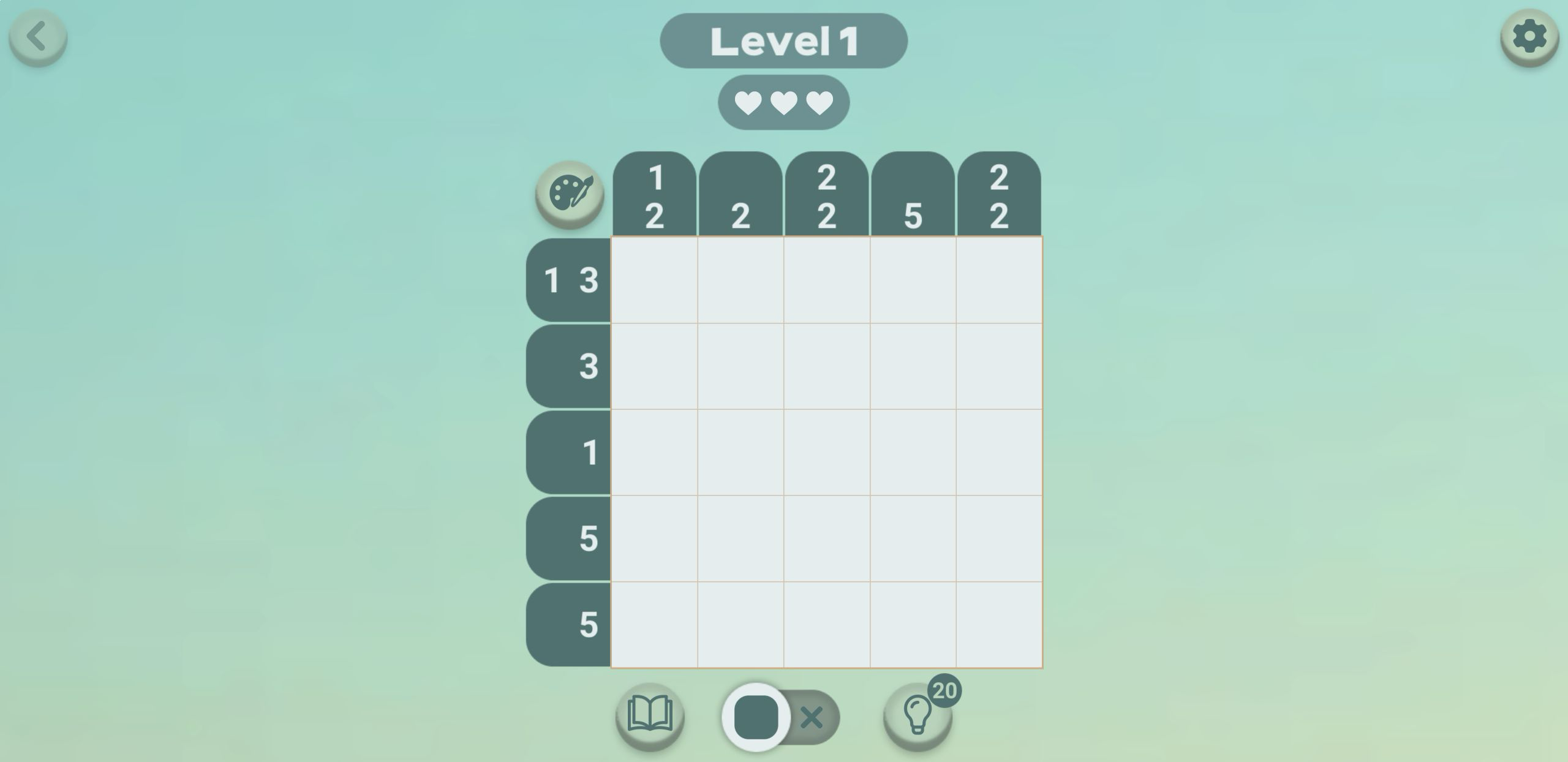
My first complete loop was Level 1, a five-by-five nonogram with three hearts above the board and 20 hints beside a light-bulb button. The row clues were 1 3, 3, 1, 5, and 5; the columns read 1 2, 2, 2 2, 5, and 2 2. A cartoon rat walked through the basic rule, highlighting a full row before asking me to paint it. The tutorial can also be skipped, which was useful when I repeated the same puzzle in Playflaming's mobile fullscreen player.
The board wastes little space. Row clues sit immediately to the left, column clues stay above their lanes, and the active tool remains visible below. On desktop, the puzzle was surrounded by enough empty background that every number was easy to scan. In the 390 by 844 mobile player, the same grid filled almost the entire width without hiding the hearts, hints, or tool switch. Neither tested loop required a login, and I did not encounter a purchase prompt during the puzzle or its result sequence.

Two Full Rows and the Five-Cell Column Broke the Puzzle Open
The quickest route came from the three clues that left no ambiguity. Both bottom rows were labeled 5, so every cell in those rows had to be filled. The fourth column was also labeled 5, extending the dark strip from top to bottom. Once those lines were complete, the game automatically placed X marks in cells that could no longer contain paint. That feedback reduced busywork and made the remaining logic much clearer.
From there, the 2 2 clues in columns three and five forced pairs in rows one and two above the filled bottom pair, with row three acting as the separating gap. The top row's 1 3 then became a filled first cell, one empty cell, and three filled cells. Row two needed the final three-cell block, while row three's lone filled cell already sat in column four. This was an approachable tutorial puzzle, but it still demonstrated the satisfying nonogram rhythm: solve the strongest line, let the consequences spread, then revisit the clues that were previously uncertain.

One Wrong Cell Produced Clear Feedback Without Ending the Run
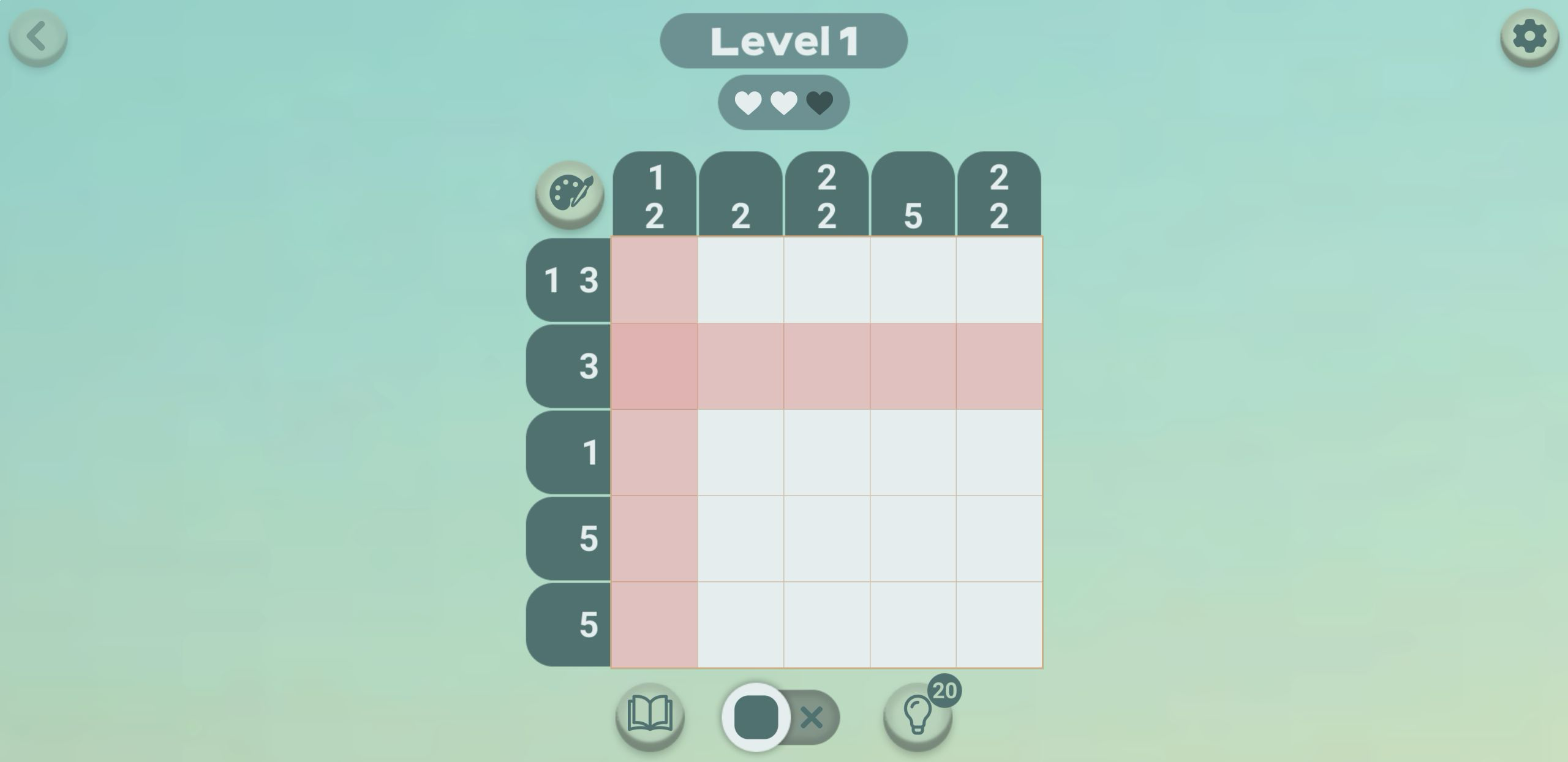
I deliberately painted the first cell of row two even though the completed column logic made it empty. The response was immediate: that row and column flashed red, and the third heart darkened during the warning. When the flash cleared, the board returned to its normal state and the incorrect paint was not left behind. A single slip therefore did not force a restart or leave me wondering which assumption had failed.
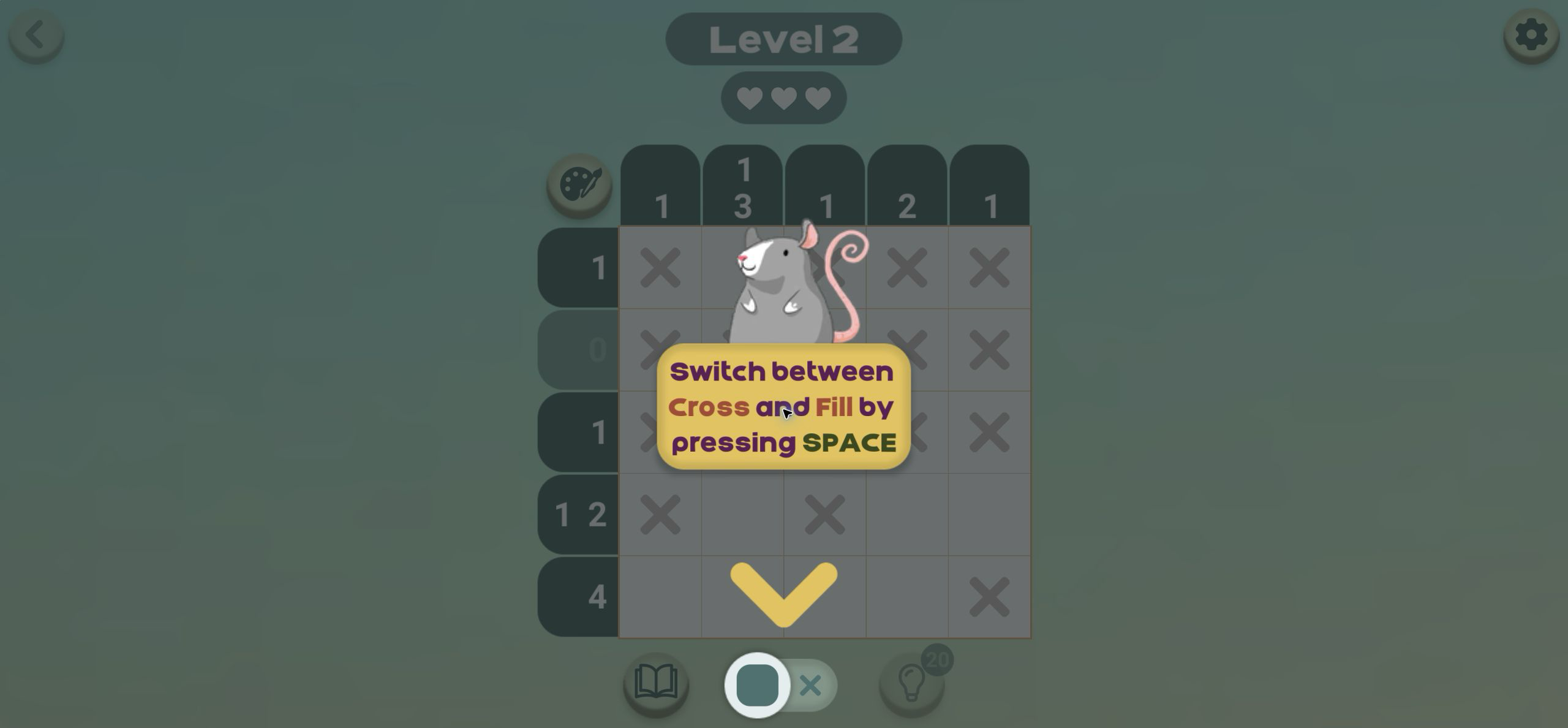
That correction is helpful for beginners, although purists who want completely consequence-free note-taking should rely on cross mode instead of guessing. The bottom switch changes between a solid square and an X, and the Level 2 tutorial explicitly says the desktop shortcut is Space. On touch, tapping the same large switch keeps the two tools within thumb reach. My practical rule is to paint only a line supported by both its row and column; use X marks to preserve deductions when the filled cells are not yet certain.
The Last Empty Cell Made the Hidden Picture Legible
Near the finish, only the rightmost cell of row two remained blank. Completed clue numbers had faded, the automatic X marks separated the white gaps, and the dark shape already resembled a trunk under a broad canopy. That visual reveal is the strongest part of the game. The clues are not merely a checklist; every correct deduction contributes to a tiny scene that becomes recognizable just before the final tap.
Input felt reliable in both completed loops. On desktop I could paint isolated cells with a short mouse movement and scan the entire clue frame at once. In the portrait fullscreen player, each cell was roughly 62 pixels wide, large enough for deliberate touch input on this opening board. The mobile modal also kept its back control and game title visible outside the game canvas, confirming that the screenshots came from Playflaming's fullscreen flow rather than a narrowed desktop embed or the recommendation grid underneath.

Sunny Day Paid Five Cheese and One Visible Star
The final cell removed the clues, enlarged the picture, and turned the monochrome solution into a small colored scene with yellow sun, blue sky, green tree, orange trunk, and grass. The result named it Sunny day. Confetti appeared around a three-star frame with the center star filled, while the reward panel showed five cheese icons. I received the same named picture, visible star result, and five-cheese offer after completing the comparable mobile loop.
The reveal is quick but effective because it answers two questions at once: what image the logic was hiding and what resource the solve produced. The first result did not display elapsed time, a move counter, or a numerical score, so I would not invent a performance metric from the star frame. What I can verify is the concrete outcome: Level 1 completed on both tested platforms, Sunny day revealed, and five Cheese became available to claim.

Claiming the Reward Changed the Cheese Counter from Zero to Five
Tapping Get reward moved the top Cheese counter from 0 to 5 and darkened the five reward icons. After a short pause, the button changed to Next level rather than returning immediately to a house screen. Level 2 then opened another five-by-five board and continued the tutorial, this time focusing on fill and cross controls. I did not reach a furniture purchase or character conversation in this session, so I am not treating the catalog's broader house-decorating story as firsthand evidence.
That separation is worth knowing before starting. The verified early loop is puzzle-first: read clues, reveal a picture, collect Cheese, and proceed to another grid. The house and tenant features may provide the longer progression described in the game's metadata, but the opening minutes are structured as guided nonograms. Players coming specifically for decoration should expect to earn their first currency through logic puzzles before judging how quickly the building side opens.

Level 2 Teaches the Shortcut Instead of Raising the Grid Size
Level 2 stayed at five by five but introduced a different clue pattern, including a row labeled 0 and several pre-marked X cells. The rat then paused the board to explain that Space switches between Cross and Fill. This is a good desktop shortcut because it removes the need to move the pointer away from the grid whenever a deduction changes from paint to exclusion. The permanent on-screen toggle still makes the same action obvious for touch players.
The continued tutorial is also my main criticism of the opening. It is friendly, readable, and difficult to misunderstand, but players who already know nonograms may find the rat's repeated overlays slow. Skip solves that problem on Level 1, and the interface becomes much calmer once the prompt disappears. I would keep the hint reserve for later grids; the first puzzle can be solved cleanly from the two full rows, the full fourth column, and the separated 2 2 clues.
Desktop for Clue Scanning, Mobile for a Quick Five-by-Five
I completed the same Level 1 start-to-result loop in a large desktop game view and in the local Playflaming mobile fullscreen modal at 390 by 844. Desktop is my preference for deliberate solving because all clues remain larger and easier to compare across rows and columns, and the Space shortcut makes tool changes fast. Mobile was still comfortable for this five-by-five board: the full grid, hearts, hints, and tool switch fit without scrolling, and direct taps felt natural for short sessions. This comparison covers touch layout and input only, not real-phone performance, heat, battery use, or network behavior.
Rat's House - Nonogram is a strong opening fit for players who like gentle logic puzzles, visible error feedback, cheerful pixel reveals, and progression measured in collectible currency rather than a timer. It will feel less immediately satisfying to someone who wants house decorating in the first few taps or a harsh, deduction-only ruleset with no automatic X marks. Based on the tested loop, the best beginner route is simple: solve every 5 clue first, cross out the cells those lines make impossible, check paired groups from both directions, and save hints for the larger boards that the opening has not yet shown.