The Story Opens on a Difficult Morning
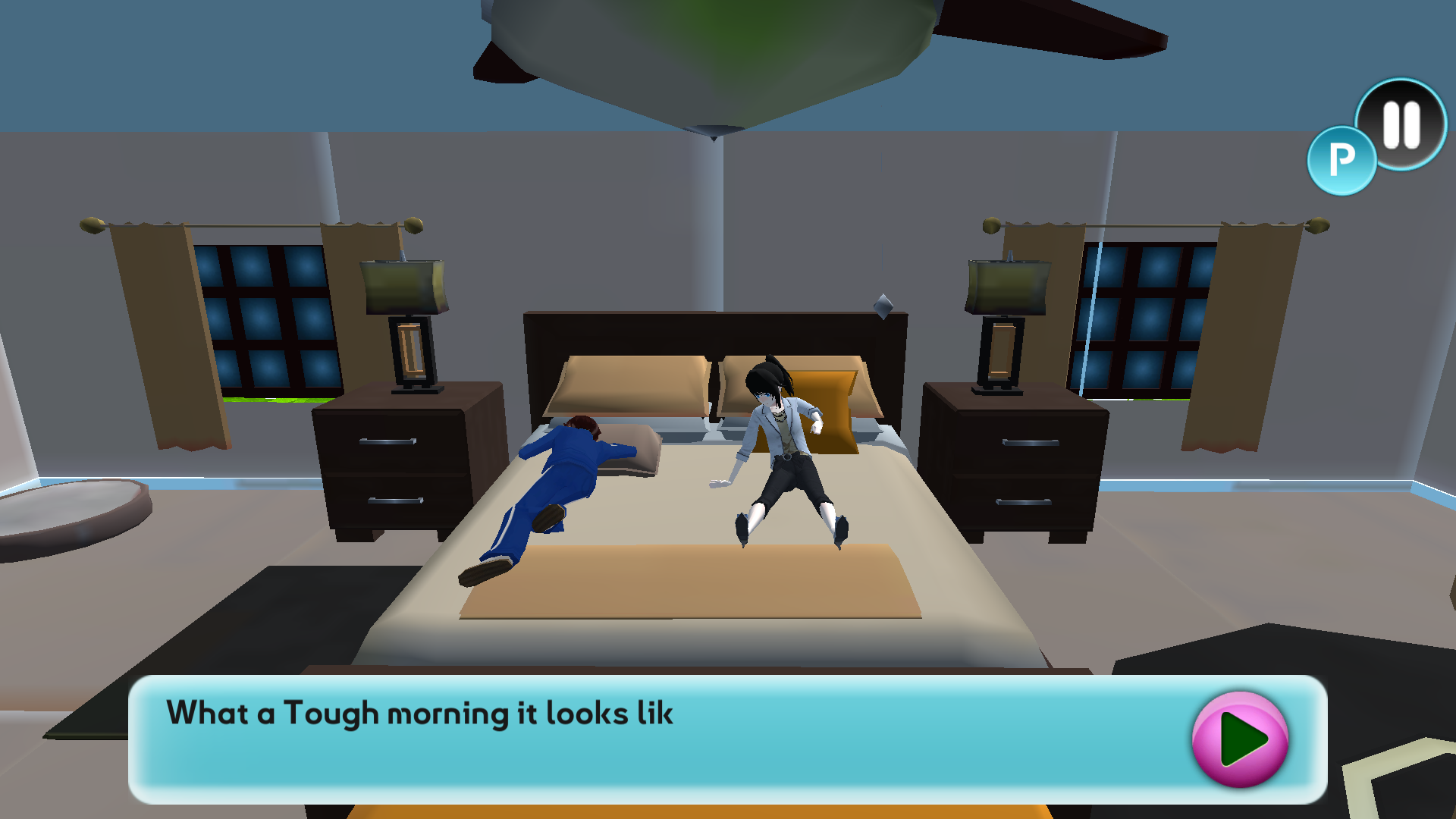
Pregnant Mother Simulator begins with a short domestic scene rather than a character creator or statistics screen. The mother sits up beside her sleeping husband and says that it has been a tough morning and she is not feeling well. A bright pink arrow advances the dialogue, making the first objective feel like a guided story beat instead of an open-world checklist.
The scene loaded without a login or purchase prompt in both tested environments. Desktop used the full 1920-by-1080 game view, while mobile used Playflaming's actual fullscreen player with a visible back control. The mobile evidence is from that player, not the inline preview or the provider's direct page.

Getting Out of Bed Reveals a Simple Third-Person Room
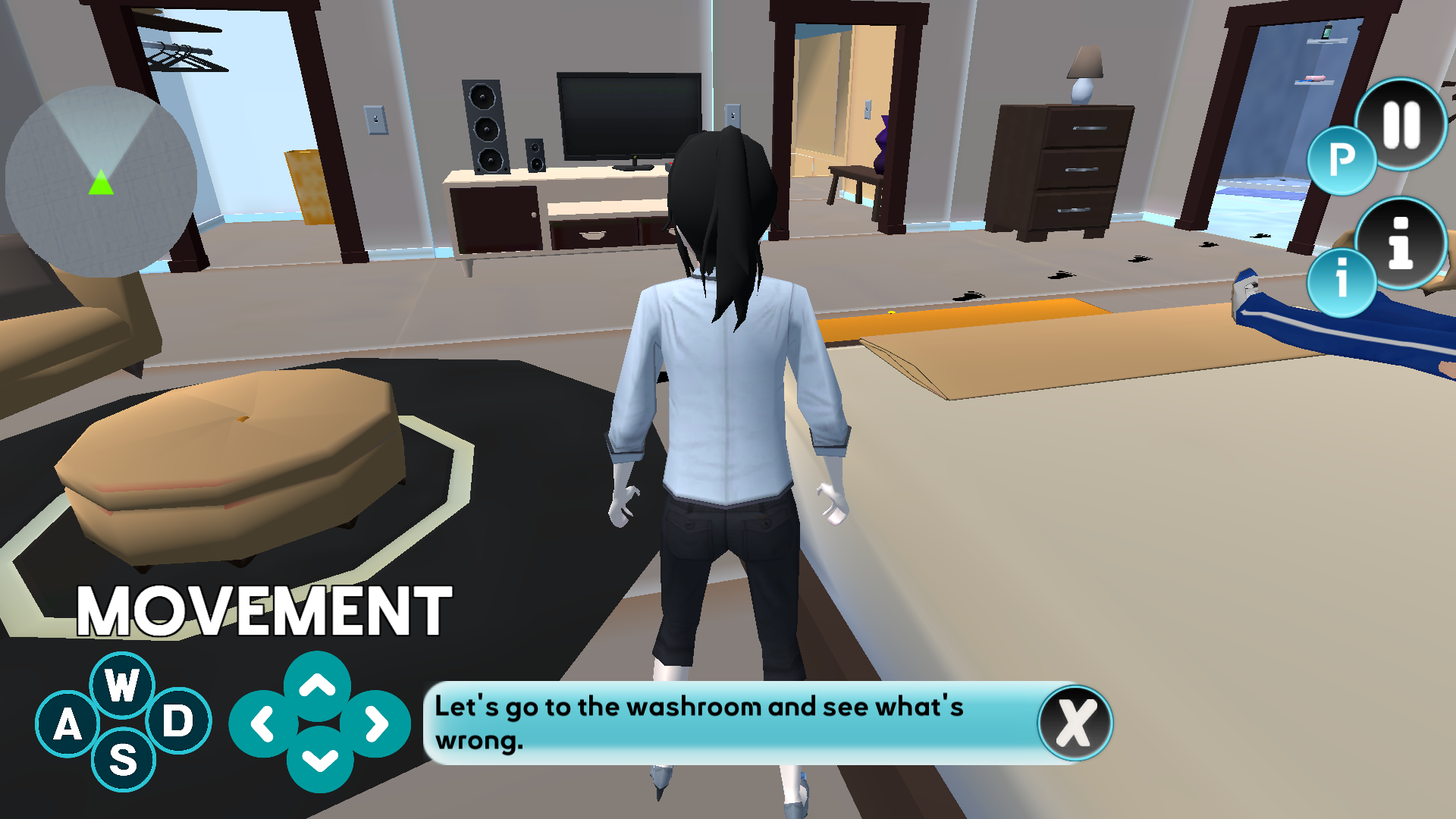
After the dialogue, the camera moves behind the character and exposes the bedroom: bed, television, drawers, speakers, rugs, doorways, and a trail of footprints. The models are simple and the textures are visibly low resolution at fullscreen size, but the important navigation landmarks remain readable. The room is large enough to wander in the wrong direction, which happened during the mobile test.
The presentation is functional rather than polished. Furniture sometimes fills much of the camera, and the character's body can block the next footprint. At the same time, the exaggerated black and yellow tracks are easier to follow than a tiny minimap marker would be. The mission communicates direction through the environment instead of covering the screen with an arrow.
The First Objective Is to Find the Washroom
The first active instruction reads, ‘Let's go to the washroom and see what's wrong.’ Desktop displays W, A, S, D and arrow graphics in the lower-left corner. Mobile replaces them with a large virtual joystick. Both control schemes moved the same third-person character, so the platform claim is supported by actual input rather than by catalog metadata alone.
Movement is slower than the opening dialogue implies. The character walks rather than sprints, and the camera remains close behind her. That pace suits a guided life-simulation scene, but it makes wrong turns noticeable. A beginner should close the instruction bubble when it blocks the floor, locate the nearest footprint, and make one directional move at a time.

Desktop Movement Is Clear, but the Bedroom Has Awkward Angles
On desktop, holding a direction moved the character smoothly from the bedside toward the television area. The difficulty was not input lag; it was orientation. The camera can face a large piece of furniture while the next footprint sits behind the character. Releasing the key and reassessing was more effective than holding forward and hoping the route corrected itself.
The mobile joystick produced comparable movement. A sustained right drag carried the character across the room and brought a chain of black footprints and a bright yellow marker into view. That was a useful confirmation that touch input does more than dismiss dialogue. The virtual control is large and reachable, though it takes up valuable space in the portrait frame.

Following the Footprints Is the Real Opening Challenge
Once the doorway entered view, the route made more sense. The prints alternate between black path markers and occasional yellow emphasis, guiding the character around the rug and furniture. The tested session followed several of these markers across the bedroom. It did not reach a clearly labeled bathroom result screen, so I am not claiming the whole first-day mission or any later pregnancy stage was completed.
That limitation is important because the provider description promises a much broader life cycle than this opening proves. What the hands-on evidence supports is narrower: a dialogue-led first morning, free third-person walking inside a furnished house, a washroom objective, and a visible footprint navigation system. Later childbirth, baby care, exercise, and progression remain catalog claims rather than observations from this session.

Mobile Works, but Desktop Is Easier to Read
The fullscreen mobile profile loaded the story, advanced the dialogue, displayed the joystick, and moved the character through several distinct positions. It therefore passed the basic touch and player-flow check. The portrait crop magnifies the character and makes the low-resolution art more obvious, while the desktop landscape view shows more furniture, doorways, and footprints at once.
Desktop is my recommendation for this opening because route reading matters more than rapid input. Pregnant Mother Simulator will suit players who enjoy slow guided stories and domestic role-play more than players seeking a systems-heavy simulation. Its opening is easy to understand, but the close camera and imprecise route make the first objective more awkward than it needs to be. The honest verdict is promising story setup with functional controls, not proof of the entire advertised pregnancy journey.