Pocket Universe begins with one tiny island and a 15-log instruction
My desktop session started on a handful of bright green hexes floating in a flat blue void. A yellow character stood between a grove of trees, a beached speedboat and a white-outlined pad, while oversized W, A, S and D keys demonstrated movement. The first objective used a log icon and the number 15; inventory began at zero. That economy of instruction worked even though this direct export selected Chinese interface text from my browser environment. The icons, counters and physical arrow marker made the immediate task readable without guessing at an unseen story.
Movement follows the isometric camera rather than the edges of the screen, so my first diagonal input carried the character toward the upper path instead of directly into the trees. That small navigation mistake was harmless, but it established the game's rhythm: movement is the main verb, and nearby objects decide what happens next. I did not click an axe button or select a tool. Once I walked close enough to the grove, the character automatically raised an axe and began converting the trees into logs.
I launched Pocket Universe from the local detail page's Play button in touch emulation, which opened the Playflaming fullscreen modal with its back control at the upper left. The provider then showed a Pocket Universe cover with a Let's Play button and an interstitial. I used only the interstitial's visible Skip and Close Ad controls; I did not click its advertised game or store link. Once dismissed, the Pocket Universe loader appeared and reached 91 percent. This launch friction was part of the mobile test and did not occur in the recorded desktop resource loop.

Harvesting is automatic, including the quiet wait for trees to return
The automatic harvest is satisfying because each short walk produces an obvious burst of feedback: the axe appears, logs pop out and the top-right total rises. It also makes positioning more important than speed. I could stop beside the grove and let the character continue working, then wait as cut trees gradually regenerated. By the time the first objective changed, I had 32 wood rather than exactly 15 because gathering continued while I watched the animation. There was no separate stamina meter, tool durability warning or manual strike timing in this opening loop.
That simplicity is both the game's charm and its first source of downtime. There is little mechanical challenge in chopping the starter trees; the decision is where to stand and whether to wait for another growth cycle before moving to a gate. I liked that the resource counter stayed large and isolated in the upper-right corner, making every gain easy to verify. Players looking for rapid combat inputs may find the loop passive, while players who enjoy incremental expansion can treat the brief regrowth pauses as planning time for the next route.
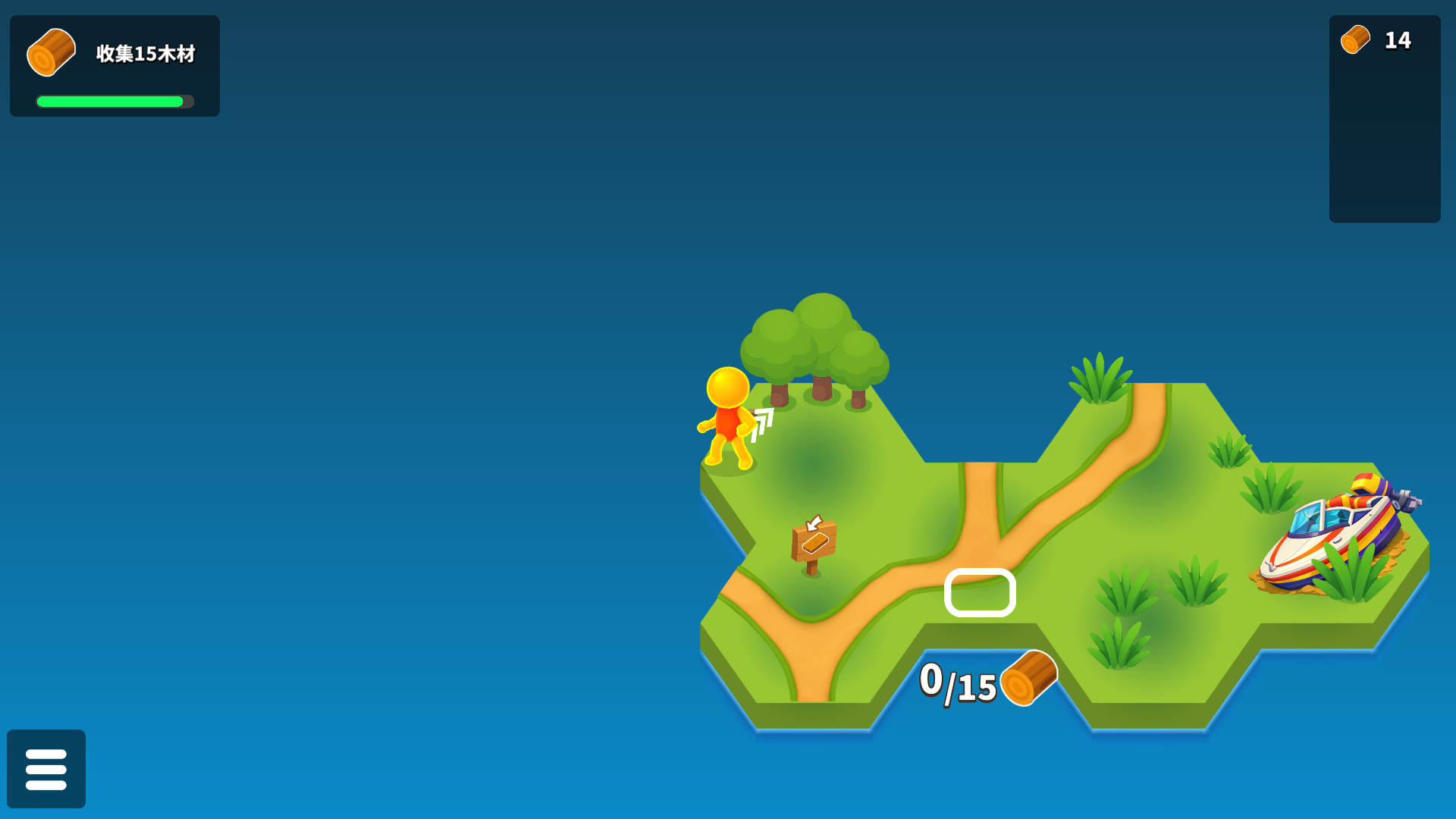
The first unlocked hex turned surplus wood into visible territory
Completing the 15-log task replaced it with an objective to open three hexes. I walked onto the glowing white pad at the island's edge, and the world unfolded with a new green tile and another grove below the path. The transformation is the strongest part of Pocket Universe's opening: spent resources do not disappear into an abstract menu. They become literal ground, routes and harvest nodes. The next pad showed a 50-log requirement, so the fresh grove was both a visual reward and the means to afford the following expansion.
The transfer itself happened by proximity. Standing on the pad fed resources into its counter until the new land appeared; I did not navigate a confirmation dialog. That keeps the loop continuous, although it also means walking across an active pad can commit resources before a new player fully understands it. The new tile's placement was easy to read because the camera automatically reframed the enlarged island. Nothing attacked during this phase, and I found no failure condition. Progress depended on gathering enough wood and carrying it to the outlined boundary.
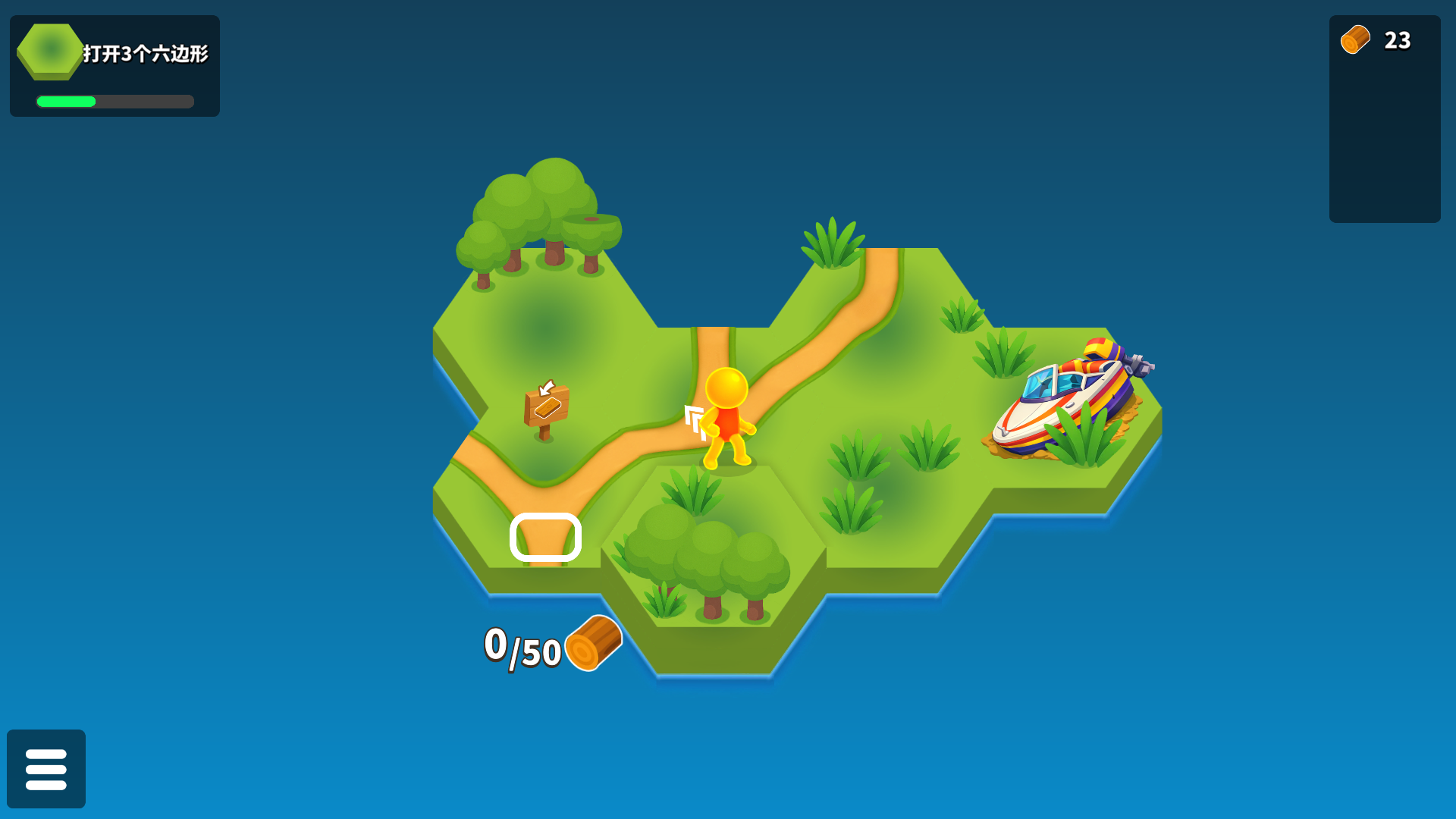
Fifty logs opened a second route, then the next gate asked for 75
I returned to the trees and stayed close while they regrew, pushing the visible total to 51 before approaching the next gate. When that transfer finished, a second expansion extended the island downward and exposed a new pad labelled 75. The larger number was not difficult, but it noticeably lengthened the gather-wait-return cycle. I reached 38 logs, waited to 66 and then 80 at the upper grove before heading back. Those exact pauses made the progression feel more like an idle-leaning builder than a fast action adventure in this tested opening.
The map remained pleasant to read as it grew. Golden paths connected each hex, the harvested tree stumps showed which nodes were recovering, and the white gate outline stood out against the grass. The fixed isometric view never hid my character behind scenery for long. My useful beginner lesson is to harvest beyond the current minimum when the trees are already active. The first objective allowed a surplus, and carrying extra wood reduced the amount of backtracking before the next expansion request appeared.
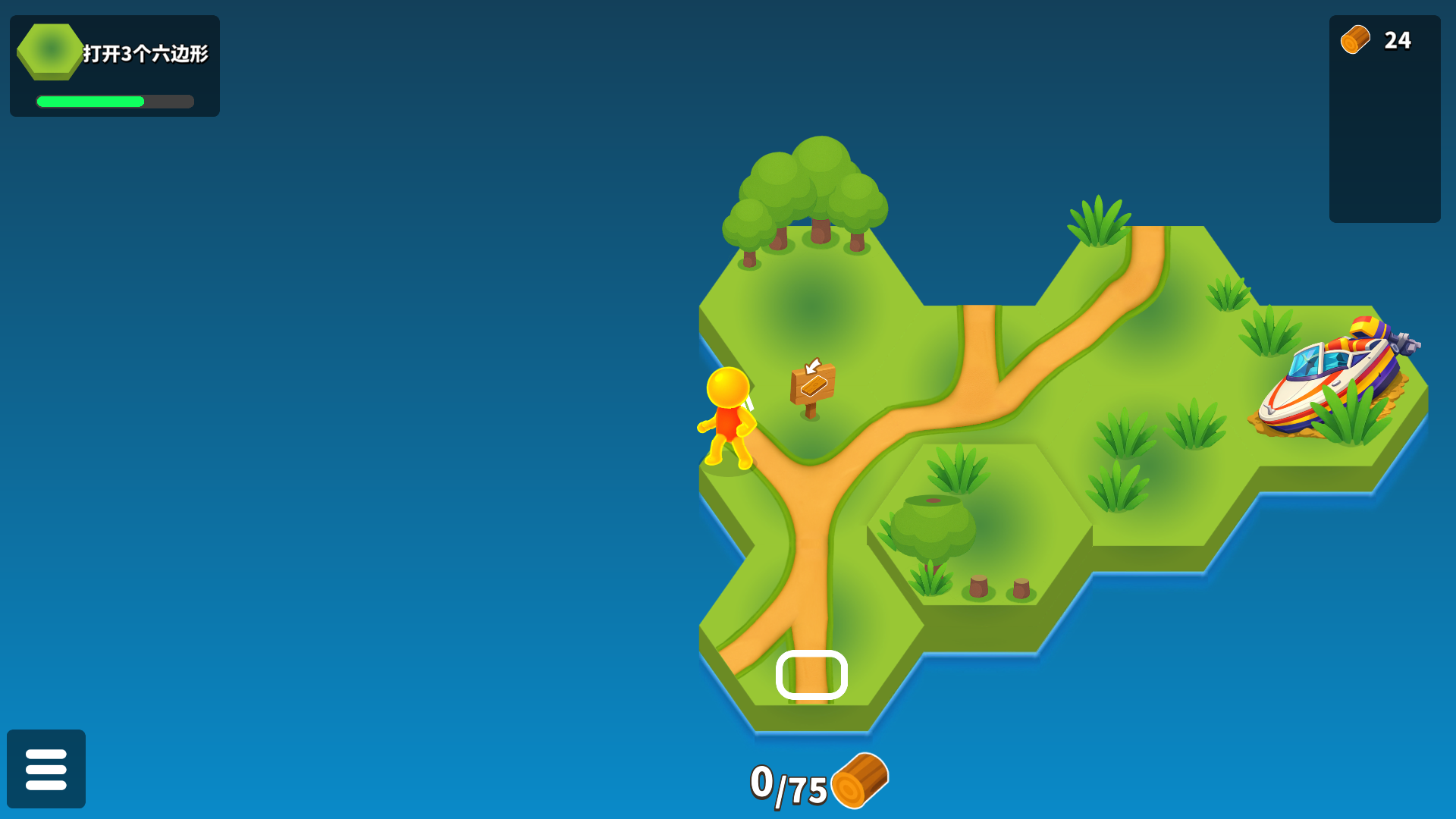
The third expansion introduced a real recipe instead of another gate
After I carried 80 wood to the 75-labelled boundary and opened the third hex, the objective changed from expansion to crafting. A compact sawmill appeared on the new land, and walking beside it opened a panel showing three logs on the left, one plank on the right and a slider between them. The next objective paired a plank icon with 15. This was the first moment the resource system developed a choice: raw wood could now become a processed material rather than simply feeding another strip of land.
The crafting panel is clear about its exchange rate, but the Chinese button labels meant I relied on layout and feedback rather than English text. I left the slider at one plank and pressed the large blue action button. The wood total dropped from 14 to 11, and a single finished board appeared in a collection panel. No premium prompt or ad interrupted the conversion. A shop icon remained visible on the right side of the screen, but I did not open it, so I make no claim about its prices or contents.
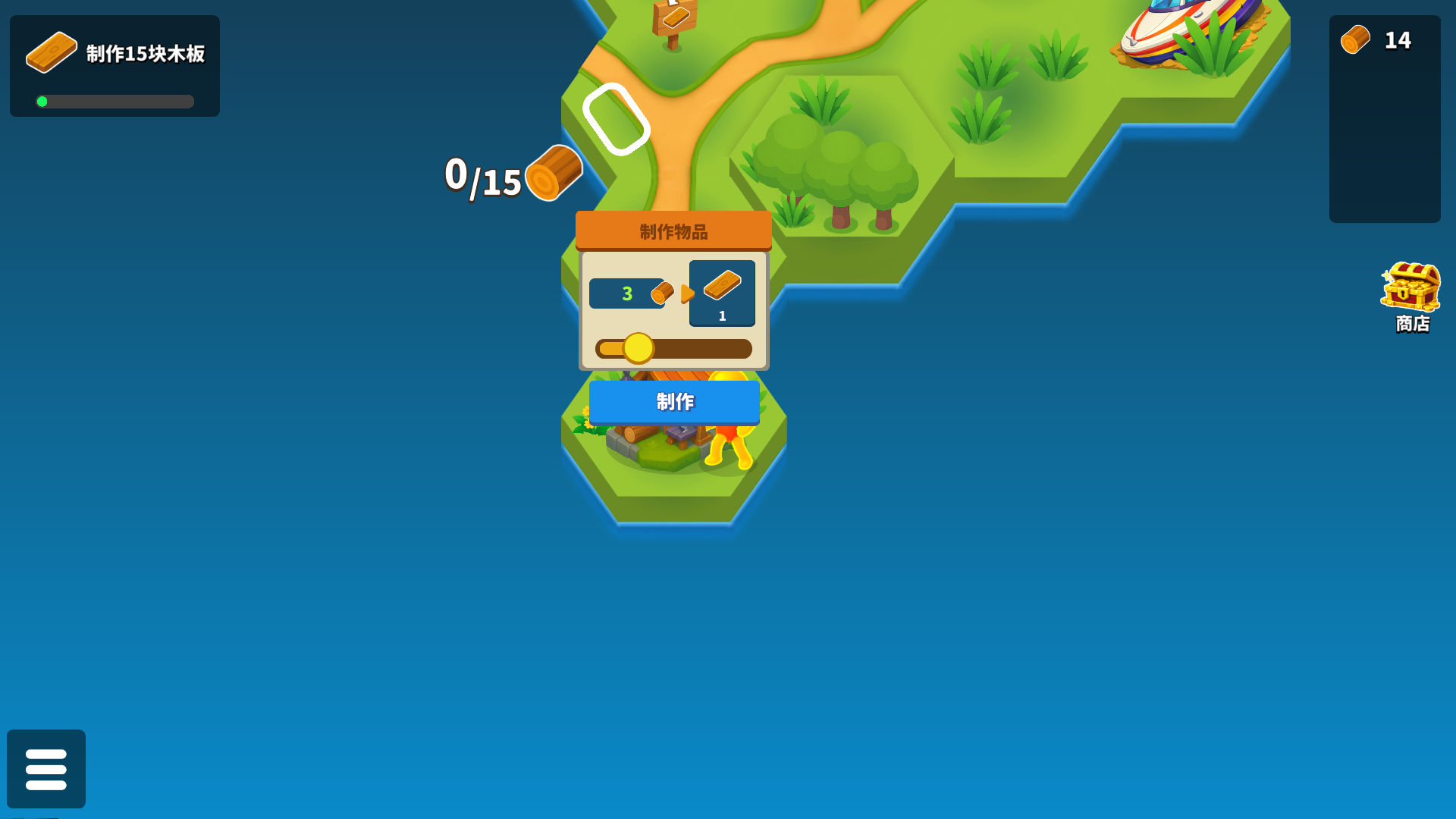
One collected plank completed the tested build cycle, not the 15-plank quest
Collecting the finished board placed a plank count of 1 beneath the 11 remaining logs and nudged the objective bar forward. That is the real end of this playtest: I completed the 15-log tutorial, opened the required three hexes, crafted one board and did not grind out the remaining fourteen. The loop had now proven each link in its opening economy—move, auto-harvest, wait for regrowth, transfer resources into land, then refine wood at a building. The visible result made the stopping point more informative than an arbitrary timer would have been.
Pocket Universe is strongest when each resource payment visibly enlarges the toy-like map. Its controls are uncomplicated on desktop, the icons remain legible at 1920 × 1080 and automatic gathering makes the opening easy to understand, but repeated regrowth waits may feel thin for players seeking constant decisions. The direct export localized itself to Chinese in this environment; that did not block the icon-led opening, though language selection would matter for later systems. Desktop gameplay is verified here. The local 390 × 844 Playflaming modal reached the first objective only after an interstitial, but it displayed a WASD tutorial rather than a verified touch joystick. I did not complete a comparable touch loop, so there is no mobile-control verdict or best-device recommendation.
The first playable-looking portrait frame showed the same Collect 15 wood objective, a zero-log inventory and the yellow character near the boat. However, the movement overlay consisted of large W, A, S and D keys, not a touch joystick I could verify. A bounded relaunch and touch-input recovery did not produce a representative gather-expand-craft loop, so this frame is evidence of where the mobile route stopped rather than proof that the controls work. The desktop results remain valid, but Android and iOS playability still needs a successful fullscreen touch session.
