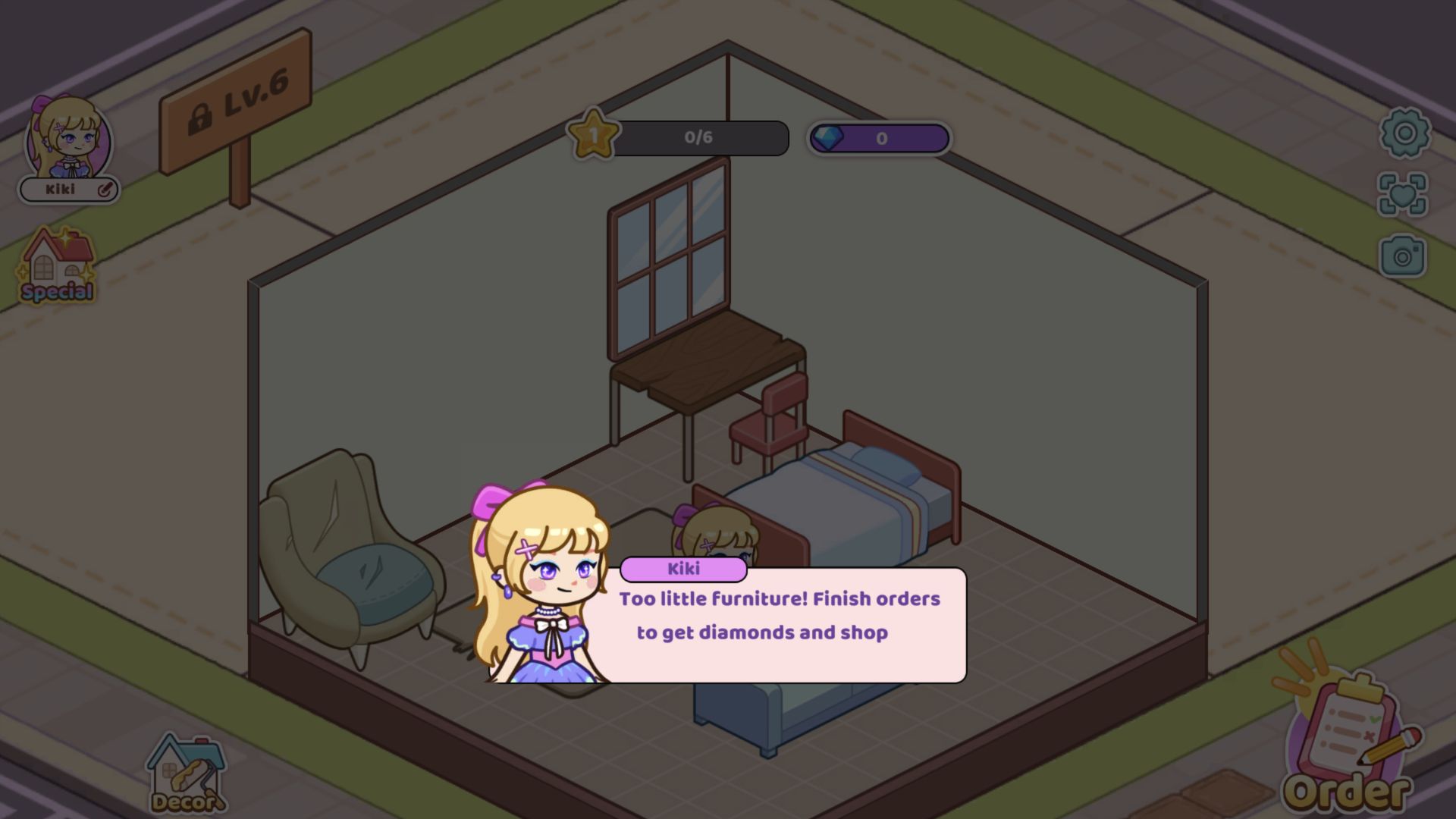
The first makeover ended with an honest rejection
My first Kiki World: Kawaii Doll Decor session reached a small isometric room, removed its old bed, and replaced it with a free blue-gray bed plus a light-blue couch. That was enough to change the room's personality, but not enough to satisfy the game. When I pressed Save, Kiki appeared with the message, “Too little Furniture! Finish orders to get diamonds and shop.” The progress bar still read 0/6 stars, and the diamond counter remained at 0.
That rejection is the most useful summary of the opening loop. Kiki World does not treat any two placed objects as a completed design, and it does not hand out a victory merely because the room looks less empty. I had started a makeover, tested furniture placement, and reached the game's minimum-content check, but I had not completed the room or an order. This review preserves that partial result: no stars were earned, no diamonds were collected, and no later room was unlocked.

A cheerful Play screen leads into a modest new-life story
The opening menu is almost a mission statement. Kiki stands among moving boxes in a bright maid-style outfit, holding a broom while a capybara rests on her head and small pets crowd the floor. A refrigerator, books, luggage, and rolled furnishings turn the scene into a friendly moving-day mess. The large Play button is easy to identify, and there was no login, username, multiplayer room, or character-creation form between that menu and the game.
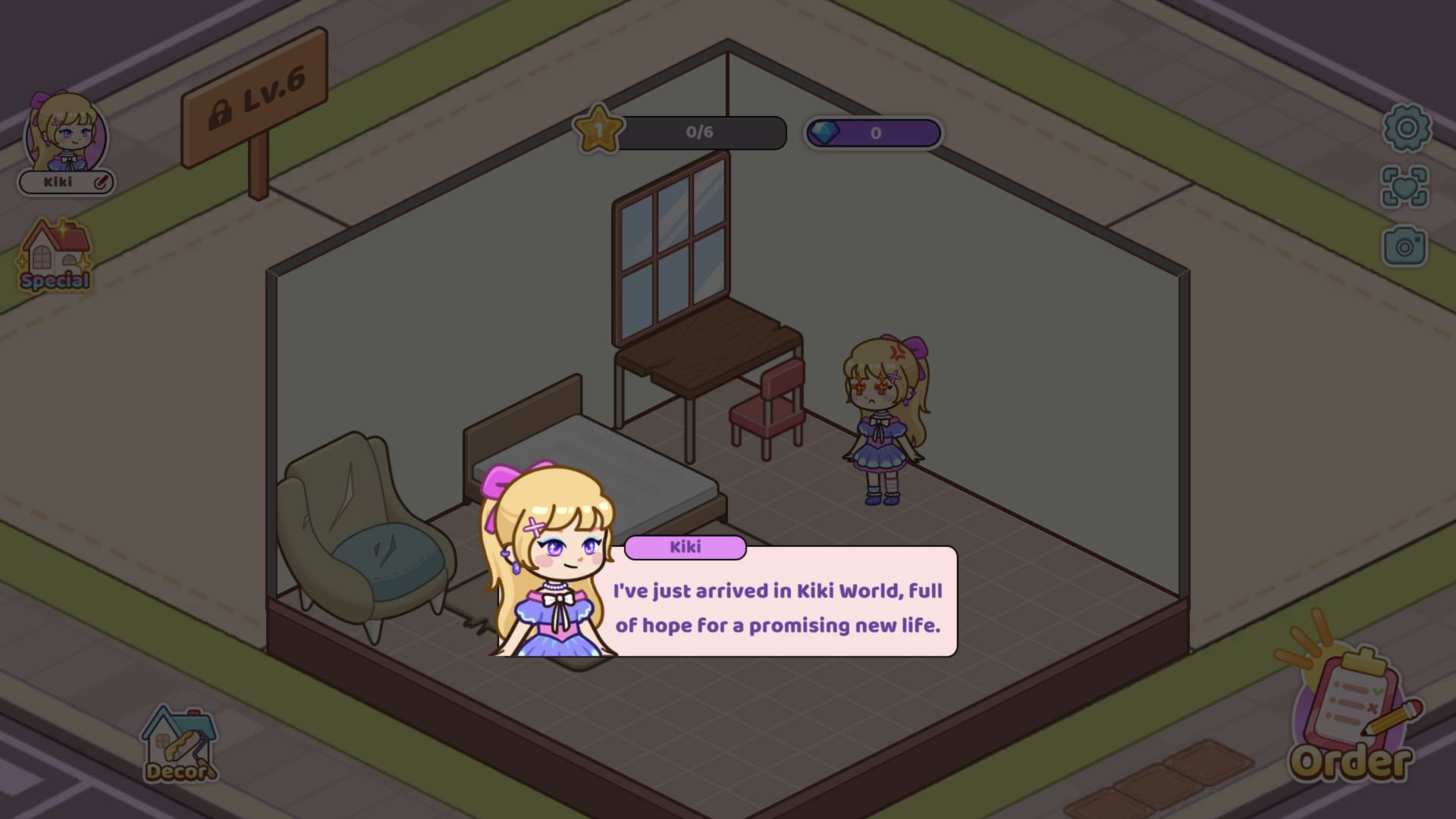
Inside the room, Kiki explained that she had arrived in Kiki World hoping for a promising new life. The dialogue is light framing rather than a complex branching story, but it gives the renovation a reason to exist: this is her first attempt to settle into a sparse home. The observed room contained an old bed, an armchair, a desk, a chair, a window, and open floor space. A locked “LV.6” sign outside hinted at later access, while the immediate task stayed focused on this starter space.

Removing the old bed made the editing workflow easy to read
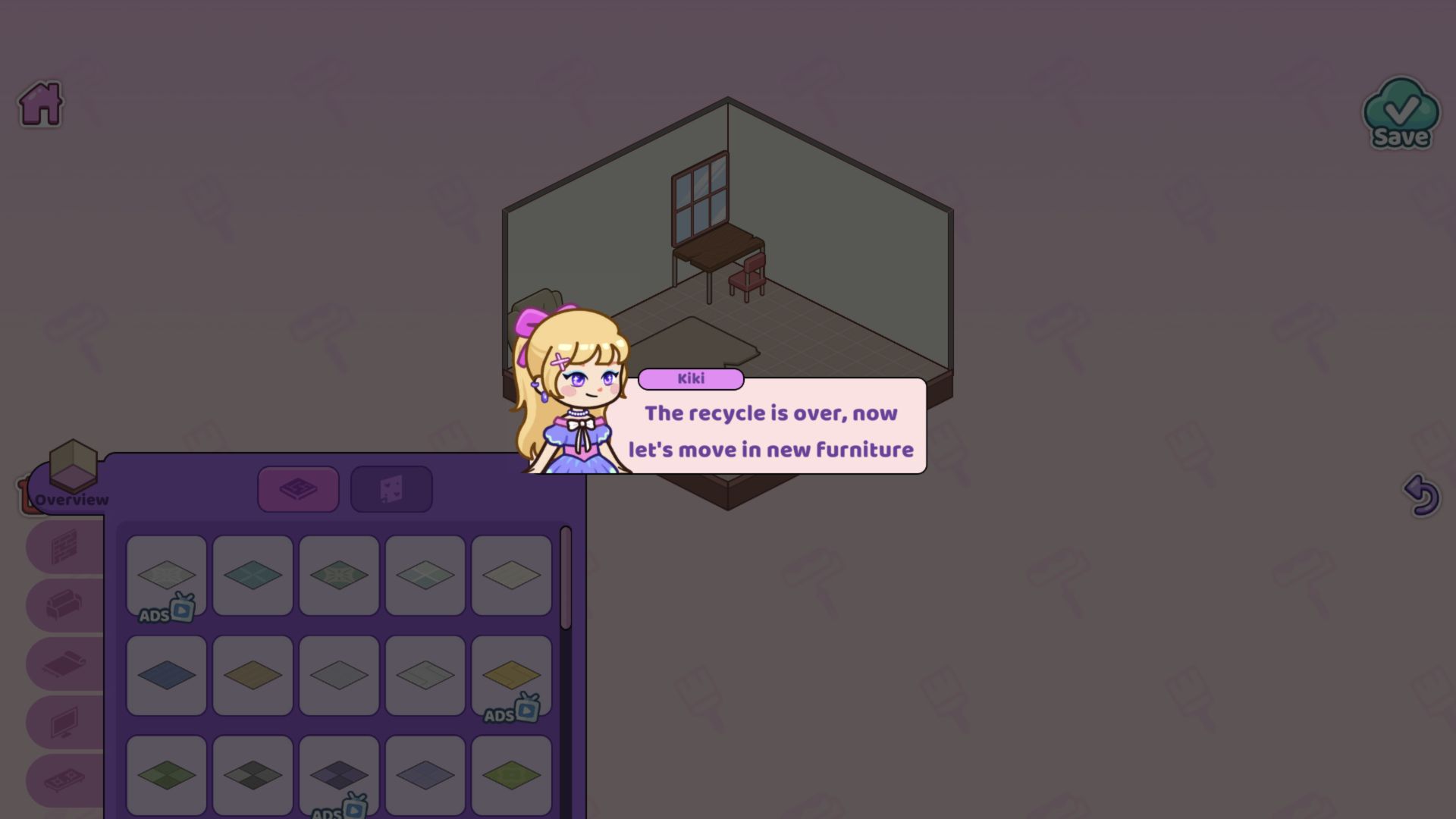
The tutorial first asked me to recycle the worn bed, then announced that it was time to move in new furniture. That sequence gave the editor a useful rhythm: clear an unwanted object, open Decor, choose a category, and replace the missing function. The catalog panel used large thumbnail tiles and category icons down the side. I could distinguish floor finishes, seating, beds, windows, and other room elements without reading a dense instruction page.
Several catalog tiles carried an ADS badge with a small video symbol. I did not press those entries or watch a rewarded ad, so I cannot say how long an ad runs, whether every marked item unlocks permanently, or whether availability changes by session. Their presence is still a verified monetization fact. Both catalog records say there are no in-game purchases, but that does not mean the game is ad-free. The safest description is that the tested furniture menu mixed immediately selectable pieces with optional ad-gated choices.
The free bed and couch changed the room without raising the star bar
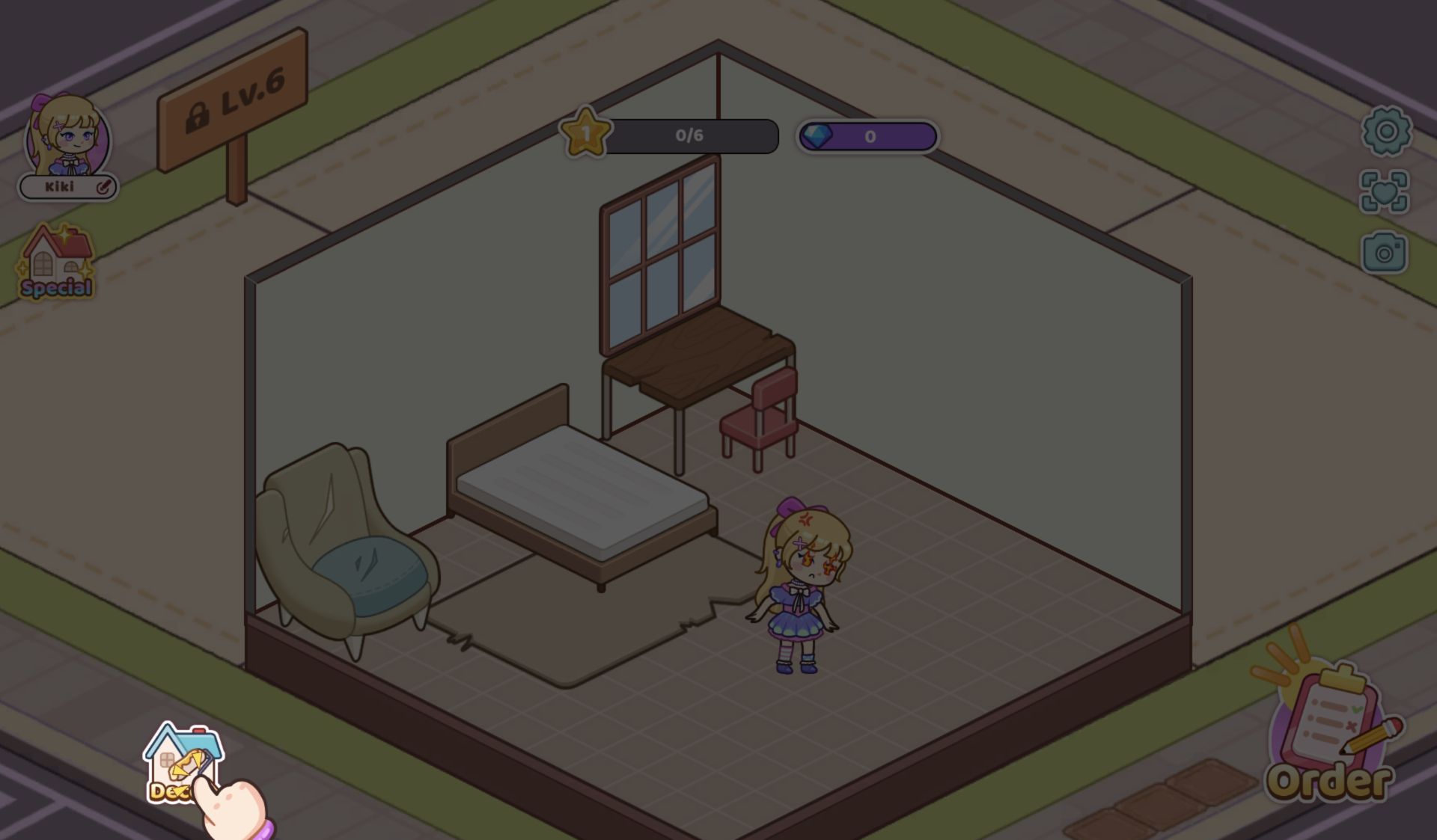
I selected a blue-gray bed from the available furniture and added a light-blue couch. The colors fit the room's muted gray floor and greenish walls better than the old mattress, and the larger shapes made the empty space feel more intentional. Placement was understandable with pointer input in the tested desktop build. I did not measure a grid, test every rotation, or compare all color variants, so the article stops short of calling the editor perfectly precise.
The HUD prevented me from confusing visual improvement with game progress. Level 1 remained at 0/6 stars and the diamond balance stayed at 0 before and after the early save attempt. That means the two free pieces were a design start, not a completed order. The visible Order button and Kiki's save warning connect the systems: complete enough furnishing work, then use orders to gain diamonds and reach the shop. I did not complete an order, spend diamonds, or open the shop, so the later economy remains outside this session.
Cute presentation brings a young-audience and advertising caveat
Kiki World uses pastel buttons, doll-like proportions, expressive faces, pets, and a simple decorating fantasy. The catalog reinforces that presentation with girls, cute, doll, creativity, and simple-game tags. Those are strong young-audience signals even though the observed content itself was harmless: I saw no violence, sexual material, shocking imagery, chat, usernames, uploads, multiplayer, or other user-generated-content surface. The editor should therefore be described as child-appealing without making unsupported claims that it is certified safe for children.
Advertising deserves the same precision. The catalog marks in-game purchases as No, the tested balance began at zero diamonds, and I encountered no payment form or purchase prompt. The furniture panel nevertheless displayed ADS entries, and provider-level ads may appear elsewhere. I did not click an ad-gated item, so this review neither recommends a reward nor calculates its value. Kiki World's preflight status is `review_only`, with both audience and monetization limitations that must remain visible in any published revision.
Editorial assessment: an approachable first room, not a finished home
For players who enjoy choosing furniture more than solving timed challenges, the opening is readable and low pressure. Recycling the old bed creates an immediate before-and-after moment, the free pieces let the editor be tested without spending diamonds, and the failed save explains that decoration must meet a broader requirement. My practical beginner advice is limited to what worked: remove the tutorial's old bed, use the free bed and couch as a foundation, then add more required furniture before pressing Save. I cannot advise which ADS item, order, or color scheme is optimal because none was completed.
The catalog declares desktop, Android, and iOS support in both orientations. I also entered Playflaming's fullscreen player at 390 by 844, closed the provider preroll through its own control, and reached Kiki World's portrait title screen with the logo, character art, and Play button fully visible. I did not repeat the room edit on touch, so desktop remains the evidence for furniture removal, placement, counters, and the rejected save. I also did not reach six stars, earn a diamond, complete the first room, or test later clients. The editorial verdict is therefore positive but bounded: Kiki World made its cleaning-to-decorating idea immediately understandable, while the early rejection supplied useful structure and exposed its ad-supported furniture layer.