What It Was Like to Start as a New Player
I went into Hazmob FPS with a fresh guest profile and no upgraded gear. The first few minutes were busier than I expected. Before I could reach a match, I passed a startup ad, an optional login prompt, a daily reward calendar, and several offers for currency, weapons, grenades, and starter packs. You can close them and keep playing as a guest, but the game makes its progression economy visible immediately.
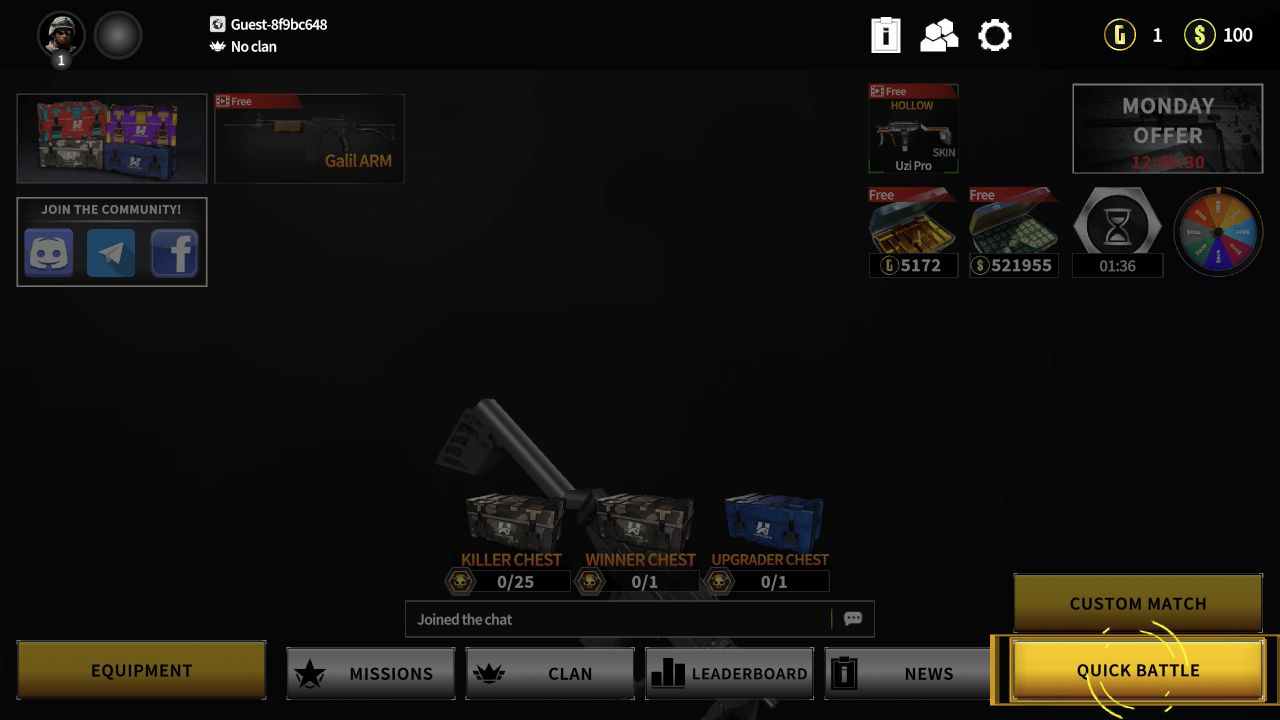
Once those screens were out of the way, the main menu was easy to understand. Quick Battle sits in the lower-right corner, Custom Match is directly above it, and the lower navigation leads to Equipment, Missions, Clan, Leaderboard, and News. There are also free-item buttons and timed offers around the character model. It is a dense menu rather than a quiet one, but I never had to hunt for the actual play button.
The useful thing to know before starting is that Quick Battle really is quick. I was placed into a populated Team Death Match without choosing a server or filling in a profile. That low-friction matchmaking is Hazmob's strongest first impression, even if the promotional screens before it feel excessive.
The Starter Loadout Has More Depth Than the Match Suggests
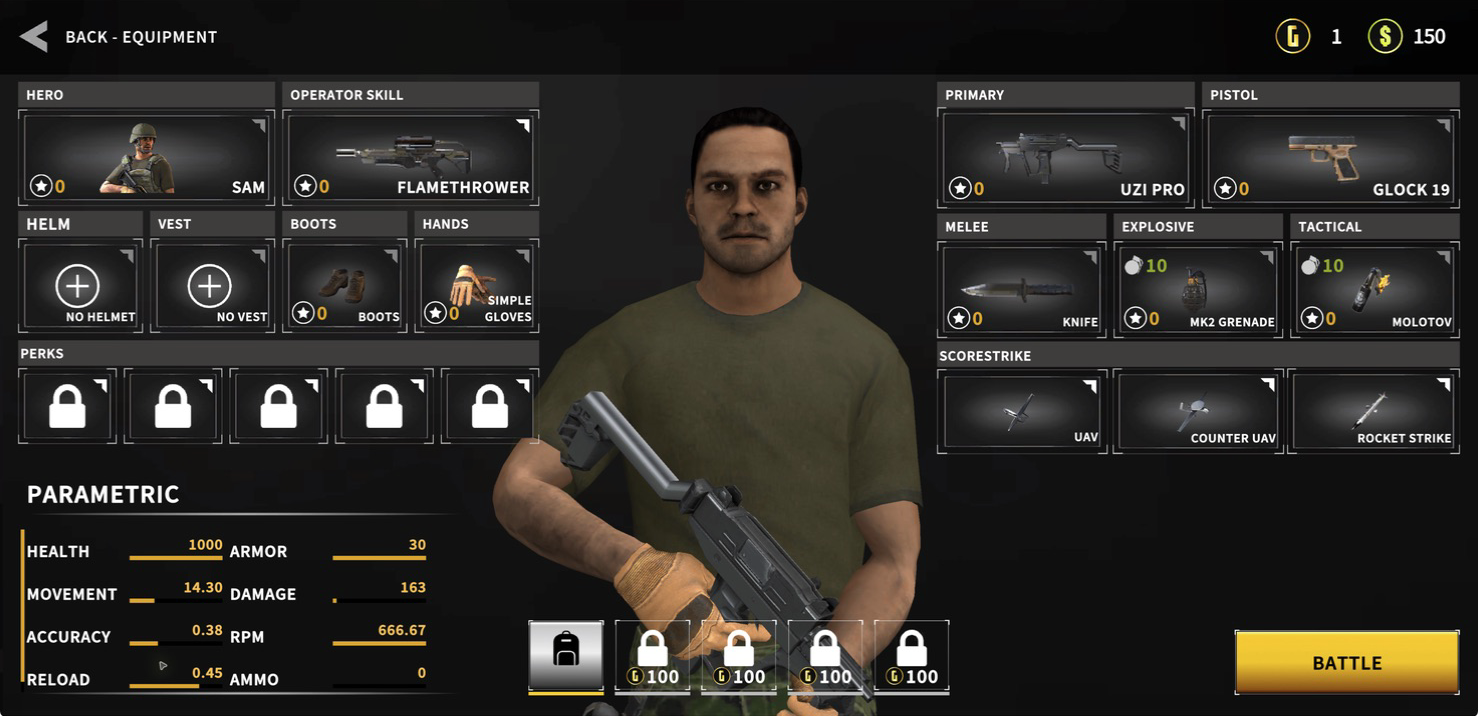
The Equipment screen was the point where I realized Hazmob is not just a bare-bones arena shooter. My new account started with Sam as the hero, an Uzi Pro as the primary weapon, a Glock 19, a knife, an MK2 grenade, and a Molotov. Separate slots exist for a helmet, vest, boots, gloves, perks, an operator skill, and scorestreaks such as UAV, Counter UAV, and Rocket Strike.
Most of that depth is locked behind progression at the beginning. The starter Uzi still felt usable: the magazine held 30 rounds, the rate of fire was fast, and switching to the pistol with the number keys happened instantly. The loadout page also exposes damage, accuracy, reload, health, armor, and movement values, which is helpful if you prefer comparing equipment instead of choosing whatever gun looks strongest.
There is a clear monetization layer here. I saw options to watch an ad for a weapon upgrade, rent a stronger gun for the next match, claim extra grenades, or double rewards later. Those offers are optional, but they appear often enough that they are part of the real experience, not a hidden side menu.
My First Match: Team Death Match on Egypt
My first Quick Battle loaded a five-versus-five Team Death Match on Egypt. The goal was simple: the first team to 30 kills wins. The pre-match screen showed both rosters, each player's device, the map layout, and spawn positions, so I understood the mode before the game handed me control.
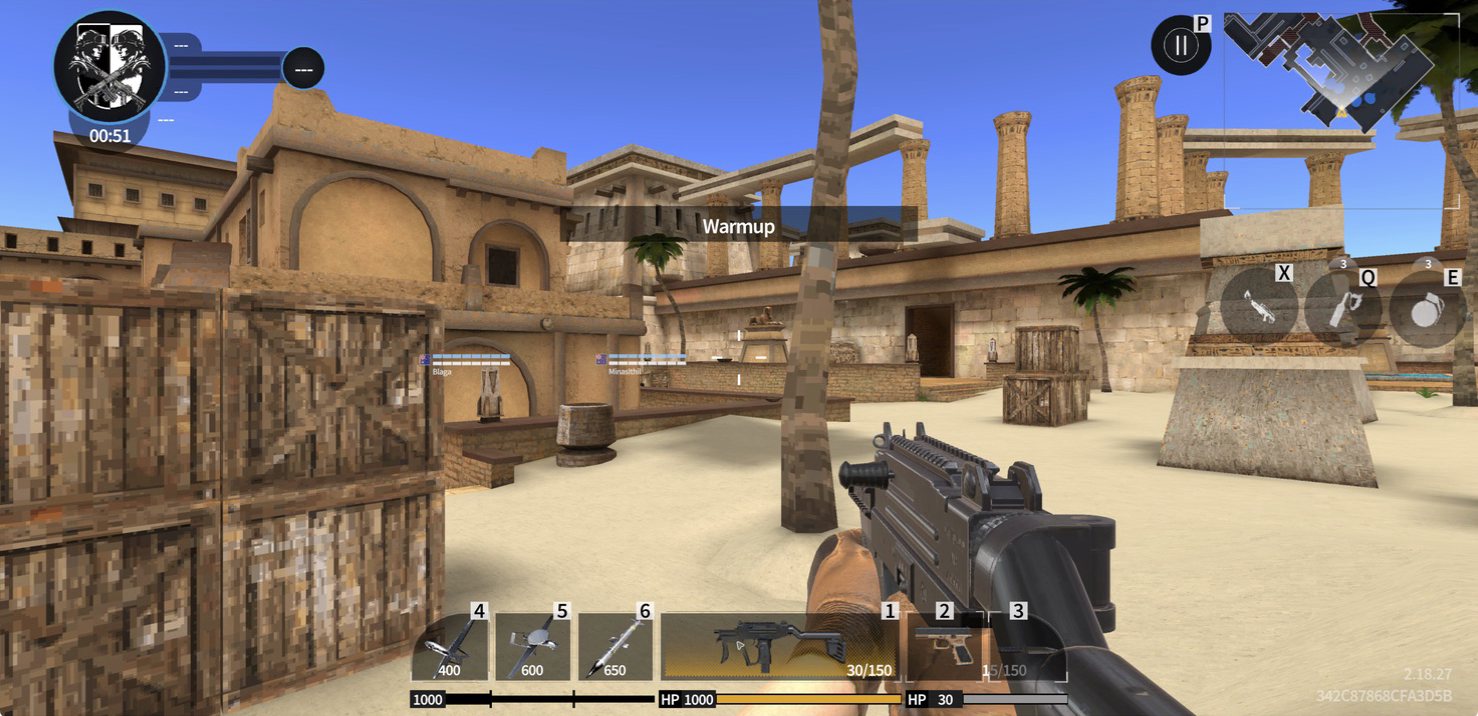
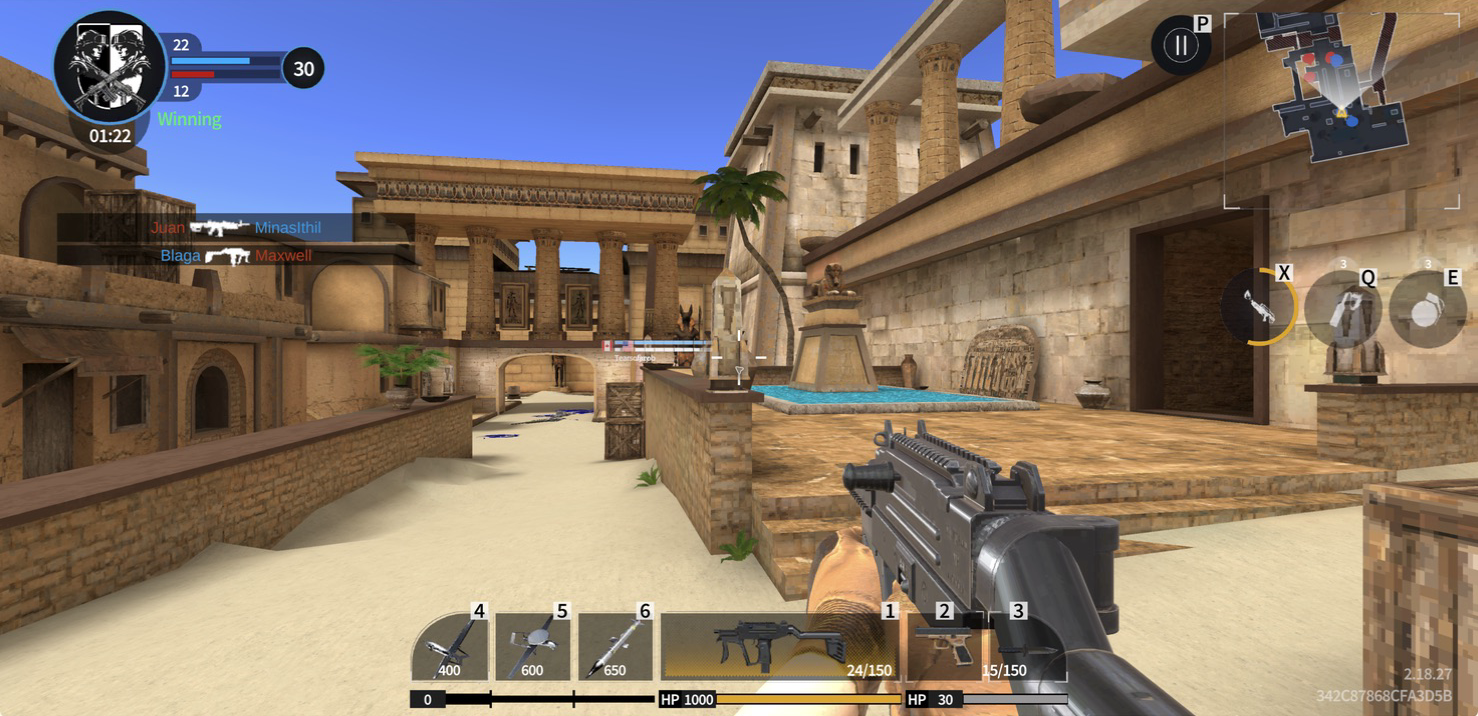
Egypt is bright, open, and much easier to read than the dark military maps common in browser shooters. A shallow pool and broad courtyard form the central space, while pillars, crates, low walls, stairs, and side passages create short pieces of cover. The architecture gives you several long sightlines, but the map is compact enough that the minimap starts showing nearby pressure quickly.
That layout encourages movement between cover instead of standing in the spawn area. I crossed the pool, used a large stone pillar to break the center sightline, then moved toward the raised walkway. The route only took a few seconds, which is a good sign for a game built around short browser sessions.
How the Gunplay and Movement Felt
Hazmob's shooting is immediate and uncomplicated. The Uzi fires the moment you click, its muzzle response is readable, and the central crosshair stays visible against the pale stone environment. WASD movement felt direct, while the numbered weapon slots made it easy to move from the Uzi to the Glock or grenade without opening a wheel. The HUD also keeps ammo, health, armor, scorestreak costs, the kill feed, team score, timer, and minimap visible at once.
My first real exchange was messy in a believable way. I stepped past cover, fired a short burst at a player moving down the lane, and immediately lost most of my health to return fire. After I stopped taking damage, health began climbing again, so breaking line of sight matters. That regeneration gives beginners a chance to recover, but it also rewards players who use pillars and corners instead of treating the large health bar as permission to stand in the open.
The Uzi's fast fire rate made short bursts feel safer than holding the trigger. At medium range, the generous sightlines made targets visible, but the starter weapon was more comfortable when I closed the distance. The overall feel is lighter and more arcade-like than a tactical FPS: movement is quick, feedback is obvious, and the match keeps pushing you back toward the action.
Death Gives You Useful Information
I did not turn my first match into a highlight reel. Calvin caught me with a Glock 19 while I was exposed, and the death screen made the mistake easy to understand. It showed the weapon that killed me, the opponent's health and armor, and their complete loadout, including smoke grenade, MK2 grenade, helmet, gloves, and boots.
That is better feedback than a vague kill notification. I could see that the opponent still had plenty of health, so the fight was not a close trade that I barely lost; I had taken a poor angle and failed to land enough shots. The respawn countdown was short, and there was a Change Loadout button if I wanted to adjust before returning.
For a beginner, the practical lesson is to watch the minimap before crossing an open lane, fire from the edge of cover, and move again after a burst. The Egypt map has enough pillars and waist-high walls that you usually have a safer option than challenging the whole courtyard.
The Result, Rewards, and Progression Loop
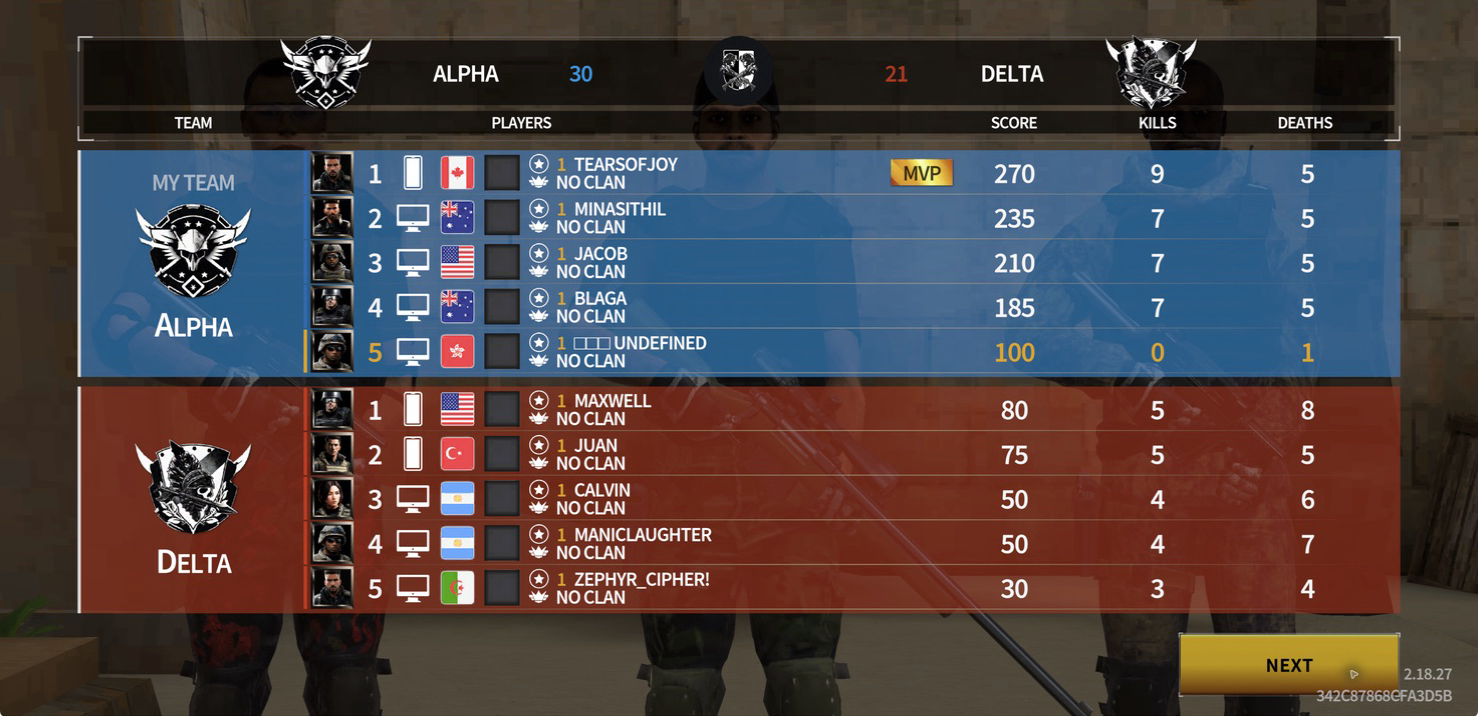
Alpha won my match 30-21. I finished fifth on the Alpha roster with 100 score, zero kills, and one death. That is not an impressive personal result, but it is an honest one: I spent much of the match learning the controls, testing the weapon slots, and moving through the map while the more experienced players did most of the scoring.
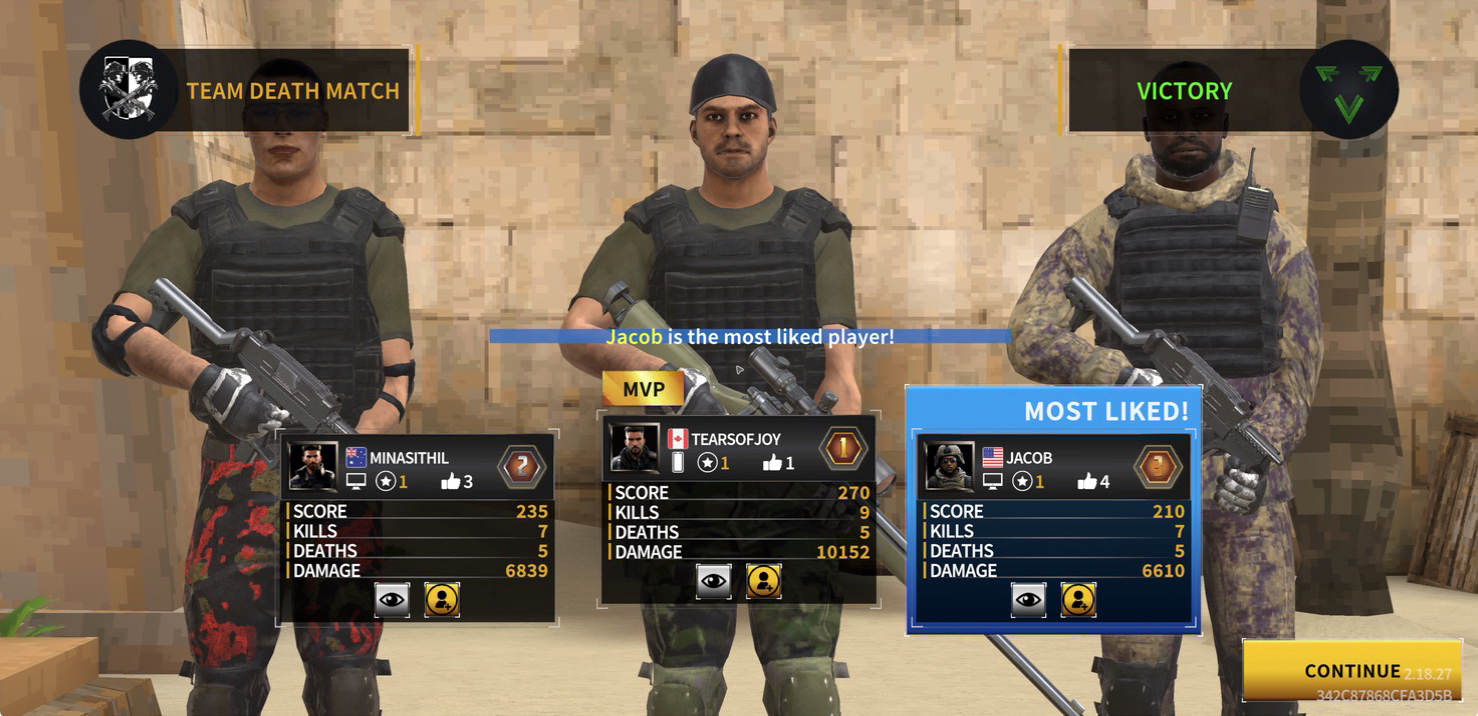
The scoreboard was detailed enough to be useful. It listed every player's score, kills, deaths, team, device, and MVP status. The victory presentation also highlighted an MVP and a most-liked player, so Hazmob tries to give the lobby a little social texture instead of ending on a plain table of numbers.
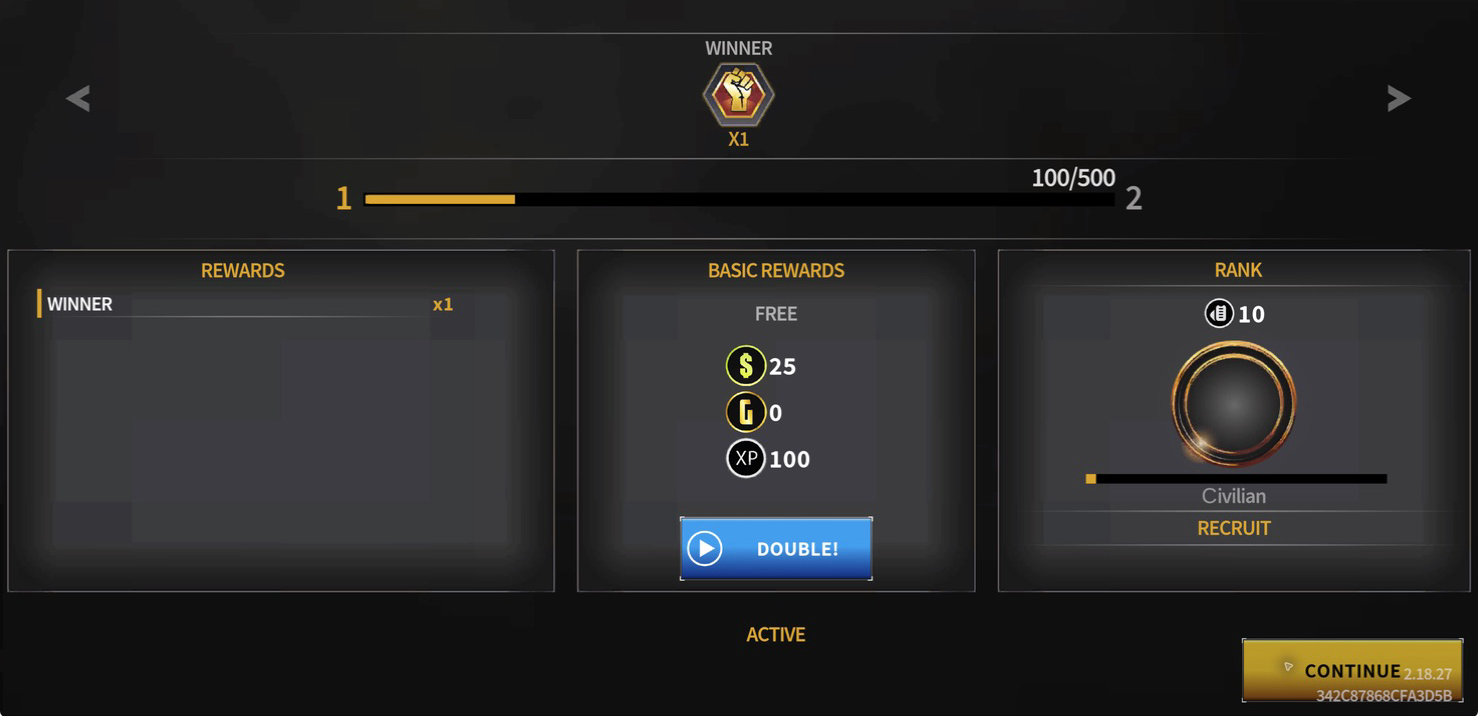
After the scoreboard, the game awarded one Winner token, 25 cash, and 100 XP. My new profile moved to 100 out of 500 XP toward level two and remained at the Recruit rank. A video button offered to double the basic rewards. This creates a clear loop: play a short match, earn currency and XP, improve the loadout, and queue again.
Beginner Tips I Would Use in the Next Match
Clear the reward and offer screens first, then visit Equipment before queuing. Knowing which number selects the Uzi, pistol, and grenade prevents fumbling during the first fight.
Use the minimap as an early warning system. Red activity clustered near the center before I could see an opponent directly, which was the cue to approach behind a pillar instead of walking straight across the pool.
Treat cover as a place to reset. Health began recovering after I stopped taking damage, so surviving one bad exchange can be more valuable than chasing a low-percentage kill.
Keep the starter Uzi at close or medium distance. Fire controlled bursts, return to cover, and use the Glock only when switching is faster than reloading.
Do not judge progression by the first scoreboard. Even my poor personal result produced XP, cash, and a Winner token because the team completed the objective. Learn one route, one weapon, and one cover habit before worrying about rank.
My Honest Verdict
Hazmob FPS is at its best once the match begins. Quick Battle found a full game, the Egypt map was readable, the Uzi responded immediately, and the match ended before it could drag. The equipment and progression systems give returning players plenty to work toward, while the death screen and scoreboard provide unusually clear feedback for a browser shooter.
The main drawback is the amount of promotion around that good core. Startup ads, purchase bonuses, limited offers, watch-to-upgrade buttons, rental weapons, free grenades, and reward multipliers all compete for attention. None of them stopped me from playing for free, but closing several screens before the first match made the opening feel more commercial than welcoming.
I would recommend Hazmob to players who want a fast, arcade-style multiplayer FPS in the browser and do not mind a visible ad-and-upgrade economy. If you want a quiet single-player shooter or competition without visible gear progression, this is probably not the right fit. If you want to click Quick Battle, spend four minutes trading shots around a compact map, earn something, and go again, Hazmob delivers exactly that.