The First Target Was 200 Feet, but My Opening Ball Stopped at 14
Golf Orbit put me on a bright side-on tee with no tutorial panel and no club selection. The important information was already on screen: 0 coins, Strength, Speed, and Bounce at 0%, and a message asking for a hole over 200 ft to unlock a new golfer. A fan-shaped timing meter swept beside the ball. I clicked while its arrow sat in an orange band, received a Cool rating, and watched the golfer send the ball into the rolling landscape.
That first drive finished on the fairway, awarded 10 coins, and established a best distance of 14 ft. It was a very small result beside the 200-foot target, but it explained the whole loop in one attempt. Choose a moment on the meter, follow the ball through its first impact and bounces, collect a landing reward, then spend the growing coin balance on permanent improvements. Golf Orbit uses golf as a theme, yet the immediate skill is closer to a one-button timing game than a traditional approach-and-putt simulation.

Cool Was Safe; Great Made the Ball Feel Completely Different
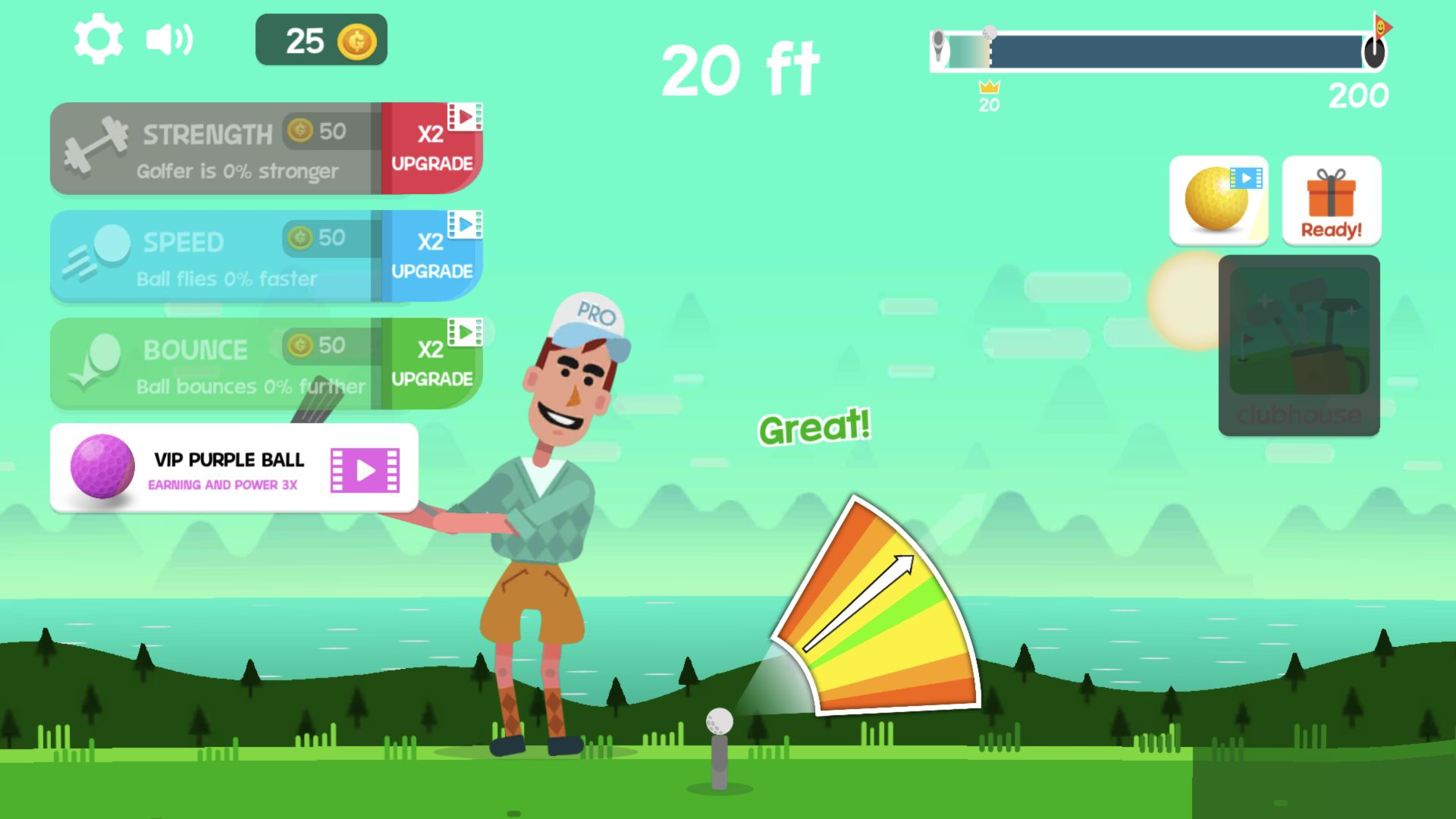
The meter is the decision that matters. Its colored wedge narrows toward the top, and the arrow does not politely wait for the player. My early orange-band clicks earned Cool. They launched the ball, but the flight stayed low and the reward depended heavily on where the final bounce happened to stop. Waiting for a stronger band produced Great on the third drive. The visual difference arrived immediately: the club came through cleanly and the ball climbed on a long white trail instead of skimming the first stretch of grass.
This is why frantic clicking is a poor beginner habit. The golfer does not need repeated input after the release; the interesting work happens before contact. Keep your eyes on the arrow rather than the character animation, allow it to enter the green or yellow center, and commit once. Missing that narrow moment is not a total failure, which keeps the game friendly, but the rating has a much larger effect than any upgrade I could afford in the opening minutes.
My Second Drive Found a Bunker and Still Paid 15 Coins
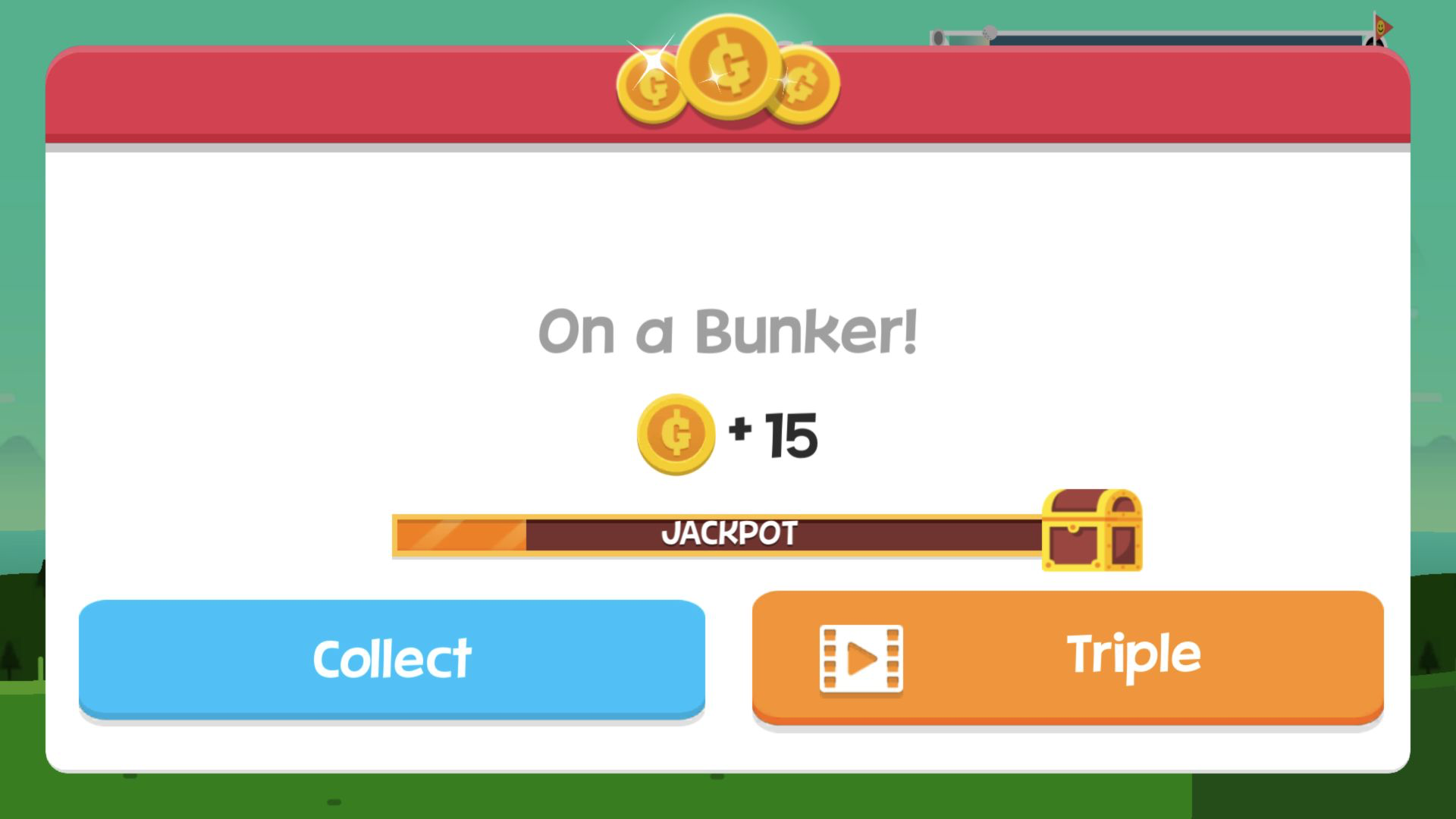
The second ball briefly showed 2 ft just after launch, bounced farther, and eventually raised the best marker to 20 ft. Its final message was On a Bunker! rather than a penalty screen. The landing paid 15 coins, five more than the first fairway result. Golf Orbit therefore does not treat sand as a lost run. Terrain supplies variety and a little suspense, but every completed shot still feeds progression.
The reward screen also reveals the monetization pattern. Collect takes the displayed amount immediately, while Triple carries a video icon. Similar video icons appeared on temporary VIP balls and x2 upgrade offers around the tee. I used the normal Collect button throughout the desktop run and never opened those offers. No purchase prompt interrupted the loop, although the optional video buttons occupy a noticeable amount of the playfield around the core meter.
The Great Drive Flew Past the Road and Set a 51-Foot Record
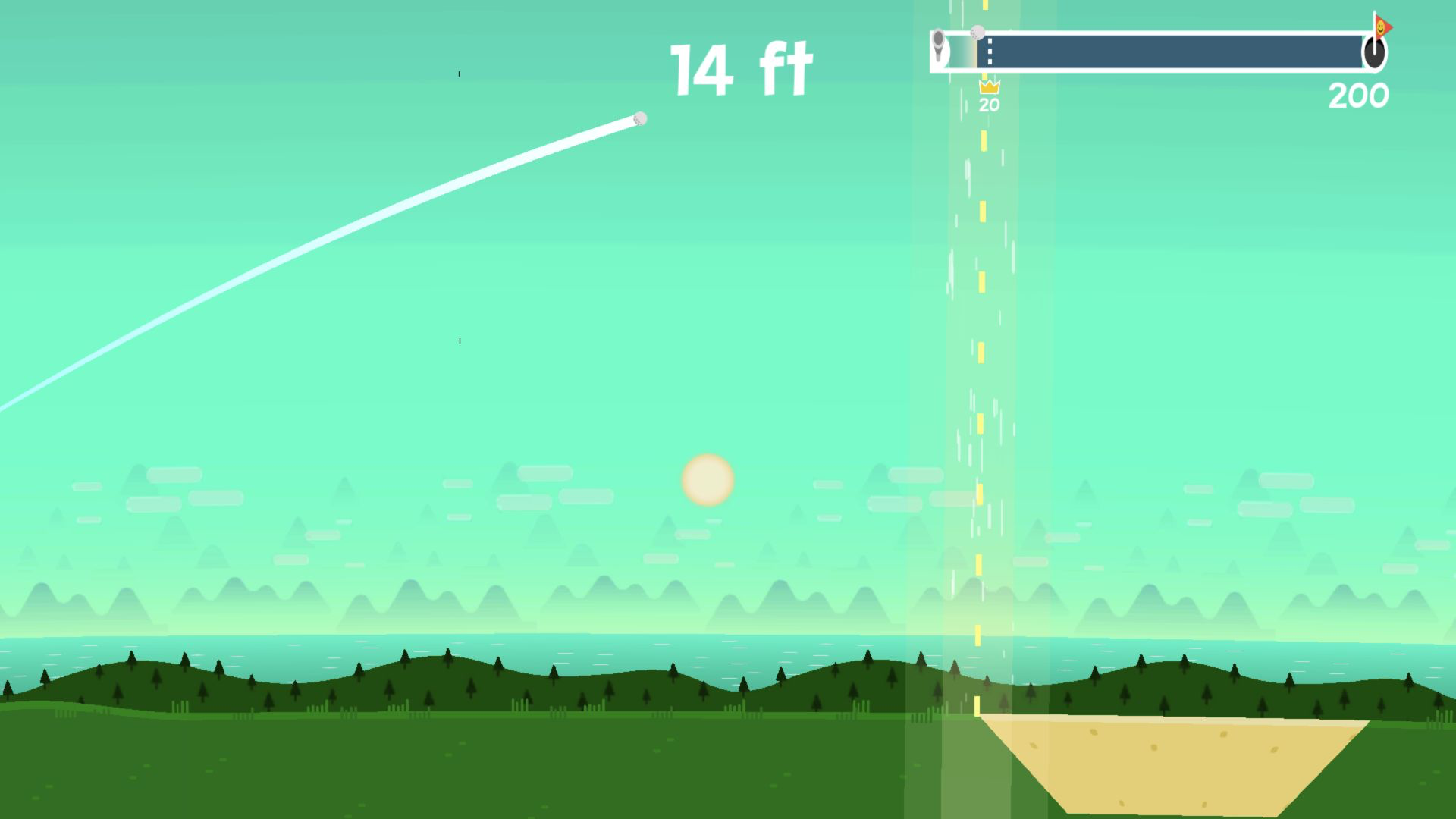
The third shot supplied the session's real payoff. At 14 ft the ball was still high above the ground, crossing a road-like strip and a bunker while the previous 20-foot crown remained on the progress bar. It came down on the fairway, paid 38 coins, and returned me to the tee with a new best of 51 ft. That single Great drive traveled more than two and a half times the previous record and pushed the total balance from 25 to 63 coins.
The flight camera is simple but readable. Distance grows in large white numbers, the old record remains marked beneath the top progress bar, and the ground scrolls past in broad blocks of grass, sand, trees, and road. You can tell when a bounce has saved a weak launch, but there is no steering once the club hits the ball. That makes the result easy to understand: timing sets the initial quality, purchased stats shape the potential, and terrain decides how much extra distance survives after impact.
Fifty-one feet was still only about a quarter of the 200-foot golfer-unlock target. The gap made the upgrade economy feel necessary rather than decorative. A perfect click might improve the next attempt, but reaching four times my record would clearly require several cycles of earning and spending as well.
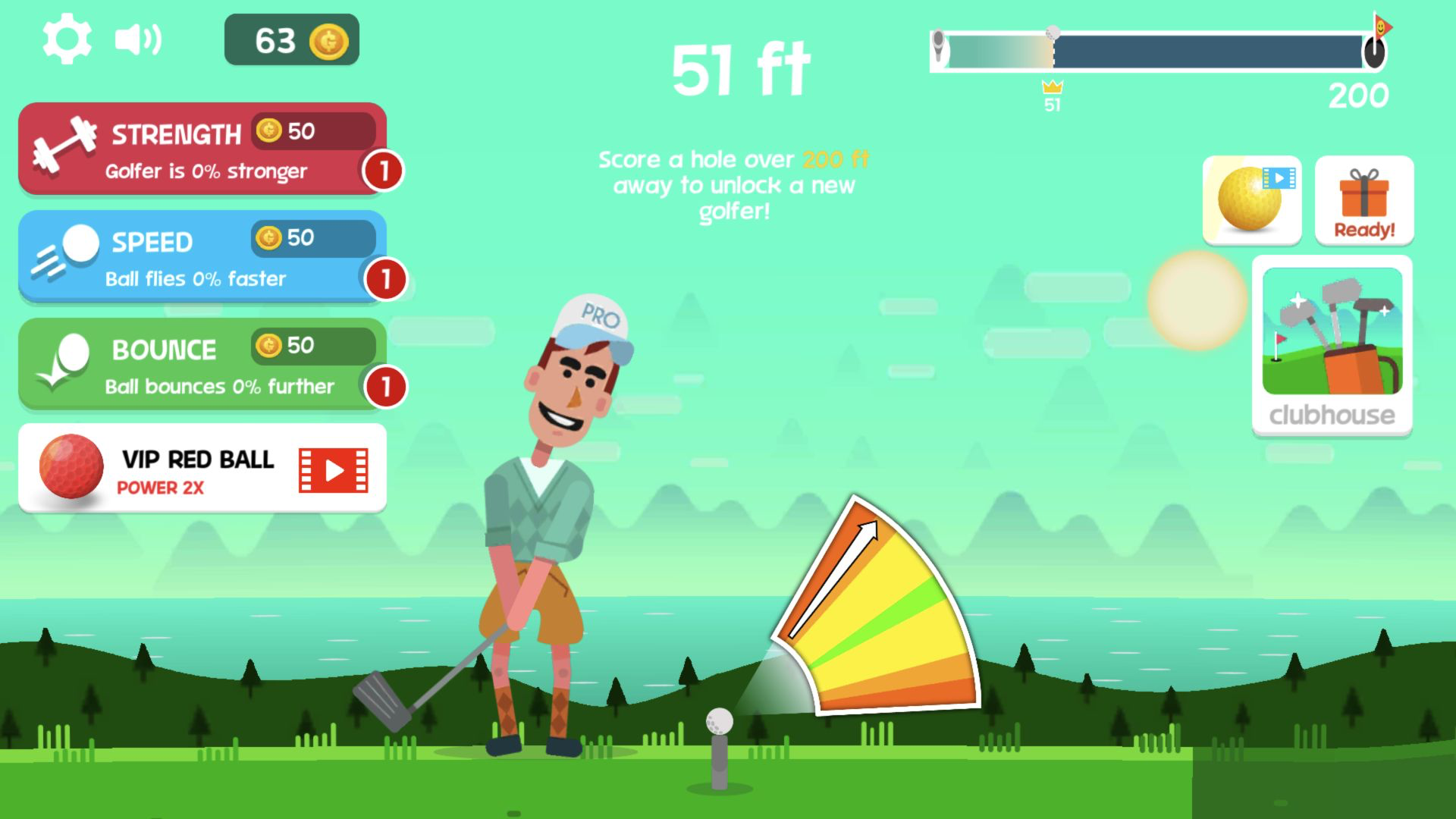
Sixty-Three Coins Bought a 5% Strength Increase
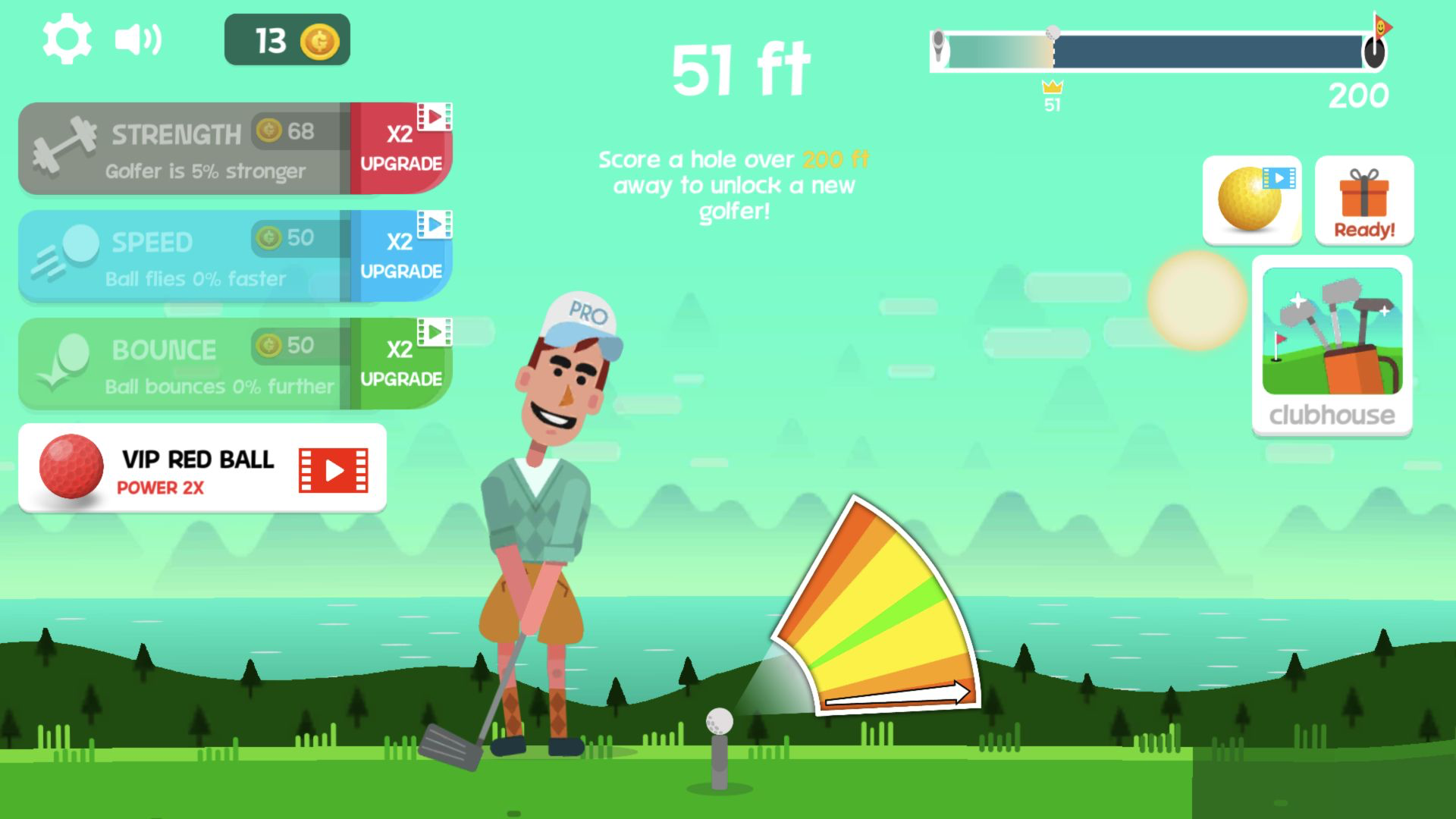
Strength, Speed, and Bounce each cost 50 coins at level one. With 63 available, I chose Strength because it promised a direct improvement to the golfer rather than depending on the later part of the flight. The purchase left 13 coins, changed the description to Golfer is 5% stronger, and raised the next Strength price to 68. Speed and Bounce remained at 0% with their original 50-coin prices.
That rising cost matters. You cannot repeat the cheapest upgrade forever, and the three categories encourage different priorities. Strength is the easiest first choice to understand. Speed should help the ball carry before gravity wins, while Bounce should protect more distance after the first landing. I did not buy those two, so I would not pretend to rank them from this run. A sensible early plan is to buy one clear improvement, then compare several shots before deciding whether to specialize or spread coins across all three.
The Upgrade Did Not Rescue My Next Mistimed Click
My first shot with 5% Strength was useful precisely because it was not a new record. I clicked in an orange band again, received Cool, and saw the ball kick through a dust cloud at 8 ft. It finished on the fairway for 9 coins and left the 51-foot crown untouched. One upgrade improved the underlying number, but it did not turn a mediocre release into a Great launch.
That failure gives the most practical Golf Orbit advice: treat coins as assistance, not permission to ignore the meter. New players should collect the normal reward until they understand the timing rhythm, aim for the stronger center bands, and judge progress over several drives rather than one lucky bounce. The game suits short-session players who enjoy visible numbers, permanent upgrades, and the anticipation of a physics result. It is less suitable for anyone expecting club choice, shot direction, or a realistic round of golf.
I also repeated the core loop in a 390 by 844 mobile viewport using touch input. The page switched into its full-screen player, the timing release launched a real shot, and the result panel recorded 30 ft before presenting the normal coin chest. The meter and distance number remained readable, but the portrait layout cropped more of the golfer and packed the upgrade labels tightly across the top. Desktop is my recommendation when both are available because it shows the timing wedge, upgrade economy, and flight path together with far more breathing room; mobile still works well for a quick one-shot session. Neither run forced a video after the player finished loading.
