Level 1 Starts with Almost No Mercy
Geometry Arrow 2 wastes very little time between its menu and the first cave. The large Level 1 card is available immediately, while the neighboring card is still dark. In the recorded desktop session, three attempts produced a saved best of 9% and a global score of 3,690. That is an unusually honest introduction: the game does not hand out a comfortable tutorial corridor before asking for precise timing.
The opening screen also exposes the game's compact structure. Sound, customization, achievements, and level selection are all reachable from one black-and-white menu. I did not need an account, and no purchase prompt interrupted the tested runs. The page did show the game inside Playflaming's normal embedded player, so retrying never required leaving the detail page.

One Input Controls an Arrow That Never Stops Moving
After selecting Level 1, the arrow waits under a clear Click to Start prompt. Space worked reliably on desktop; touch did the same job in the mobile fullscreen player. Once the run begins, forward motion is automatic. The player's real job is to change the arrow's diagonal direction at the right moment, creating a sharp zigzag instead of free movement around the screen.
That single-input design is easy to understand and difficult to execute. A press that looks only slightly late can leave the arrow descending toward the floor with no room for a correction. The useful beginner habit is to watch the empty lane ahead rather than the arrow itself. Decide where the next turn should happen, then press before the tip reaches that point.

The Countdown Is the Only Quiet Moment
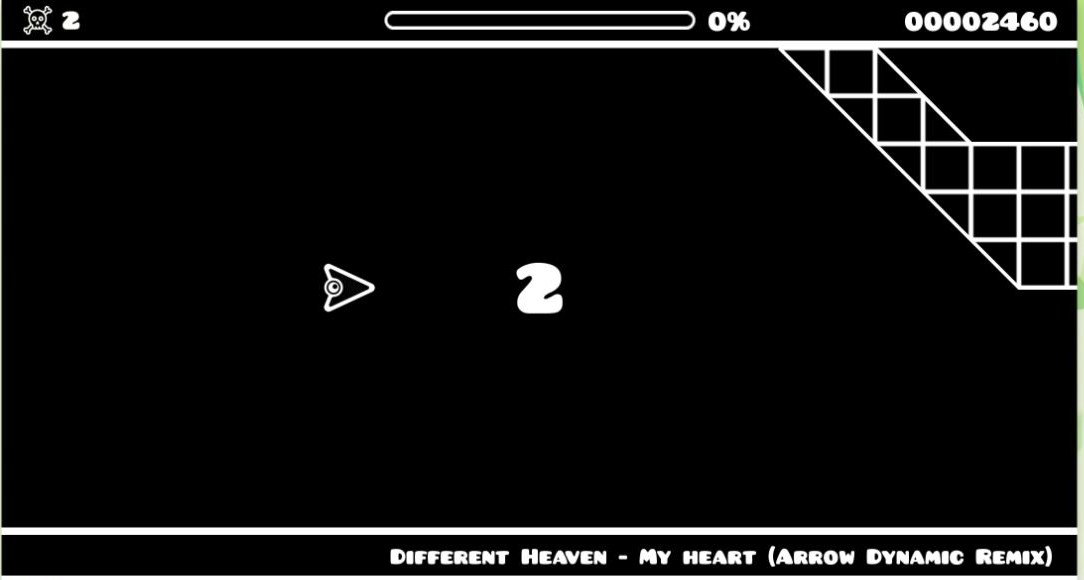
The large 3-2-1 countdown gives just enough time to inspect the opening geometry. The ceiling slopes down from the right, the arrow begins left of center, and the first safe line is narrower than the empty black background suggests. Starting with random taps produced immediate failures; starting with a planned first turn at least carried the run into the visible course.
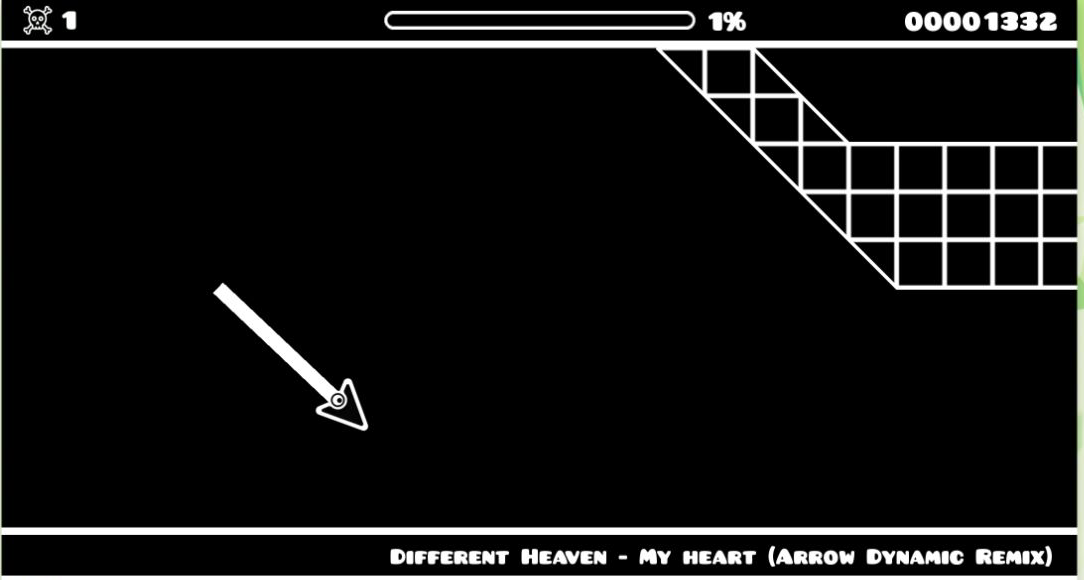
The progress bar and percentage are more useful than the score during early attempts. A score can rise even during a very short run, but the percentage tells you whether a new timing pattern actually advanced farther. On my early desktop pass, the display reached 1% and 1,332 points before the next mistake ended the attempt.

At 1%, the Cave Already Demands a Clean Reversal
The first successful movement carried the arrow beneath the upper grid and raised the progress counter to 1%. The arrow's long white trail makes the chosen angle easy to diagnose after the fact. In this frame, the descent is already too committed; another late input would not create enough clearance before the lower boundary arrived.
Geometry Arrow 2 therefore feels closer to a rhythm challenge than a conventional flying game. The background track supplies momentum, but the useful rhythm comes from the level's spacing. Short gaps encourage rapid reversals; longer corridors punish nervous extra taps. Muting the music is available, yet the visual timing remains demanding enough that audio is not a substitute for reading the cave.
Failure Restarts Quickly, Which Makes Experimenting Practical
A collision did not bury the next attempt behind menus. The skull counter increased, the score remained visible, and another countdown began. That fast reset is essential because the opening is learned through small timing adjustments rather than through a written tutorial. I could change one press, see whether the arrow survived longer, and try again within seconds.
The downside is that progress can feel tiny. Moving from an immediate crash to 1%, then seeing a stored best of 9%, is still far from completing the first level. Players who dislike repetition may find the opening severe. Players who enjoy shaving errors out of a short mechanical sequence will understand the appeal immediately.
Desktop Shows the Route Better; Mobile Touch Still Works
Mobile testing used the actual Playflaming fullscreen player with its visible back control, not the inline preview or a direct export. Touch started the level and changed direction correctly. Because the game remains horizontal inside a portrait screen, the course occupies a smaller band with black space around it. The input is responsive, but the upcoming geometry is easier to read on desktop.
My recommendation is desktop for a first serious attempt and mobile for quick retries once the opening timing is familiar. The tested result was a 9% best, not a completed level, and that limitation is part of the verdict: Geometry Arrow 2 is immediately readable, technically responsive, and genuinely difficult. Its strongest quality is the clean retry loop; its biggest friction is how little room Level 1 gives a new player to learn safely.
