Level 1 turned a parking jam into a color queue
My first Bus Parking Out puzzle looked simple: a small lot filled with chunky buses, a line of color-coded passengers, and open road around the grid. The important detail was that a bus could leave only when the vehicles in front of it no longer blocked its route. Tapping a useful bus sent it out of the lot and toward the waiting area, while a poor early choice would consume space without serving the next color in line.
That makes this more than a visual matching exercise. The passenger queue establishes demand, the parking layout establishes movement order, and the limited waiting spaces connect the two. I had to read which bus could physically escape and whether its color would help soon enough. There was no steering wheel or manual driving in the tested levels; the meaningful input was choosing the correct vehicle in the correct sequence.
I played the opening level both in a direct 2320 by 1228 desktop game player and in Playflaming's 390 by 844 fullscreen mobile modal. Both began with the complete game occupying the capture, without a detail-page background or a cropped game card.

The tutorial made the first blue dispatch unambiguous
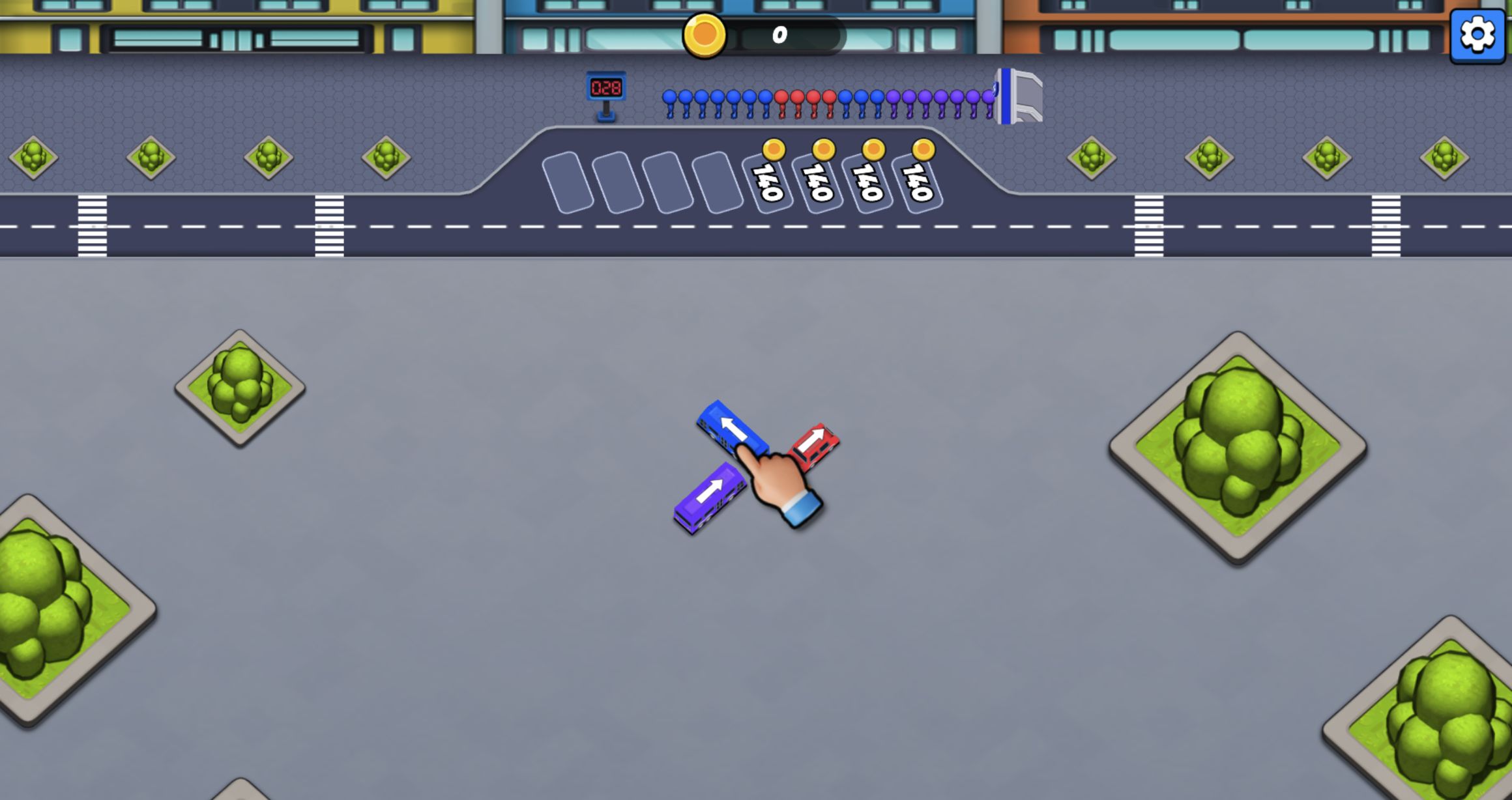
The opening hand prompt pointed to the blue bus, so the first tap was not a guess. Once that vehicle cleared, the lot exposed the next useful lane and the queue began to advance. The tutorial did not bury the interaction under text: tap a bus that has an open path, let matching passengers board, then use the newly created space to free another vehicle.
After blue, I worked through the visible color order rather than tapping every available bus. Orange, red, purple, and the later orange group each changed which part of the lot mattered. The satisfying moments came when one departure revealed a second route immediately. A blocked bus did not require dragging or rotating; it simply needed another vehicle removed first.
On mobile, the same taps registered cleanly and the color silhouettes stayed readable in portrait. The tall view gave more room to the passenger line but less horizontal space around the parking grid. That changed how much of the route I could see at once, not the underlying rules.
Purple passengers showed why waiting-space discipline matters
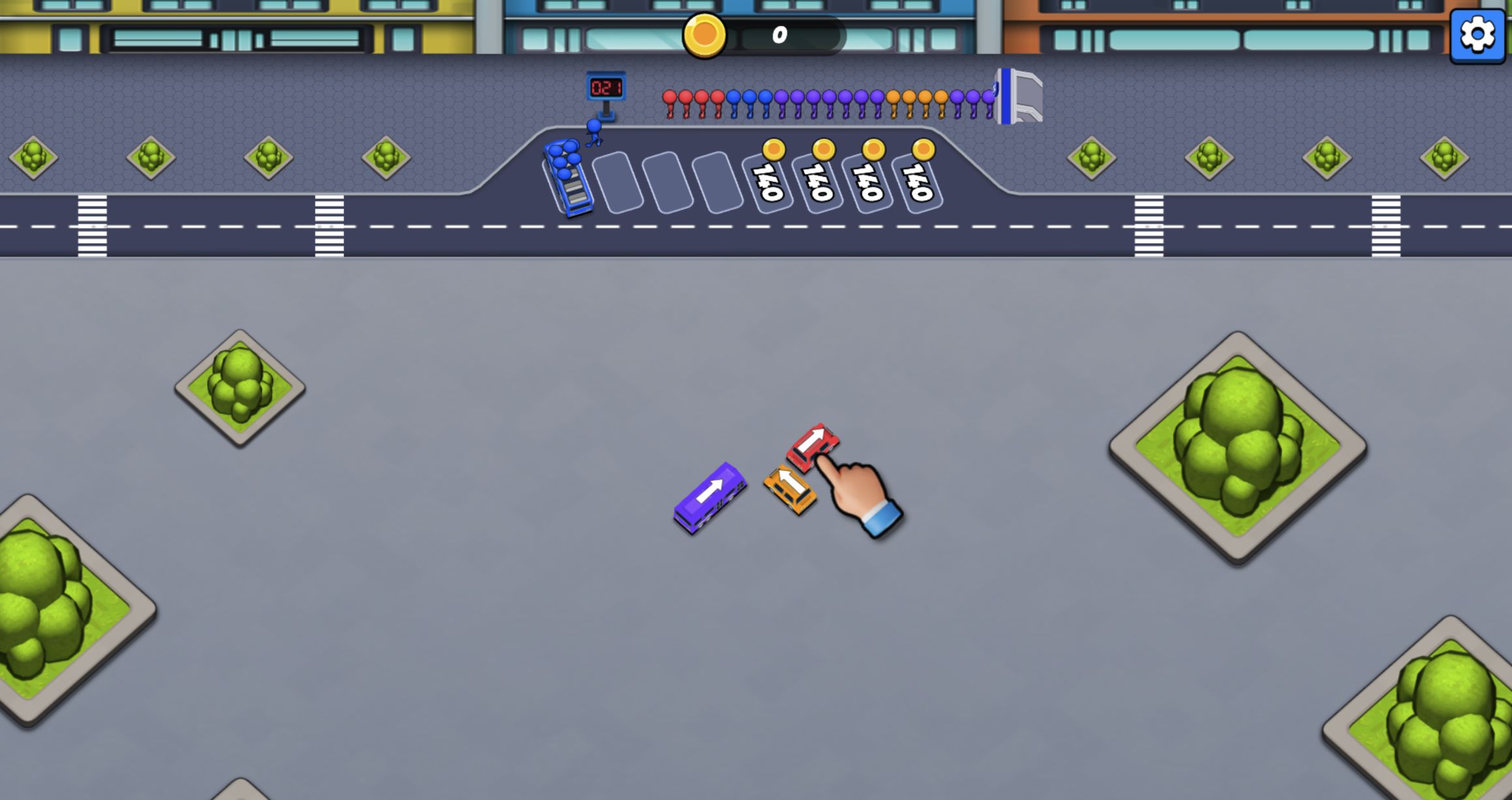
The purple group was the point where I stopped treating every movable bus as automatically correct. A vehicle can be free to leave yet still be a poor choice if its passengers are not near the front of the queue. Sending too many unmatched colors toward the holding area risks filling the spaces needed for useful buses. The puzzle therefore rewards restraint as much as discovery.
The interface communicated this state visually. Passenger colors remained visible, buses kept their saturated paint, and empty waiting slots were easy to distinguish from occupied ones. I did not encounter a timer in Level 1, so I could pause and inspect the board. The pressure came from capacity and order, not from rapid clicking.
This is the beginner rule I would carry into later puzzles: first identify the next passenger color, then trace backward to a bus of that color, and only then remove whatever blocks its exit. That three-step check prevents the holding area from becoming a collection of vehicles that cannot yet earn space back.

Both Level 1 runs finished with the same +300 reward
Clearing the last passenger group produced a Level 1 COMPLETED panel with +300. I reached that same result independently on desktop and mobile. That cross-device agreement is useful evidence: the touch run was not merely a loading check, and the wide run was not a menu-only visit. Both completed the actual puzzle loop from the opening lot to the reward screen.
I did not use a reward-doubling action or claim an advertisement bonus for this result. The +300 shown here is the ordinary completion reward displayed by the game. I also saw no chat, username, matchmaking lobby, or interaction with another player during either run; the tested activity was a self-contained single-player puzzle.
The mobile modal remained responsive through the complete color sequence. Taps were easier than long gestures would have been, which makes this puzzle a natural fit for portrait play. Desktop still offered the better whole-board overview, especially when comparing several blocked routes at once.

Level 2 expanded the board to four waiting bays
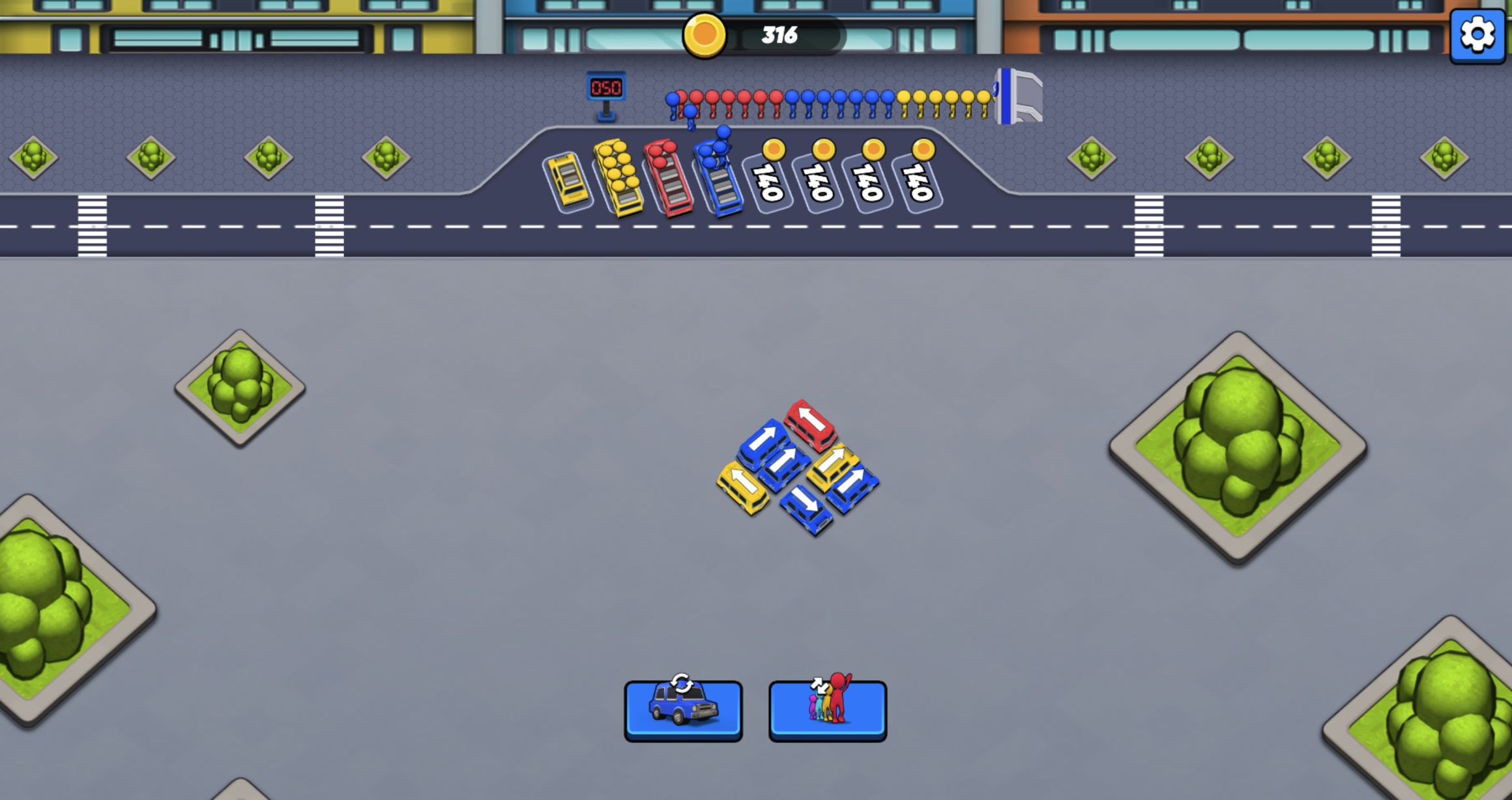
Level 2 made the same rule set more interesting by increasing density. The lot packed more buses into crossing lanes, the queue presented blue, yellow, and red groups, and four waiting bays became part of the planning surface. With more apparently available vehicles, the temptation to tap the first free bus grew stronger, but the cost of filling a bay with the wrong color also became clearer.
I used the waiting row as a small buffer rather than a destination. When a matching bus could serve immediately, I prioritized it. When a blocker had to move first, I checked that a bay remained available for the displaced vehicle. This kept the puzzle readable even when the center of the lot looked crowded.
The direct desktop viewport was especially useful here because it preserved the entire landscape game frame at once. The queue, lot, and four bays stayed simultaneously visible, making cause and effect easier to follow than in the narrower mobile presentation. I did not complete Level 2 on mobile, so the second-level comparison is limited to verified desktop play.
A +150 finish confirmed the puzzle gets leaner, not louder
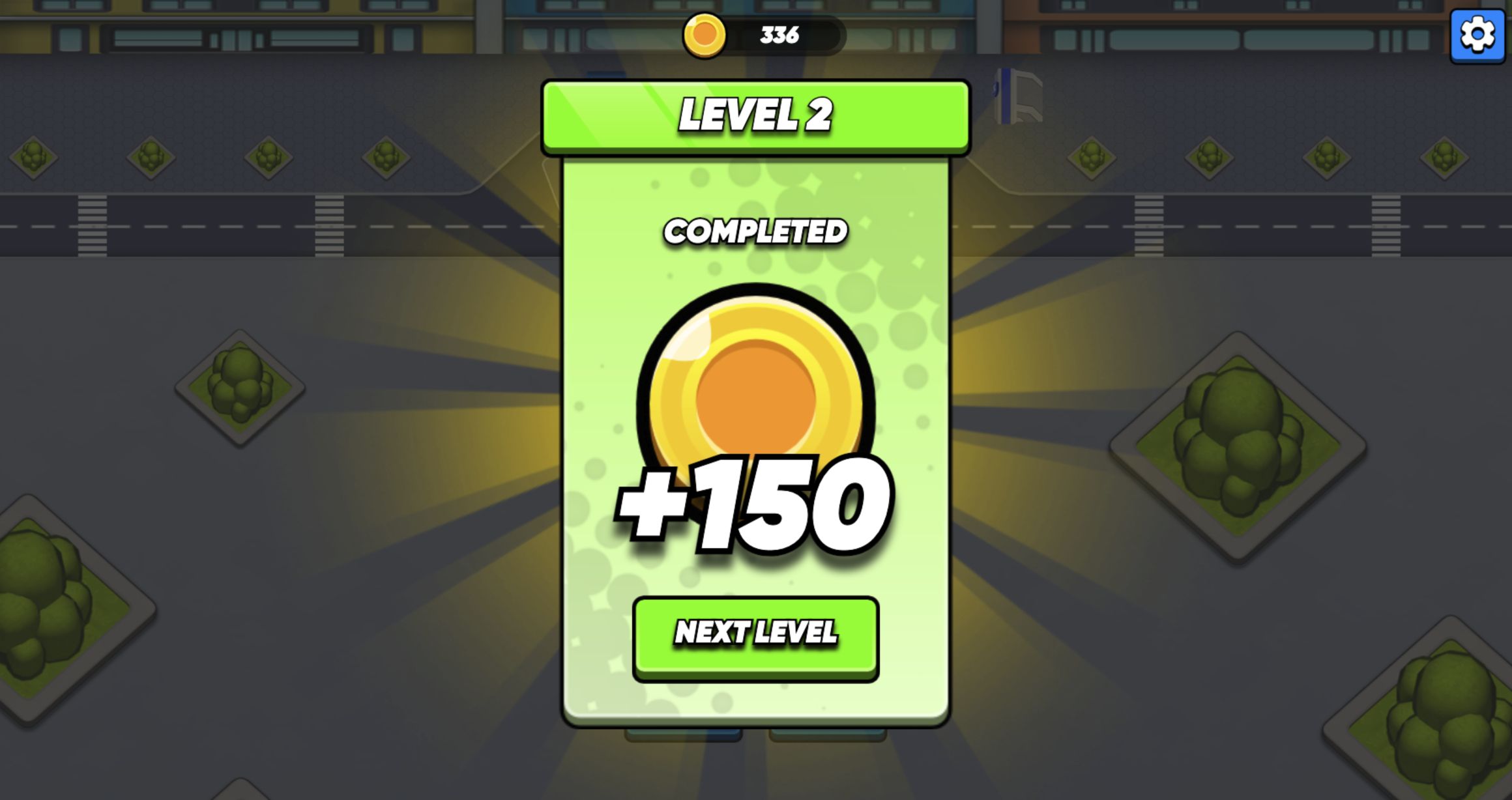
The final two passenger groups cleared the waiting area and produced the Level 2 COMPLETED panel with +150. The reward was smaller than Level 1's +300, but I did not continue far enough to determine whether that difference reflects tutorial generosity, a score calculation, or another hidden rule. It is safest to report the displayed results rather than invent an economy around two screens.
Bus Parking Out works best for players who enjoy untangling compact traffic puzzles and matching a visible service order. Its controls are almost frictionless; the challenge is in refusing a legal but strategically awkward move. The first level teaches the sequence cleanly, while the second proves that a few extra buses and four holding spaces are enough to create more demanding route planning.
My verified boundary is two desktop level completions and one full mobile Level 1 completion. Later levels, failure states, boosters, and long-term currency spending remain untested. Within that boundary, the strongest recommendation is simple: use desktop when you want the clearest board overview, use mobile when you want quick direct taps, and always plan from the passenger queue backward before releasing a bus.