The Tutorial Made Me Handle the Bun Delivery Before Serving Anyone
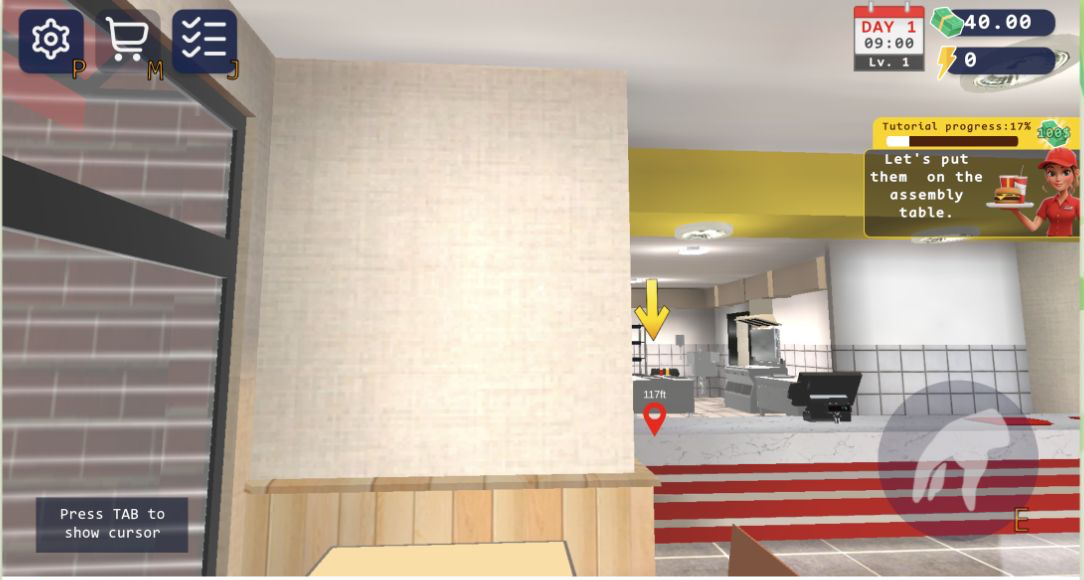
Burger Restaurant Simulator 3D did not begin with a neat menu of recipes. At 09:00 on Day 1, I stood outside with $35, zero energy, and a tutorial panel asking me to take a box of buns. The next checkpoint moved inside the building: at 17% progress, a yellow arrow pointed toward the assembly table, still 117 feet away. That opening taught the game’s priorities clearly. Before there can be a burger, somebody has to buy stock, carry the carton through the restaurant, and place it where the kitchen can use it.
The first-person controls were also the session’s biggest source of friction. WASD movement worked after the canvas had focus, E handled interaction, and Tab switched between the game cursor and camera control. Camera movement was much more sensitive than the walking controls, so I repeatedly overshot the bun box and the kitchen doorway. Lowering the sensitivity slider helped, but the early carrying task remained less graceful than the later menu work. This is a management game that expects you to physically walk the business, not an idle dashboard that runs itself from the first minute.
$40 Was Enough to Inspect the Supply Chain, Not Buy Everything
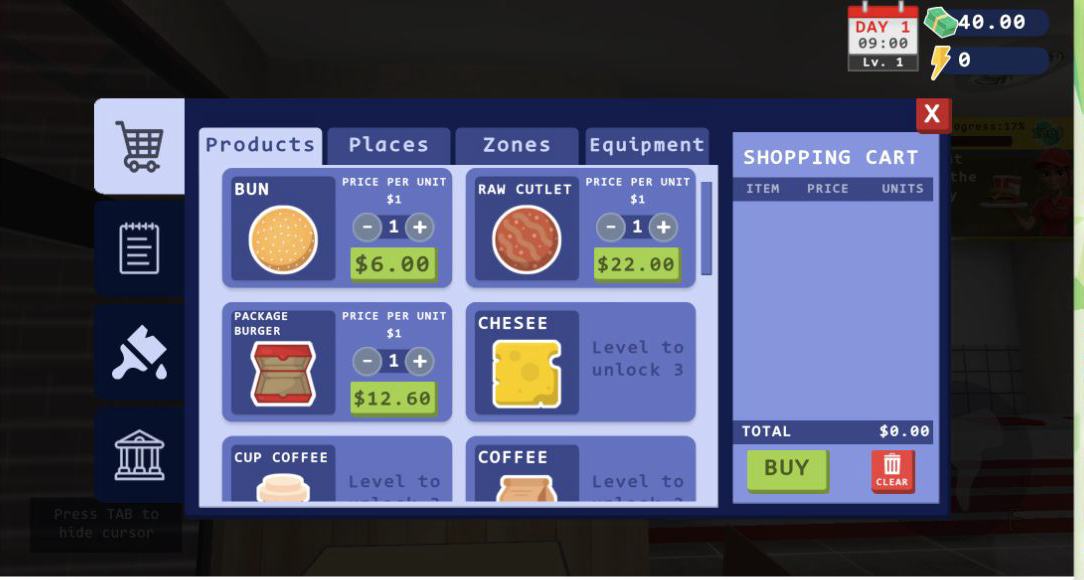
Opening the shop with M made the economics more concrete. The balance in this part of the session was $40. A bun line cost $6, raw cutlets cost $22, and burger packages cost $12.60. The cart showed a running total and required an explicit Buy click, so it was possible to compare the ingredients without accidentally spending money. Cheese was visible but locked until level 3; coffee cups and coffee were also beyond the opening level. That gating kept the first recipe narrow while still showing where the menu could grow.
The price spread matters because the raw cutlet consumes more than half of the starting $40 by itself. Buying carelessly could leave too little cash for packaging or another bun restock. I did not purchase every item just to see an animation, and I did not encounter a real-money purchase prompt in the tested stretch. The shop behaved like an in-game supply order: choose units, watch the total, then decide whether the stock is worth the immediate hit to working cash.
By Day 4, the Assembly Counter Was a Real Queue Instead of a Tutorial Prop
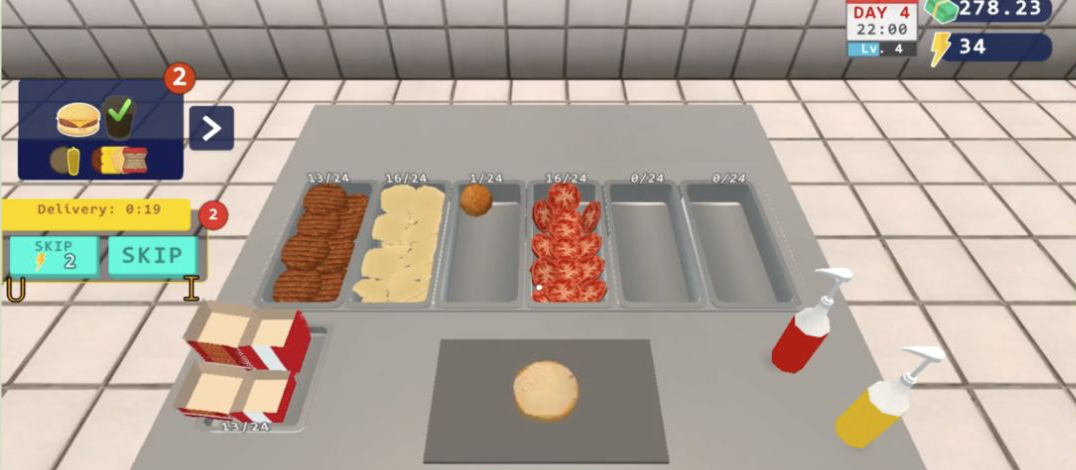
The later save supplied the representative restaurant loop that the opening tutorial only promised. On Day 4 at 22:00, level 4, the assembly station showed buns, patties, cheese, a single fried item, tomato, ketchup, and mustard. The visible stock counts included 13/24 patties, 16/24 cheese, 1/24 of the fried item, 16/24 tomato, and 13/24 burger packages. Two orders were queued, while the current ticket displayed a burger with its ingredient icons and a green check beside the top item.
A delivery timer had 19 seconds remaining and offered a two-energy skip. That small choice links the restaurant floor to the energy meter in the upper-right corner. At this moment I had 34 energy and $278.23. The counter was readable once I stood over it, but the first-person view makes positioning part of the task: ingredients are not abstract buttons in a fixed HUD, and the useful information only becomes obvious when the character is facing the workstation.
The Register Asked for an Exact $5.63 Card Payment
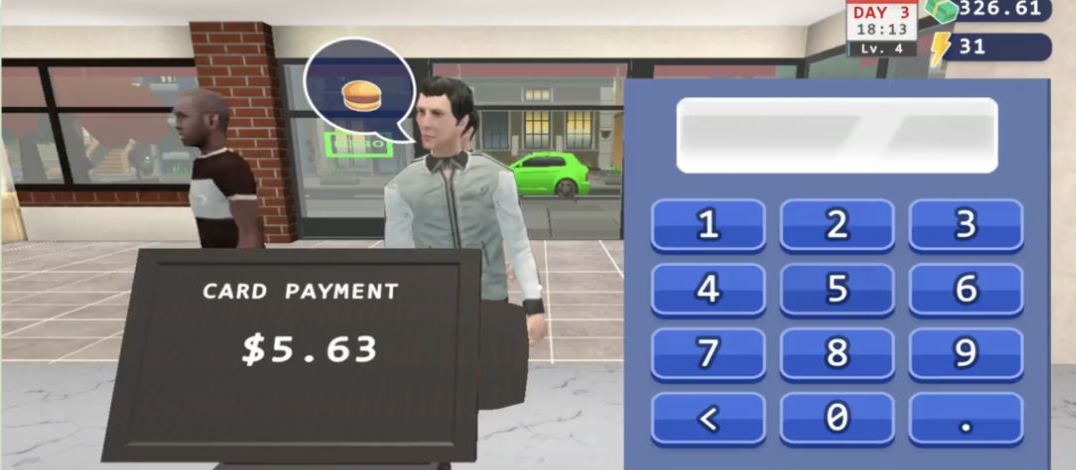
The most distinctive interaction came at the register on Day 3. A customer’s speech bubble showed a burger, the card terminal displayed $5.63, and a large keypad filled the right side of the view. I entered 5, the decimal point, 6, and 3 before confirming. The panel also provided a backspace key, plus clear and OK controls below the captured area. It is a tiny arithmetic check, but it breaks up the physical routine of carrying stock and assembling food.
This payment step is where the game felt most like a hands-on job simulator rather than a tycoon viewed from above. The customer waited in front of me, another person stood behind him, and the Day 3 HUD remained visible with level 4, $326.61, and 31 energy. The terminal did not auto-fill the sale value. That demand for exact input creates a genuine mistake opportunity, and it rewards reading the screen instead of rushing through every customer with the same memorized click sequence.
Day 3 Ended at 22:00 with a Patty Box Still in My Hands
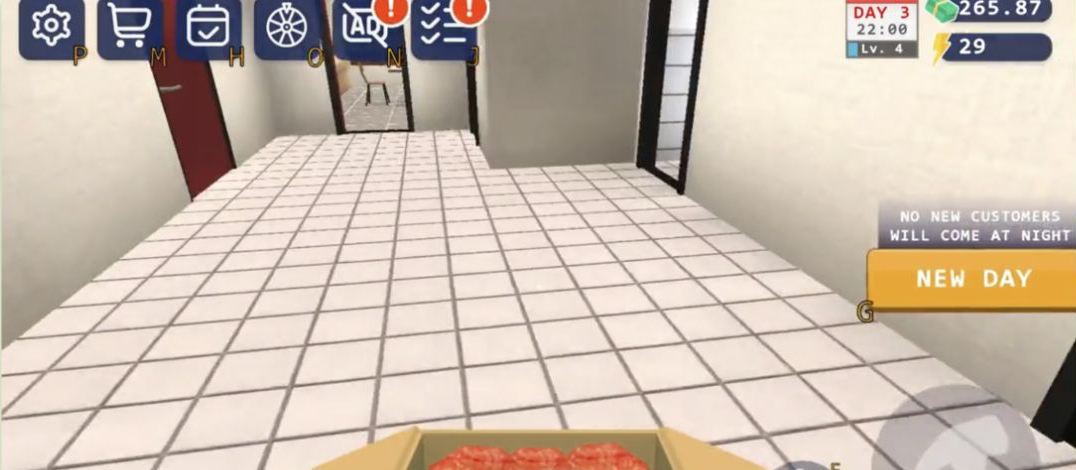
The day does have a firm boundary. At 22:00 on Day 3, the notice said that no new customers would come at night and exposed a New Day button. The HUD showed $265.87 and 29 energy. I was still holding an open carton of raw patties in the corridor, which was an appropriately untidy result: the clock ended customer service even though my restocking work was not neatly finished.
That ending changed how I thought about efficiency. Walking an unnecessary route is not merely slow in real time; it can leave important preparation unfinished when the service window closes. A better run would stage buns, patties, and packages near their stations before the queue grows, then handle register work without wandering back into storage after each customer. The game communicates this lesson through the building layout and clock rather than a long strategy explanation.
A $30 First Table Leads into Level-Gated Rooms and Equipment
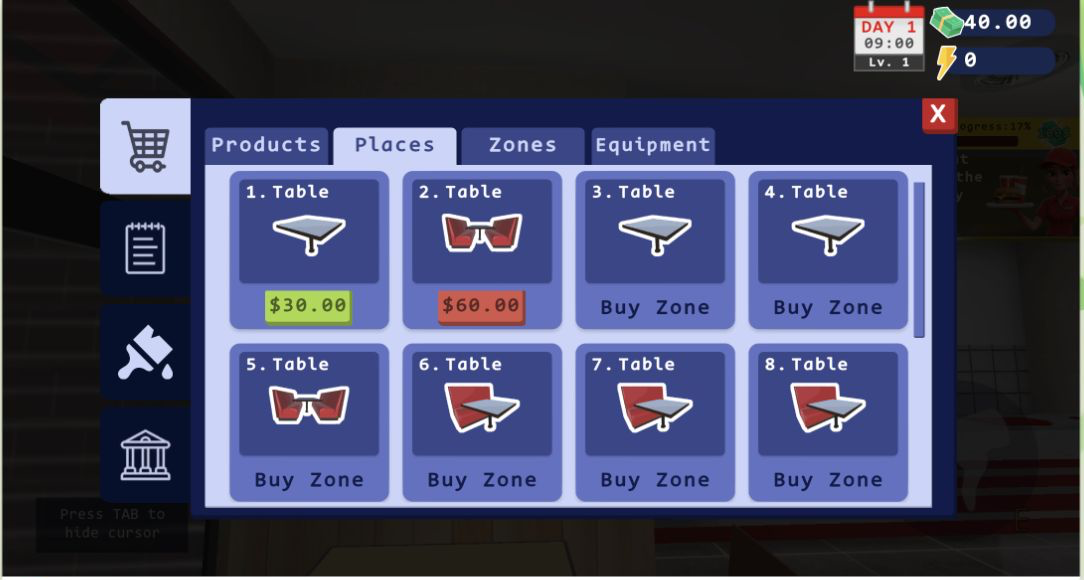
The shop’s Places tab gave the early profit a purpose beyond groceries. Table 1 cost $30 and Table 2 cost $60. Tables three through eight were not simple higher prices; each said Buy Zone, tying seating capacity to the building expansion system. This is a stronger progression structure than a flat list of percentage upgrades because the restaurant visibly needs more floor space before it can hold more furniture.
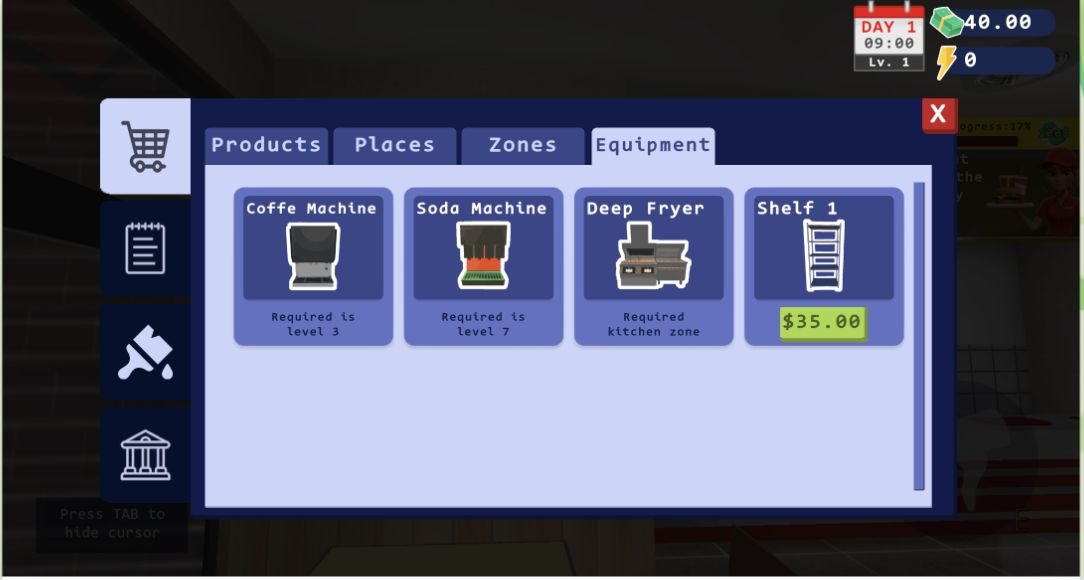
The adjacent Zones screen made the dependency chain explicit. Zone 1 was owned, Zone 2 required level 2, Zone 3 required level 3 plus the previous zone, and Zone 4 required level 4 plus the previous zone. Storage required level 4, the Staff Zone level 5, and the Kitchen Zone level 10. The Equipment tab added another layer: Shelf 1 was available for $35, the coffee machine required level 3, the soda machine level 7, and the deep fryer required the Kitchen Zone. Expansion is therefore a sequence of cash, player level, and prerequisite space rather than one giant purchase.
A Good Fit for Methodical Players, with One Important Platform Caveat
Burger Restaurant Simulator 3D suits players who enjoy doing the work behind a management screen: walking stock to the kitchen, reading ingredient counts, keying a card total, and deciding whether cash should go to supplies, tables, shelves, or the next room. The visible Day 1-to-Day 4 change was satisfying because the same assembly table that began as a yellow tutorial arrow later held several stocked bins and a two-order queue. Players looking for fast, automatic idle income may find the first-person carrying and sensitive camera too deliberate.
I completed the meaningful desktop evidence in the local Playflaming route at a 1920 by 1080 browser viewport, with the game renderer displayed horizontally. I also opened the same route at a 390 by 844 mobile viewport and tapped Play, but the result still showed the underlying recommendation grid around the game instead of a verifiable fullscreen mobile player. I therefore did not treat that narrowed view as mobile gameplay evidence and do not recommend one device over another. On the tested desktop path, the strongest advice is simple: lower sensitivity before precision work, stage ingredients before opening the queue, read every register total, and keep enough cash for the next restock instead of spending the entire balance on expansion.