My session began with three drills, not an instant match
Basketball Superstars did not throw me straight into a competitive game. My first desktop session opened on a compact practice court and asked me to finish Move & Shoot, Dunk, and Steal & Block. Each lesson awarded three visible stars when its small sequence was completed, and the final panel showed a check beside all three categories. That structure made the opening feel more like a skills exam than a loose sandbox: one prompt appeared at a time, the target area was marked on the floor, and success was confirmed immediately.
That guided start is useful because one action button changes its job with possession. Space controls the shot or dunk on offense and the steal or block on defense, while WASD handles movement. The lesson order explains those roles without a wall of text. It is also honest about the game's priorities: positioning gets you to the correct interaction, but timing is what converts the attempt into a star. I left training knowing the inputs, though not yet knowing how they would hold up through a complete match.

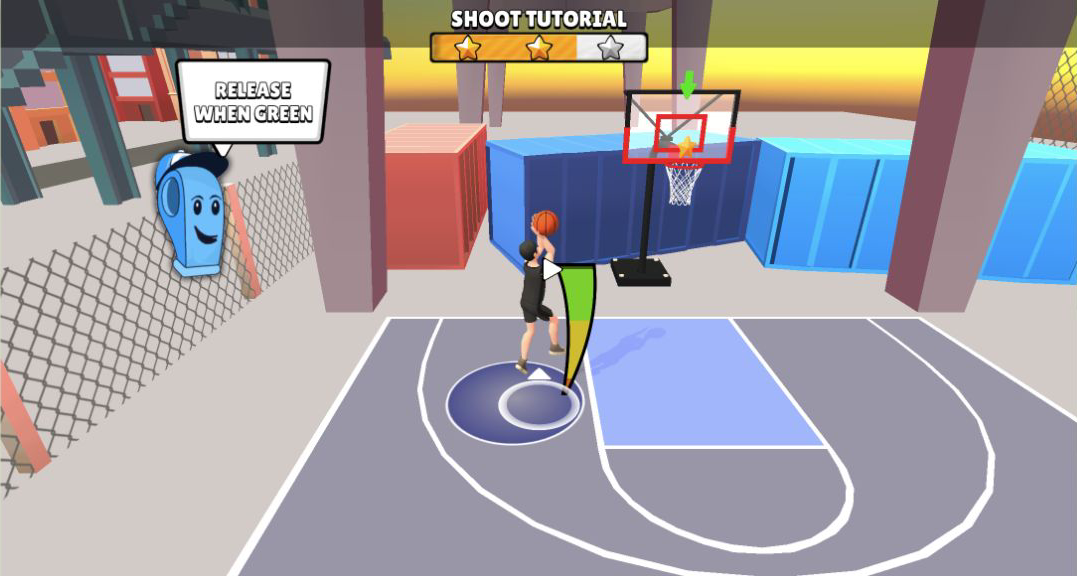
A made shot depended on releasing inside the green slice
The clearest mechanic in the playtest was the shot meter. After collecting the ball and standing on the marked circle, I held the shot input and watched a curved bar sweep toward a narrow green section. Releasing in that section sent the ball through the hoop and completed the third objective. The meter gives a shot more texture than simply tapping near the basket, but it also demands that the player split attention between the avatar, the rim, and a UI element near the feet.
My mobile replay followed the same observable loop inside Playflaming's fullscreen modal: drag the on-screen stick, pick up the ball, reach the marked point, hold the orange Shoot button, then release. The basket completed Move & Shoot with all three stars. The large button made the action easy to find, while the timing still required a deliberate hold rather than a quick tap.
For the mobile check, I opened the local detail page at 390 by 844, entered through Playflaming’s Play button, and verified the fullscreen modal by its back control. The game required landscape, so the playable canvas became 844 by 390. The virtual stick and orange Shoot button remained readable, but this browser emulation supports only touch, orientation, and layout claims—not real-phone heat, battery, or performance.

Dunking rewarded the approach, not just proximity to the rim
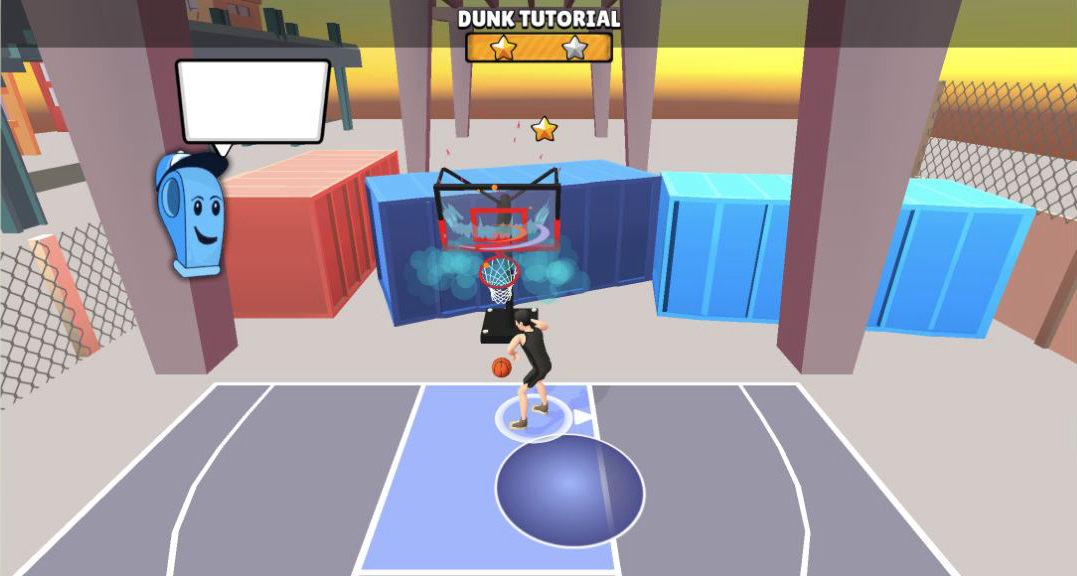
The dunk drill changed the rhythm. Instead of stopping for a release meter, I carried the ball toward the lane and triggered the close-range finish from the instructed area. The successful dunk produced a deliberately exaggerated impact around the backboard. It was a satisfying visual payoff, yet the important lesson was the approach line: pressing the action too early would not replace getting the player close enough to the hoop.
This is where the small practice court helped. Painted areas and floating arrows made the intended path readable, so mistakes could be corrected without waiting for a possession reset. The trade-off is that the drill is extremely controlled. It proves the input and the reward effect, but it does not prove that a dunk will be easy when an opponent is contesting the lane.
Defense used the same button but asked for a different read
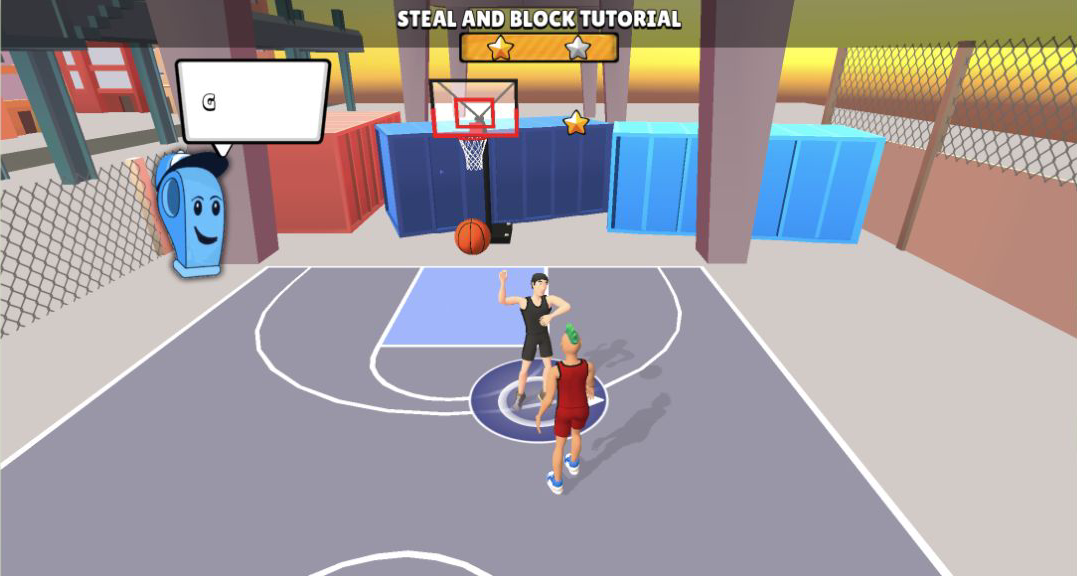
Steal & Block introduced an opponent and made spacing matter in another way. I moved close, used the action input when the prompt called for a steal, and later raised an arm to challenge near the hoop. Completing the lesson with three stars showed that the defensive sequence registered, but the attempt also exposed the control scheme's central friction: one context-sensitive button is convenient until the situation changes quickly.
The animation and camera gave enough feedback to tell that the avatar had committed to a challenge. What training could not tell me was how forgiving the timing window would be against a player with better movement or shooting statistics. I would treat early defense as a positioning exercise: close the gap first, then press, rather than repeatedly hitting the action from a distance.
Training opened a career screen with visible upgrade pressure
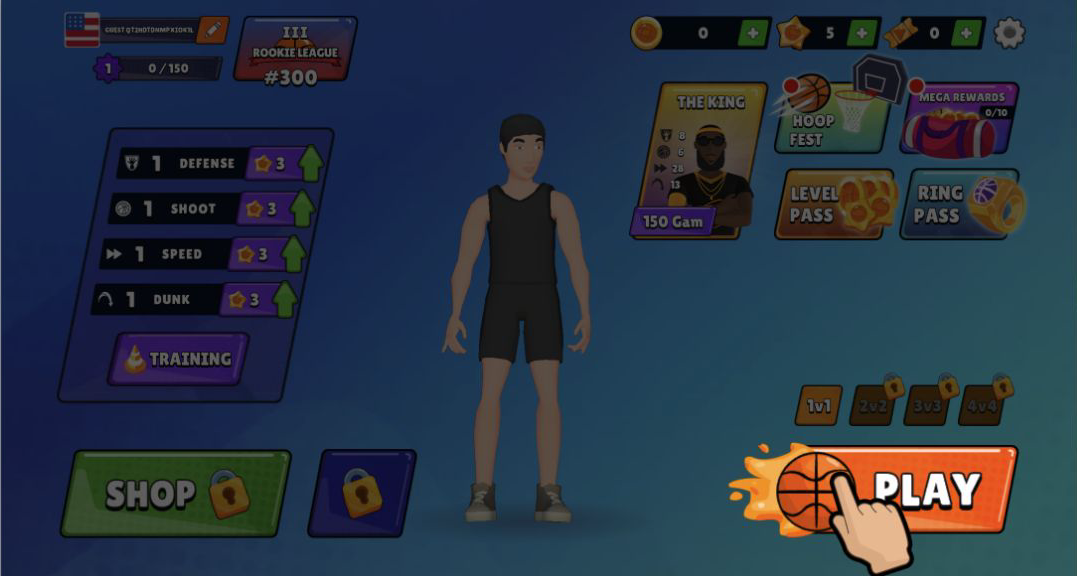
Returning to the main menu revealed more structure than the tutorial court suggested. My created player was level 1 in Rookie League at rank 300. Defense, Shoot, Speed, and Dunk each displayed level 1, with a three-star upgrade cost beside them. The top bar showed zero coins, five stars, and zero tickets. A card for The King carried a 150 Gam requirement, while 1v1 was available and the 2v2, 3v3, and 4v4 buttons were locked.
Those numbers make the next decision understandable: spend scarce early stars on a specialty or enter the first game with an even but weak build. I did not purchase anything, open a shop item, or test the passes, so I cannot say how quickly the currencies accumulate or whether later progression becomes grindy. The menu does, however, communicate that match play feeds a broader upgrade ladder rather than existing as isolated exhibitions.
Our first Rookie pairing appeared, but no final score followed
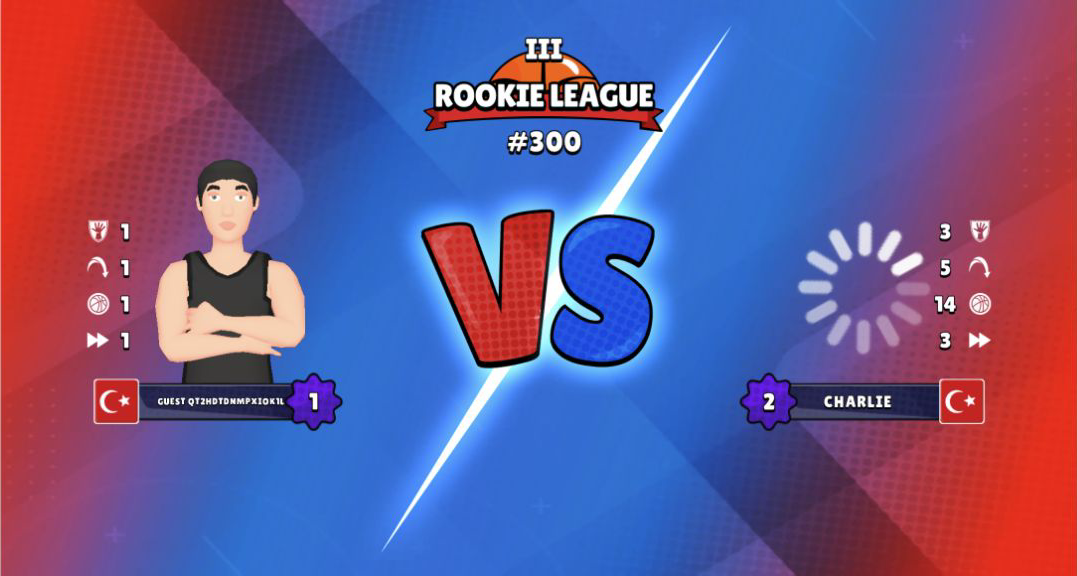
Pressing 1v1 reached a Rookie League versus screen against Charlie, a level 2 opponent. My four displayed values were all 1; Charlie's four displayed values were 3, 5, 14, and 3, all above at least one of my all-1 starting values. That is a conspicuous first matchup on paper and a useful warning not to describe the game as an effortless opening victory.
The playtest did not complete that match, so there is no honest final score, reward total, win claim, or loss claim to report. My verified result is narrower: all three desktop tutorial categories were cleared with three stars, the mobile Move & Shoot lesson was also cleared with three stars, the career menu opened, and the first 1v1 pairing reached the matchup screen. Players who enjoy short timing drills and visible stat progression have a clear reason to try it; anyone seeking a fully documented competitive result should treat this as an opening-session review, not a verdict on match balance. Desktop offers unobstructed keyboard inputs for the full tutorial set, while the tested mobile flow is a workable landscape alternative after the mandatory rotation.