The first livestream gave me a concrete lime request
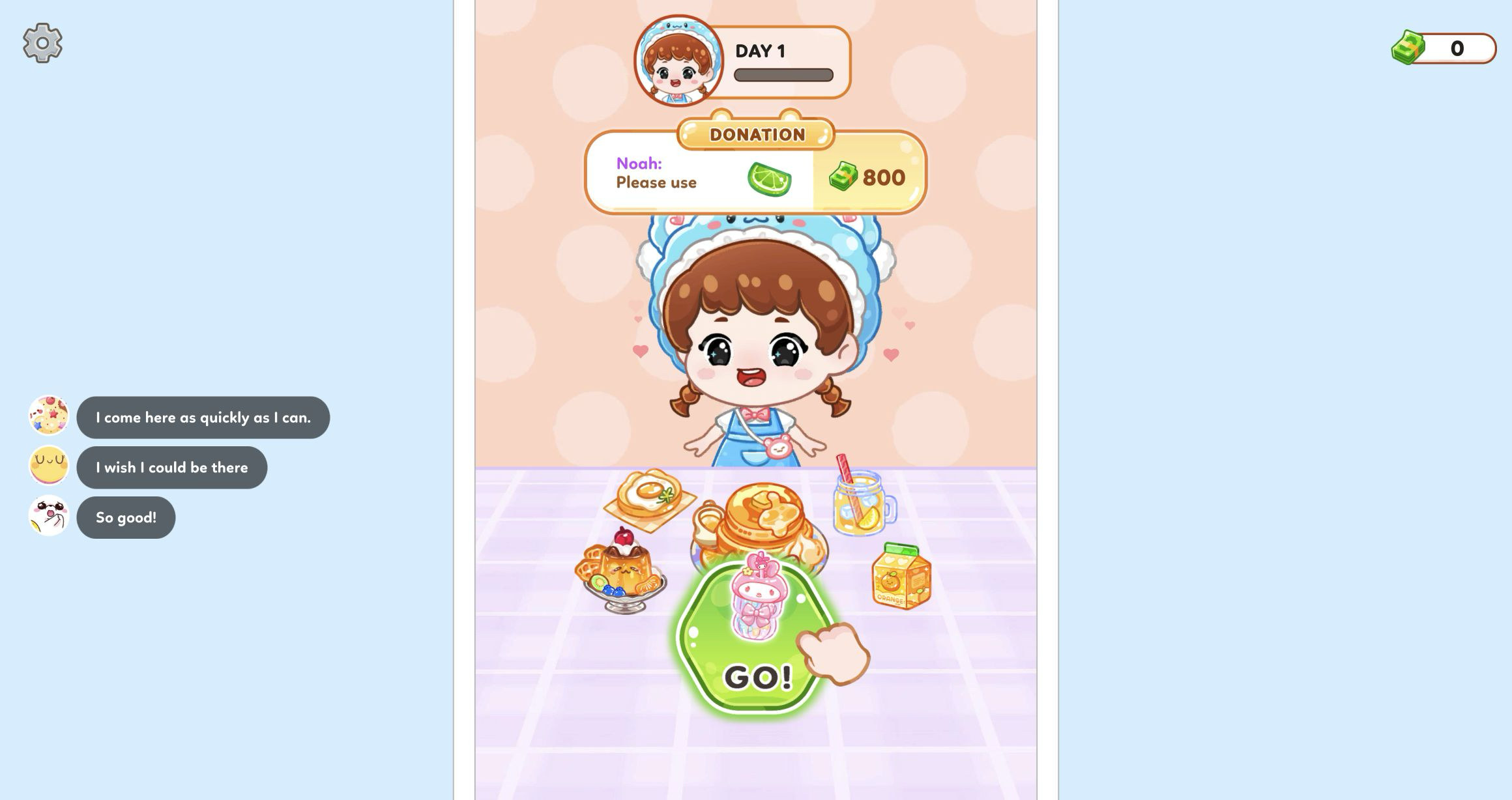
My Day 1 desktop session opened at zero money with the host already framed as a livestreamer. A donation card from Noah said Please use beside a lime icon and showed 800 on the right. Comment bubbles appeared over the food table, including I come here as quickly as I can, I wish I could be there, and So good. That opening mattered because it turned the next recipe into a specific test: would the ingredient screen acknowledge the request, or was the donation card merely decoration?
Pressing the large green GO button moved directly into drink assembly. There was no long tutorial paragraph. Instead, a pointing hand and a green confirmation control established the interaction pattern visually. Each ingredient family received its own uncluttered screen, so the task was easy to read even before I knew how many stages the drink would contain. The result is closer to a guided decorating sequence than an open-ended kitchen simulator, but the viewer request gives those guided choices a useful purpose.
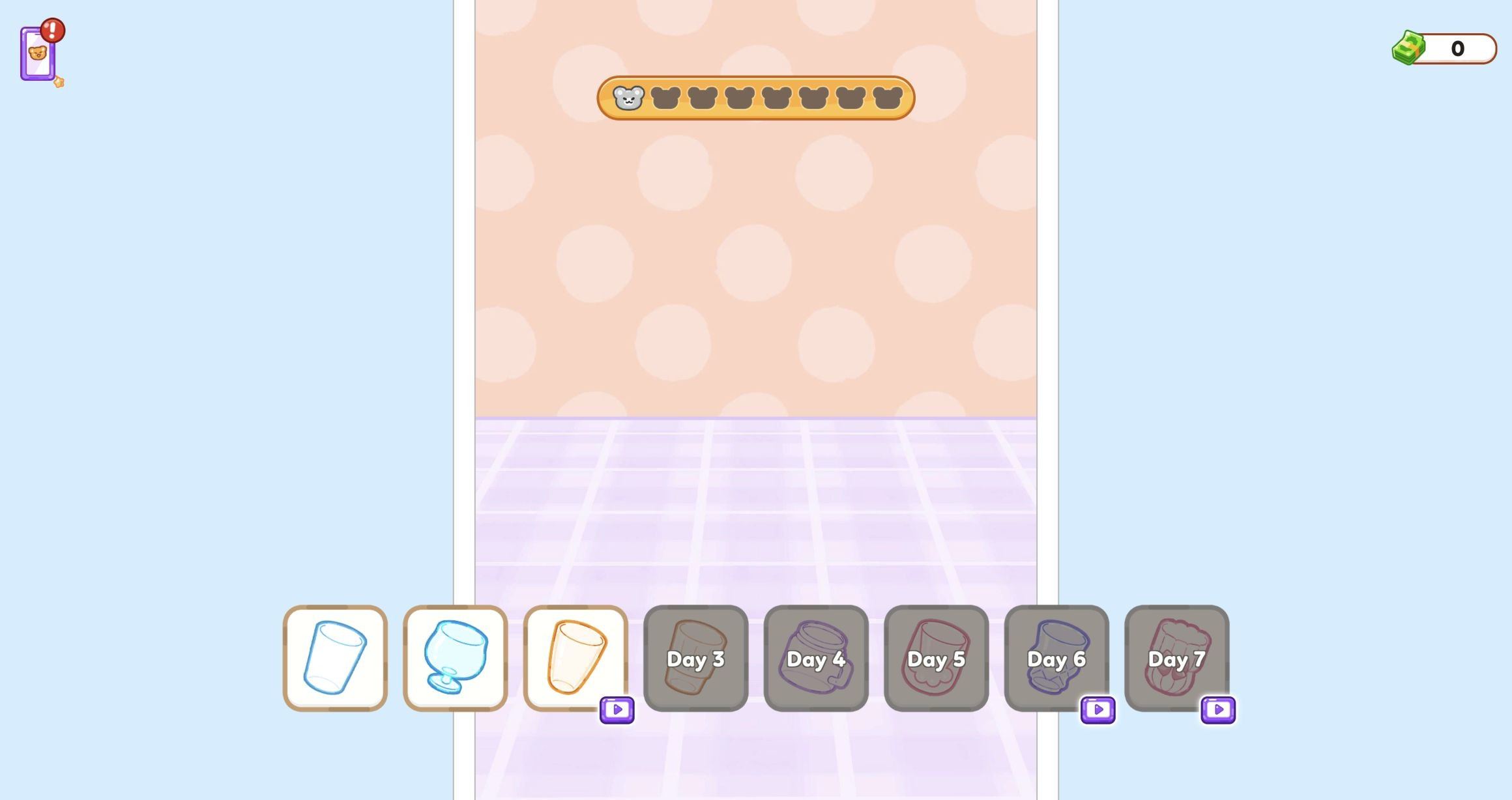
Glass and ice choices revealed the game's three kinds of locks
I selected the second available vessel, a rounded glass with a short stem. The next screen offered ice shapes. I used the first ordinary cube option, while a cute bear-shaped alternative displayed a purple video badge. I left that card alone. Similar menus later showed day-based locks, video-badge choices, and items with explicit prices, making the progression rules visible without sending me into a separate shop. It was always clear which path continued the recipe immediately.
That clarity is one of the strongest parts of the tested loop. The cards are large, the selected item appears in the glass at once, and the next action is confirmed with a green check. There is little chance of forgetting what was chosen because the drink remains centered and updates after every step. Players who want to avoid optional video routes can follow the plain available cards; players interested in alternate shapes can see exactly where those options sit, even if the test did not open them.
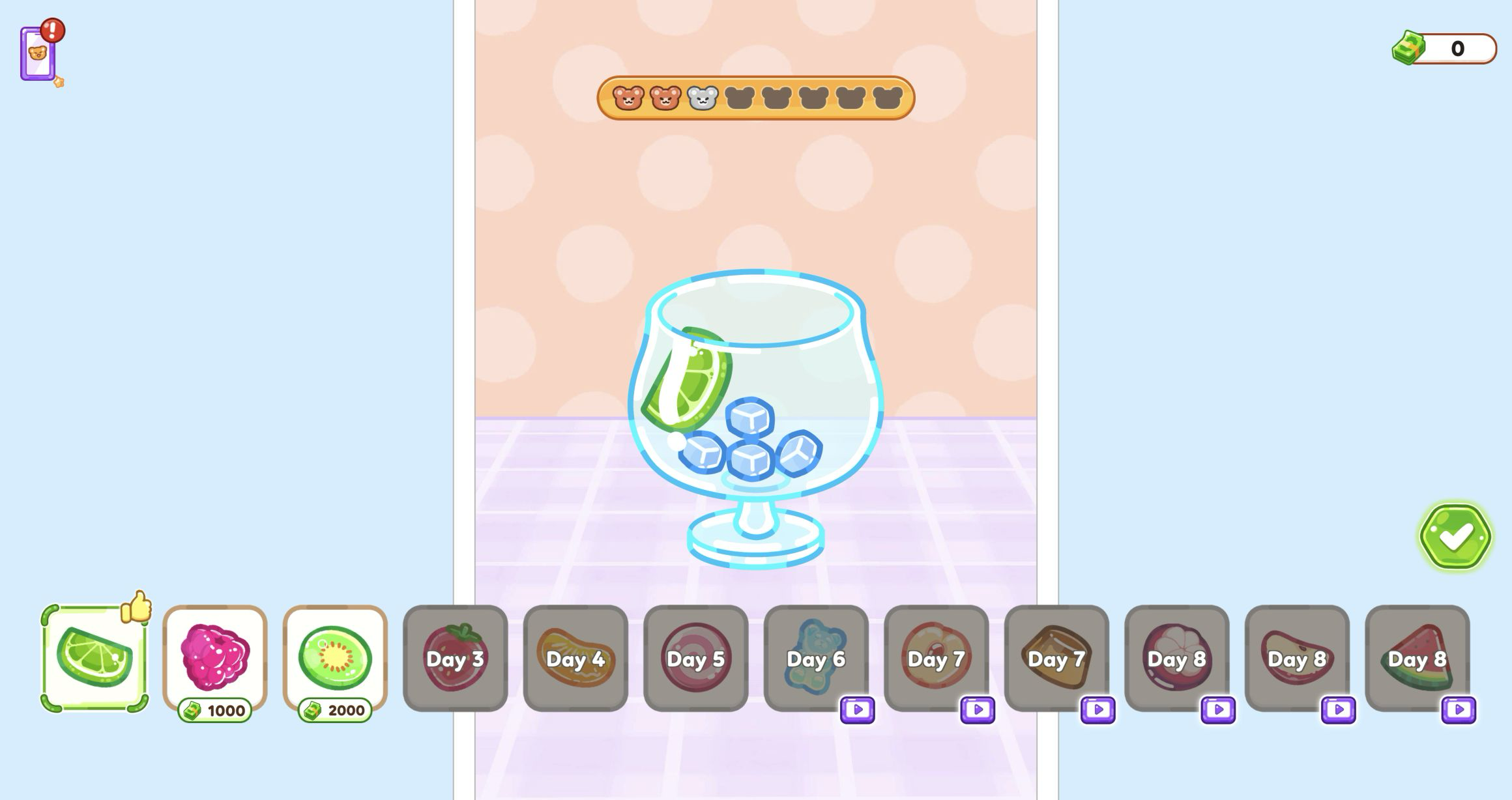
Lime earned the thumbs-up, then chocolate filled the glass
The garnish menu provided the best feedback in the sequence. Lime was available and received a positive thumbs-up marker when I selected it, directly answering the livestream request. Raspberry was labeled 1000 and kiwi 2000 in the same menu, so choosing lime was both the request-matching option and the straightforward zero-balance route in this run. I did not spend or open any purchase flow, and no account prompt appeared.
For the liquid, I chose chocolate syrup. One click produced a partial pour; a second filled the rounded glass to the top around the visible lime and cube ice. Strawberry was another ordinary visible choice, while lemon carried a purple video badge. The accumulating fill level made this stage more tactile than a simple card selection because I could see the recipe change between clicks. It also created a deliberately odd lime-and-chocolate combination, which suits the playful excess of a staged mukbang drink.
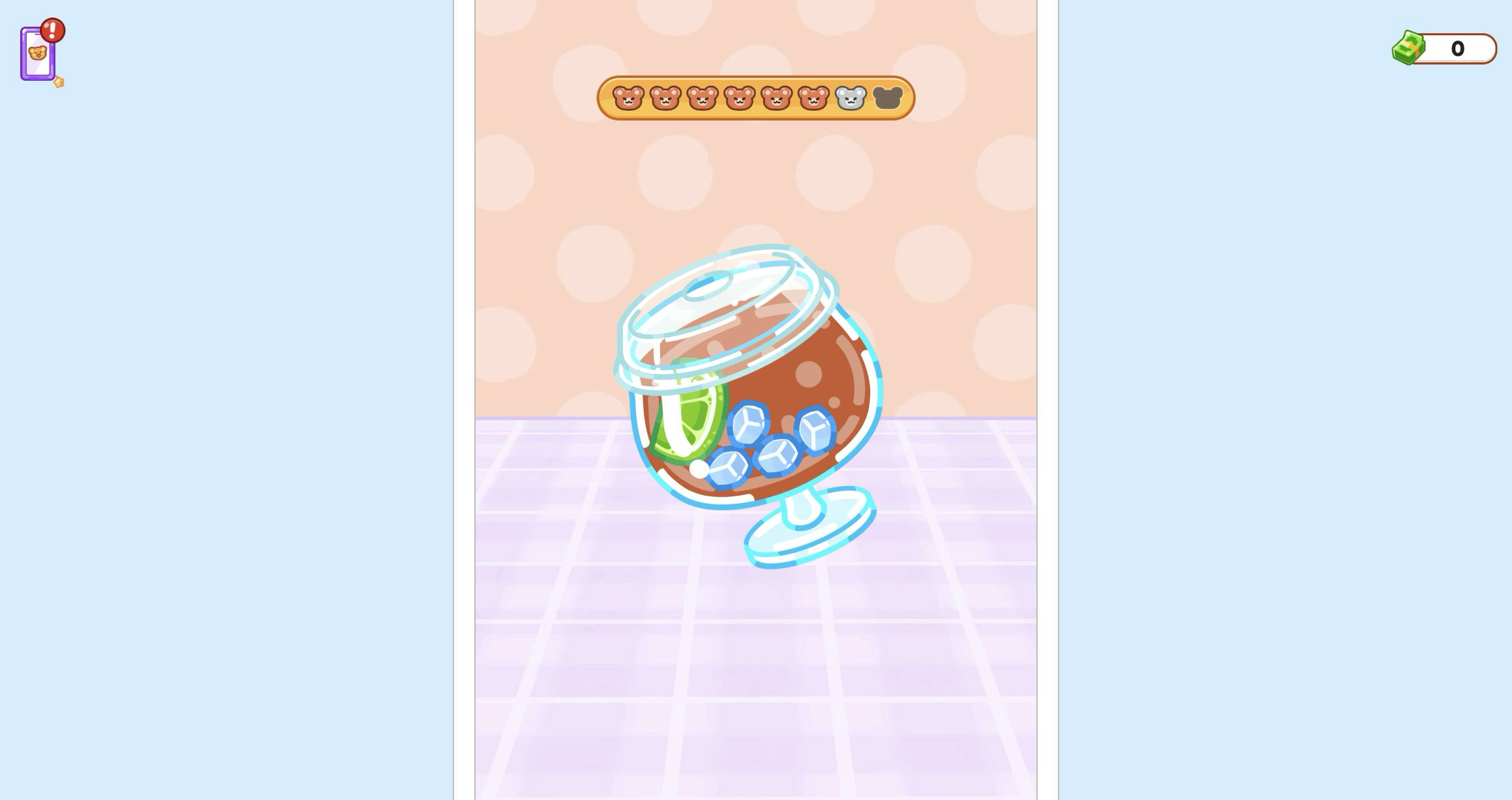
The shake gesture needed commitment, not a short swipe
After choosing the first available clear dome lid, the game asked me to shake the capped drink. This was the only step that resisted my first input. Several short drags barely changed the state, so I traced a much longer zigzag path back and forth through the glass. That sustained gesture finally advanced the meter and carried the recipe to its final straw screen. The lesson is simple: treat shaking as continuous motion rather than a quick flick.
I then selected the first orange straw. The finished glass clearly showed the orange straw, clear lid, lime slices, cube ice, and chocolate mixture, with a green check beside it. However, repeated pointer clicks on that final check did not move the build to a serve, score, or payout screen during my session. The drink was visually complete, but the evidence stops there. I cannot responsibly claim that Noah paid 800, that Day 1 was cleared, or that any later food stage unlocked.
The local 390x844 player reached the first recipe choice
I also replayed the entry flow in the local Playflaming fullscreen player at 390x844. The top-left exit control and Playflaming title footer stayed visible, which distinguishes these captures from the direct game export. After Let's Play, a preroll eventually exposed a clearly labeled Close control; I waited for that control and did not click the creative or its Open button. The player then reached the Day 1 menu at zero money, with side activities labeled as unlocking at levels 2, 3, and 4.
Selecting the drink produced a large LIVE button. Inside the livestream, selecting it again revealed a request from Jack for a brown ingredient, marked 800, before GO opened the glass menu. The only Day 1 vessel shown there carried a purple video badge, while the other choices were locked to Days 3, 4, and 5, so I stopped instead of opening a rewarded route. The browser also reported no touch capability: this validates local modal layout and pointer operation, not physical Android or iOS touch response or performance.

A charming guided recipe with one unresolved final step
ASMR Girl: Livestream Mukbang was most convincing when it connected a viewer request to visible recipe feedback. Noah asked for lime; lime earned the thumbs-up; the glass retained every choice as I moved through ice, syrup, lid, shaking, and straw. The cards and expressive host make the sequence easy to follow, while priced ingredients and level locks hint at longer-term variety without crowding Day 1. In the tested loop, the appeal came from colorful cause and effect rather than culinary realism.
The reservation is equally specific. I reached a finished lime-chocolate drink on desktop, but its final green check would not advance, so this review does not invent a payout, result screen, or later progression. The local portrait run independently proved the menu, LIVE request, GO transition, and first recipe screen, then met a video-badge vessel gate. Within those limits, choose the requested garnish before experimenting, use the plain cube ice when that free path is available, pour until the visible level is where you want it, and make the shake gesture long enough to register.
